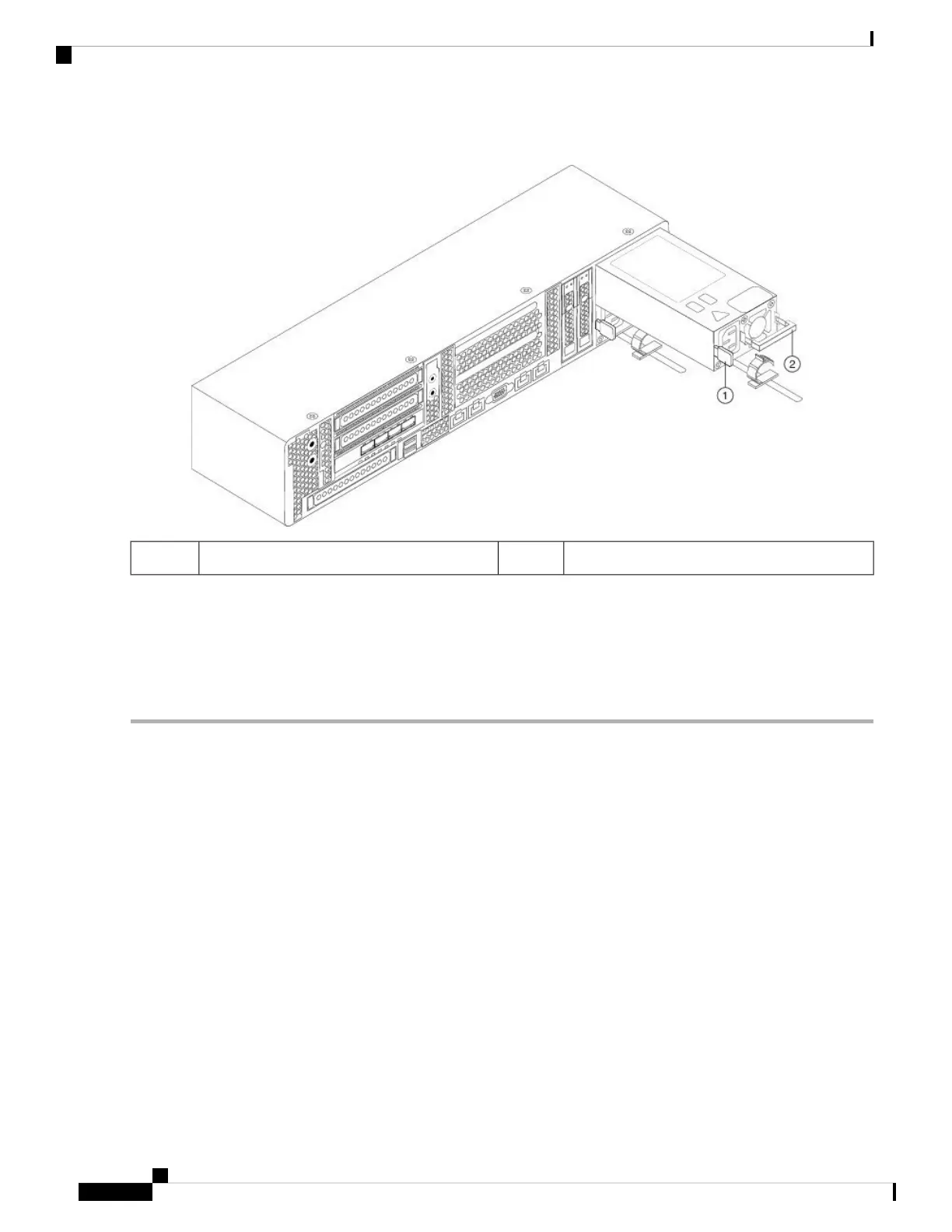
Figure 34: Remove and Replace the AC Power Supply
Handle2Release lever1
Step 2 Install a new power supply:
a) Grasp the power supply handle and insert the new power supply into the empty bay.
b) Push the power supply into the bay until the release lever locks.
c) Connect the power cord to the new power supply.
d) If you shut down the AMP PC3000, press the Power button to return it to main power mode.
Cisco AMP PC3000 Hardware Installation Guide
38
Maintenance and Upgrade
Remove and Replace a Power Supply



 To Previous Page