EasyManua.ls Logo

Cisco ASR 1000 Series - User Manual

Cisco ASR 1000 Series
72 pages
Print Icon
To Next Page IconTo Next Page
Loading...
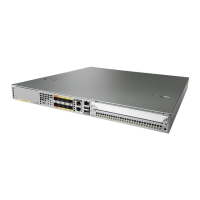
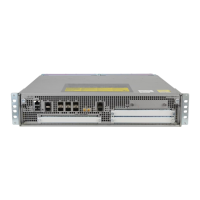
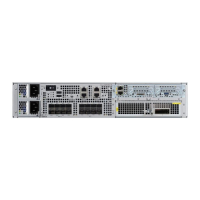
Cisco Aggregation Services Router (ASR) 1000 Series
Common Criteria Operational User Guidance
And Preparative Procedures
Version 0.4
October 27, 2017

Table of Contents

Other manuals for Cisco ASR 1000 Series

Questions and Answers

  • R
    richcrystalAug 20, 2025
    How to fix Cisco ASR 1000 Network Router if system fails to power on?
    • K
      Kayla BowenAug 20, 2025
      If the Cisco ASR 1000 Series Router fails to power on, check that all power cords are properly connected both to the router and at the power connection end. Also, verify that the power switch is in the ON position.
  • C
    Carolyn CarterAug 22, 2025
    How to fix Cisco ASR 1000 Network Router that fails to power on?
    • M
      melissa75Aug 22, 2025
      Check the following: * All power cords are properly connected to the Cisco ASR 1000 Series Router and at the power connection end. * The power switch is in the ON position.
  • E
    Edward PattersonAug 25, 2025
    What to do if Cisco ASR 1000 Network Router system fails to boot up properly?
    • D
      Dakota HoAug 25, 2025
      If your Cisco ASR 1000 Series Router system has power but fails to boot up properly, check the STATUS LED on the ASR 1000 Series route processor and ensure all connections are secure.
  • A
    Andrew Graham IIAug 26, 2025
    How to fix deactivated SIP on Cisco ASR 1000 Network Router?
    • L
      Lisa MartinAug 26, 2025
      If the SIP is deactivated on your Cisco Network Router, there are several potential causes. First, ensure the SPA is fully seated in the SIP by removing it, inspecting for damage or obstructions, and firmly reseating it. If the SPA DSP is out of service, consult Table 7-3 for solutions. Also, verify that the SPA is supported on the SIP, and if not, install a supported SPA. Ensure the SPA is at the minimum hardware revision level by following the FPD upgrade process. Finally, make sure the SPA is properly configured by referring to the configuration section of the SPA installation and configuration guide.
  • W
    woodsmichaelAug 28, 2025
    What to do if the FPD image was corrupted on Cisco Network Router?
    • S
      susandavisAug 28, 2025
      If the FPD image was corrupted on your Cisco Network Router, it might be due to the SPA being removed, a router reload, or a power failure during an FPD upgrade. To resolve this, enter the `upgrade hw-module subslot fpd bundled` command to start recovery of the FPD upgrade. If the problem persists after a successful FPD upgrade, the SPA likely has a hardware issue.
  • Y
    Yvonne JonesAug 29, 2025
    Why does Cisco ASR 1000 Network Router SIP transition repeatedly from on to off?
    • J
      jacksontammyAug 29, 2025
      If the SIP on your Cisco Network Router transitions repeatedly from on to off, it could be due to the SIP booting up, which is normal; wait 30 seconds until the boot process completes and the STATUS LED stays on. If the SIP does not go beyond the bootup stage, follow the recommended action for the displayed error message.
  • J
    Joseph MaddoxAug 31, 2025
    How to fix file system check error on Cisco Network Router?
    • D
      Dr. Lisa AllenAug 31, 2025
      If you encounter a file system check error on your Cisco Network Router, it may be because the system routinely checks for file system integrity during a SPA boot, or when the system detects a previous unclean shutdown operation of SPA. To resolve this: 1. Access the Cisco WebEx Node SPA system console using the `hw-module subslot service-engine session` command. 2. From the SPA console, run the `fsck disk VEGAS shell` command, and respond to the prompts. 3. Exit the SPA console using the `exit` command. 4. Reload the Cisco WebEx Node SPA using the `hw-module subslot reload` command.
  • C
    Courtney BryantSep 2, 2025
    What to do for file system mounting error on Cisco ASR 1000 Network Router?
    • G
      Gregory GarrettSep 2, 2025
      If you see the message '%SPA_SE1-3-DISK_MOUNT_ERROR: SIP0/0: SPA-WMA-K9[0/0]: Disk mount error detected, manual execution of disk checking operation might be required to correct this problem' on the console of your Cisco Network Router, follow the recommended steps for the File System Check Error.
  • A
    Anna BennettSep 4, 2025
    What to do if SPA is not inserted correctly in Cisco ASR 1000 Network Router?
    • W
      William Silva MDSep 4, 2025
      If the `show hw-module subslot all oir` command displays a “failed too many time” reason code for the out of service operational status on your Cisco Network Router, it could be due to a SPA installation problem or corruption of the power controller (ADM1066) on the SPA or corruption of the Complex Programmable Logic Device (CPLD) image during an FPD upgrade. First, verify the installation of the SPA and attempt to reseat it in the SIP. If reinstallation does not correct the problem, run the `show logging` command to look for other error messages. Check for physical connector damage, such as a bent pin on the SPA.
  • J
    Jessica SimpsonSep 6, 2025
    What to do if temperature or voltage sensors have values that are not in the range of safe operation in Cisco ASR 1000?
    • S
      Sandra BondSep 6, 2025
      If the `show hw-module subslot all oir` command displays an “Environmental limits exceeded” reason code on your Cisco Network Router: 1. Enter the `show logging | include TEMP_SHUTDOWN` command and look for a temperature shutdown error message. 2. If you find a temperature error message, then verify that the fan within the power supply is working correctly. 3. If no temperature error message is found, enter the `show logging | include VOLT_SHUTDOWN` command to find a voltage shutdown error message.

Summary

Document Introduction

Introduction to Cisco ASR 1000 Series Common Criteria Guidance

Supported Hardware and Software

Details the specific hardware and software versions compliant with CC evaluation.

Operational Environment

Lists supported external hardware, software, and firmware components for TOE operation.

Excluded Functionality

Identifies functionality not covered or excluded from the TOE's CC evaluation.

Secure Acceptance of the Target of Evaluation (TOE)

Secure Installation and Configuration Procedures

Physical Installation

Guides hardware installation using Cisco ASR 1000 Series Router Hardware Installation Guide.

Initial Setup via Direct Console Connection

Details initial configuration steps via console before network connection.

Network Protocols and Cryptographic Settings

Covers secure network protocols and cryptographic configurations.

Secure Management of the Cisco ASR

User Roles

Explains the different administrator roles and privilege levels on the ASR.

Passwords

Details password complexity requirements and configuration for secure authentication.

Virtual Private Networks (VPN)

Covers the configuration and use of IPsec VPNs for secure communication.

Security Relevant Events and Audit Records

Deleting Audit Records

Explains how privileged administrators can delete audit records using the clear logging command.

Network Services and Protocols Overview

Modes of Operation for the Cisco ASR

Operational Environment Security Measures

Related Documentation and Resources

World Wide Web Documentation

Provides URLs for accessing current Cisco documentation online.

Ordering Documentation

Explains methods for ordering Cisco product documentation.

Obtaining Technical Assistance

Cisco ASR 1000 Series Specifications

General IconGeneral
SeriesASR 1000
CategoryNetwork Router
Operating SystemCisco IOS XE
MemoryUp to 64 GB
Interfaces10 Gigabit Ethernet
Power SupplyAC or DC options
DimensionsVaries by model
EncryptionIPsec, SSL
StorageVaries by model
Operating Temperature32°F to 104°F (0°C to 40°C)
Humidity5% to 95% non-condensing
MTBFVaries by model

Related product manuals