Attaching the Rack-Mount Brackets for the Catalyst 2960-XR Switches
Procedure
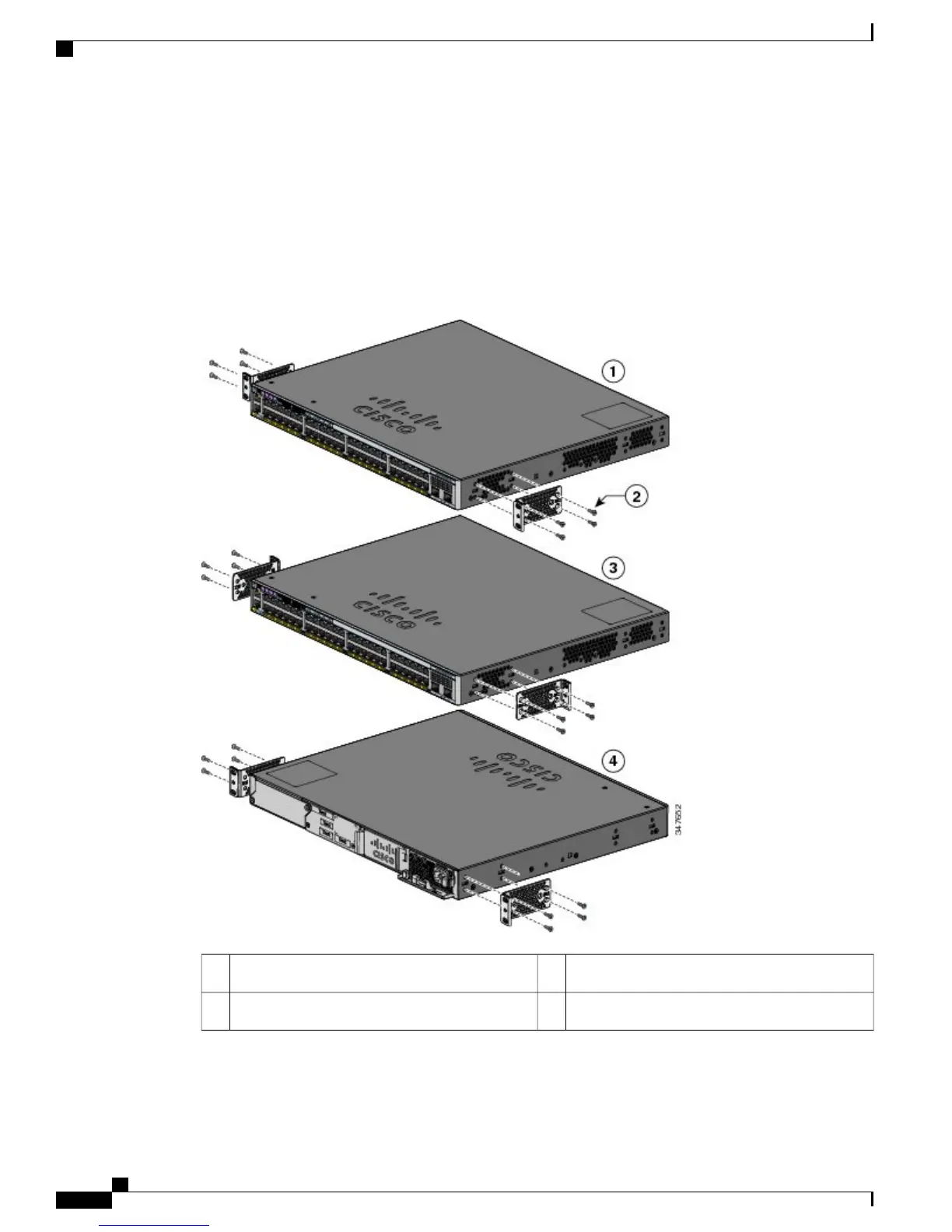
Use four Phillips flat-head screws to attach the long side of the bracket to each side of the switch.
Figure 18: Attaching Brackets for 19-inch Racks
Mid-mounting position3Front-mounting position1
Rear-mounting position4Number-8 Phillips flat-head screws (48-2927-01)2
Catalyst 2960-X and 2960-XR Switch Hardware Installation Guide
36 OL-28309-02
Switch Installation
Rack-Mounting



 To Next Page
 Loading...







