Mounting in a Rack
Procedure
Step 1
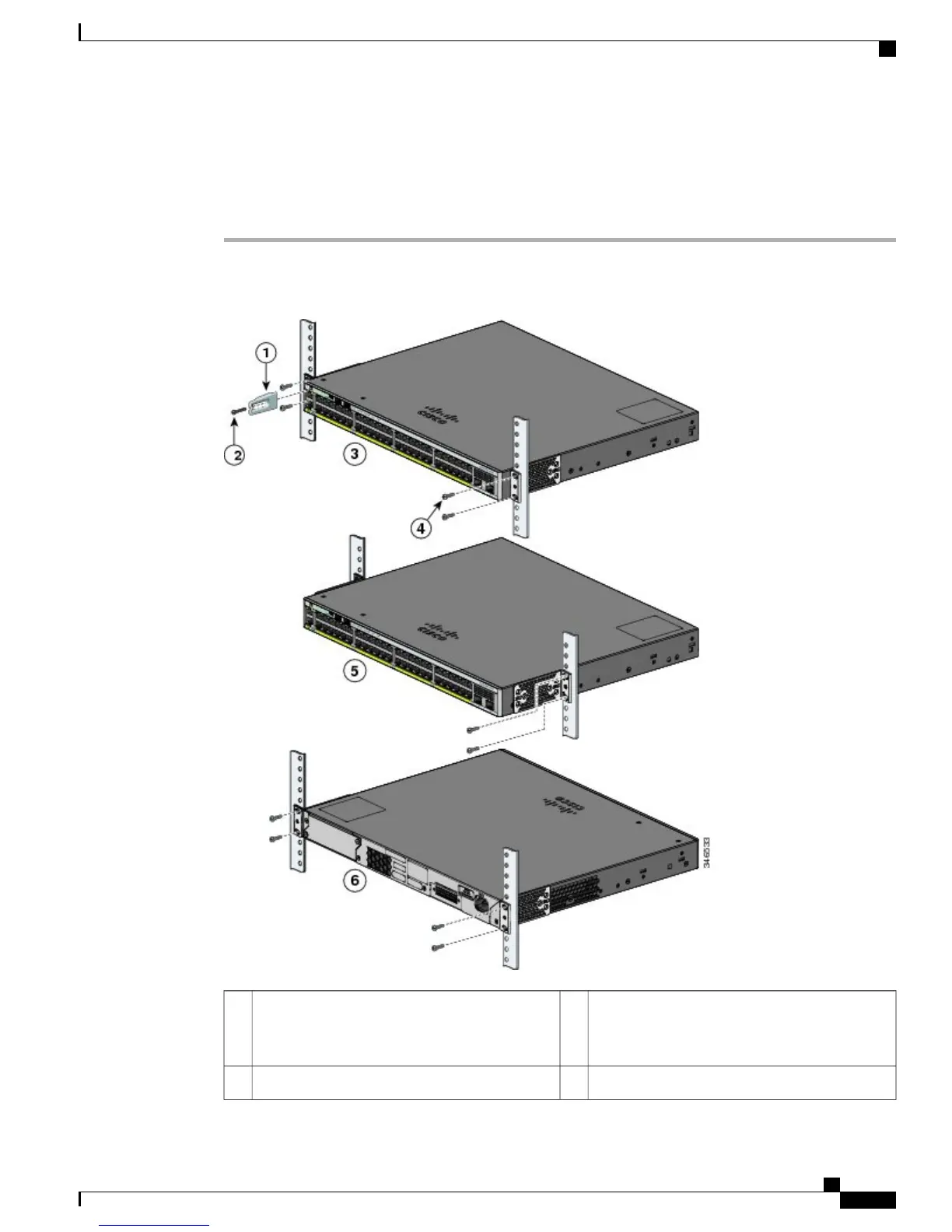
Use the four supplied Phillips machine screws to attach the brackets to the rack.
Step 2
Use the black Phillips machine screw to attach the cable guide to the left or right bracket.
Number-12 Phillips pan-head screws
(48-0523-01) or Number-10 Phillips pan-head
screws (48-0627-01)
4Cable guide1
Mid-mounting position5Phillips machine screw, black (48-0654-01)2
Catalyst 2960-X and 2960-XR Switch Hardware Installation Guide
OL-28309-02 37
Switch Installation
Rack-Mounting



 To Next Page
 Loading...







