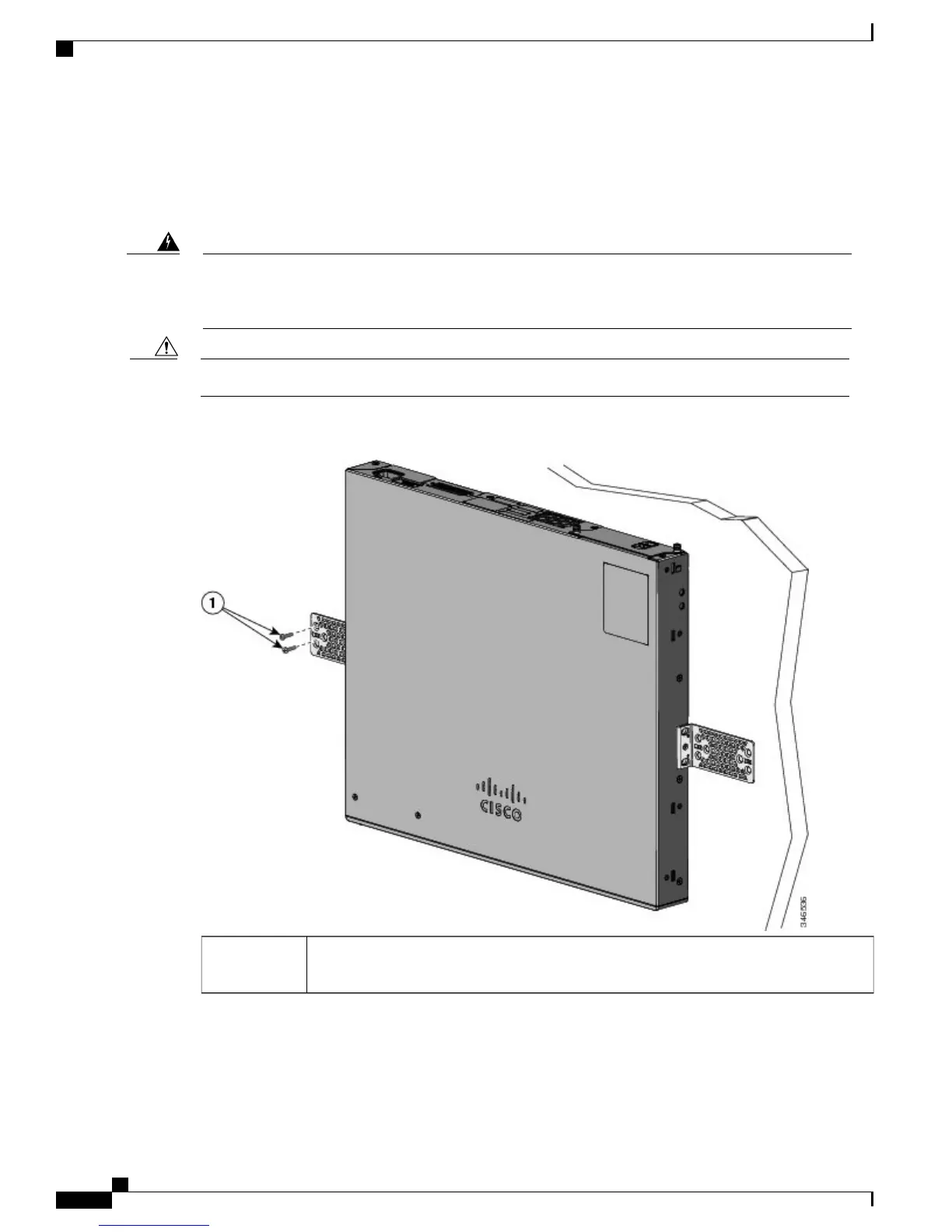
Mounting on a Wall
For the best support of the switch and cables, make sure that the switch is attached securely to wall studs or
to a firmly attached plywood-mounting backboard. Mount the switch with the front panel facing down.
Read the wall-mounting instructions carefully before beginning installation. Failure to use the correct
hardware or to follow the correct procedures could result in a hazardous situation to people and damage
to the system. Statement 378
Warning
Following safety regulations, wall-mount the switch with its front panel facing down.Caution
Figure 21: Mounting on a Wall
User-supplied screws (for example, you can use # 6 wood screws with a washer head 1-inch
long).
1
When you complete the switch installation, see After Switch Installation, on page 41 for information on
switch configuration.
Catalyst 2960-X and 2960-XR Switch Hardware Installation Guide
40 OL-28309-02
Switch Installation
Wall-Mounting



 To Next Page
 Loading...







