APPENDIX C
LEDs
• Switch Chassis LEDs, on page 57
• Fan Module LEDs, on page 57
• Power Supply LEDs, on page 57
Switch Chassis LEDs
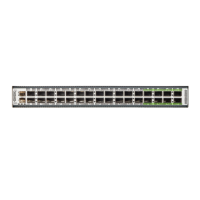
The BCN, STS, and ENV, LEDs are located on the left side of the front of the switch. The port LEDs appear
as triangles pointing up or down to the nearest port.
Fan Module LEDs
The fan module LED is located below the air holes on the front of the module.
StatusColorLED
The fan module is operational.GreenSTS
The fan module is not operational (fan is probably not functional).Red
Fan module is not receiving power.Off
Power Supply LEDs
The power supply LEDs are located on the left right portion of the power supply. Combinations of states
indicated by the Okay and Fault LEDs indicate the status for the module as shown in the following table.
StatusFAIL or FAIL/ID
LED
OK LED
Power supply is on and outputting power to the switch.OffGreen
Power supply is connected to an AC power source but not outputting power
to the switch. The power supply may not be properly installed in the chassis.
OffFlashing
green
Cisco Nexus 9336C-FX2-E ACI-Mode Switch Hardware Installation Guide
57




 To Next Page