Using Basic Phone Functions
Understanding Your Phone’s Lines and Buttons
Cisco Small Business IP Phone SPA9XX User Guide 31
3
• Setting or Changing a Phone Password, page 56
• Accessing Voicemail, page 56
Understanding Your Phone’s Lines and Buttons
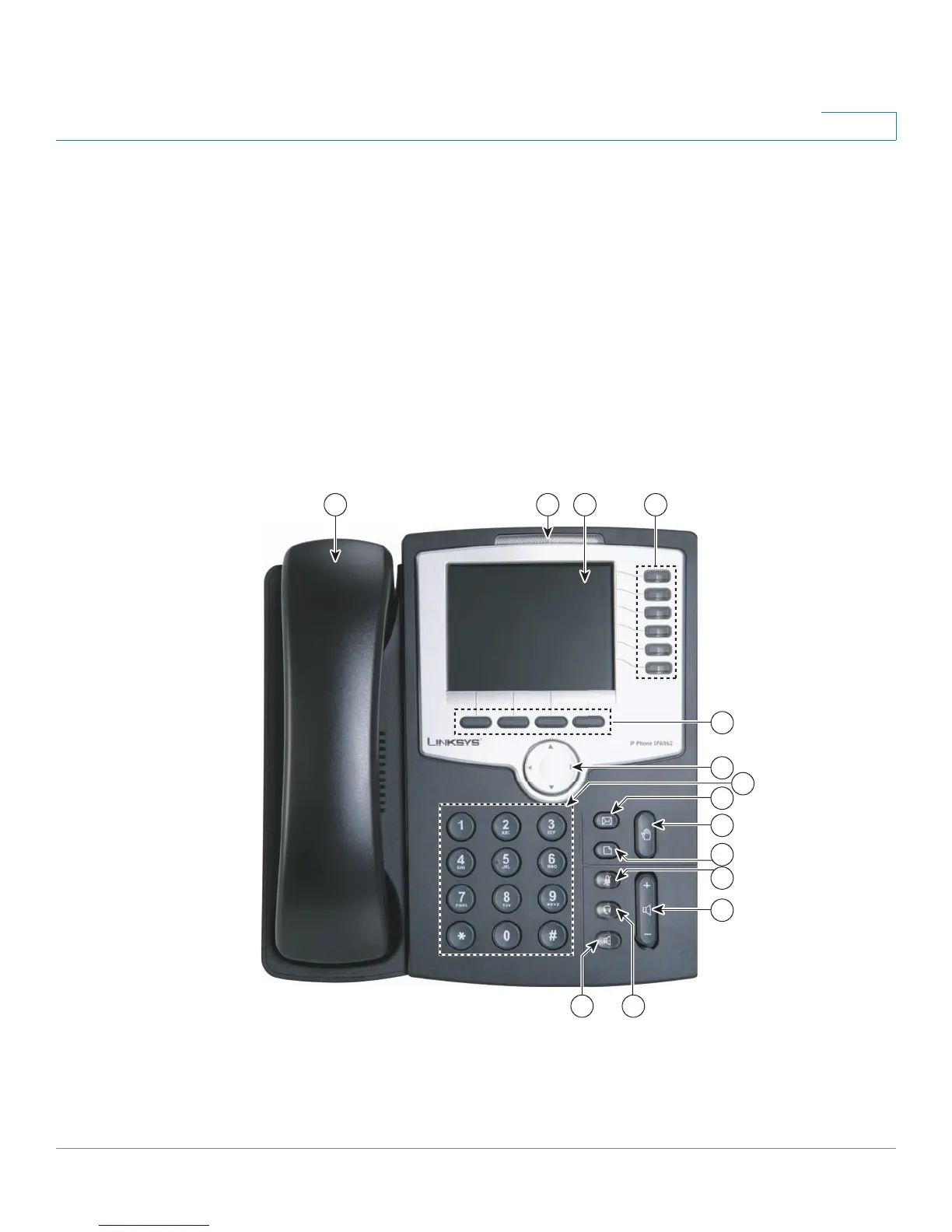
All SPA IP phones have the same basic buttons and components. Only the SPA922
has no line buttons, because it has only one voice line. You can use the following
graphic and table to identify the parts of your phone.
Figure 1 SPA IP Phone Components
1 2 3 4
7
6
8
5
9
13
10
11
14
12
187496



 To Next Page