Far end Camera Control
Camera
Many video systems have a remotely
controllable camera. Such systems
allow you to use a remote control to
change pan, tilt, and zoom.
If the far end (those you are in a
meeting with) have such a system,
you may control their camera during
the call.
About Far End Camera
Control
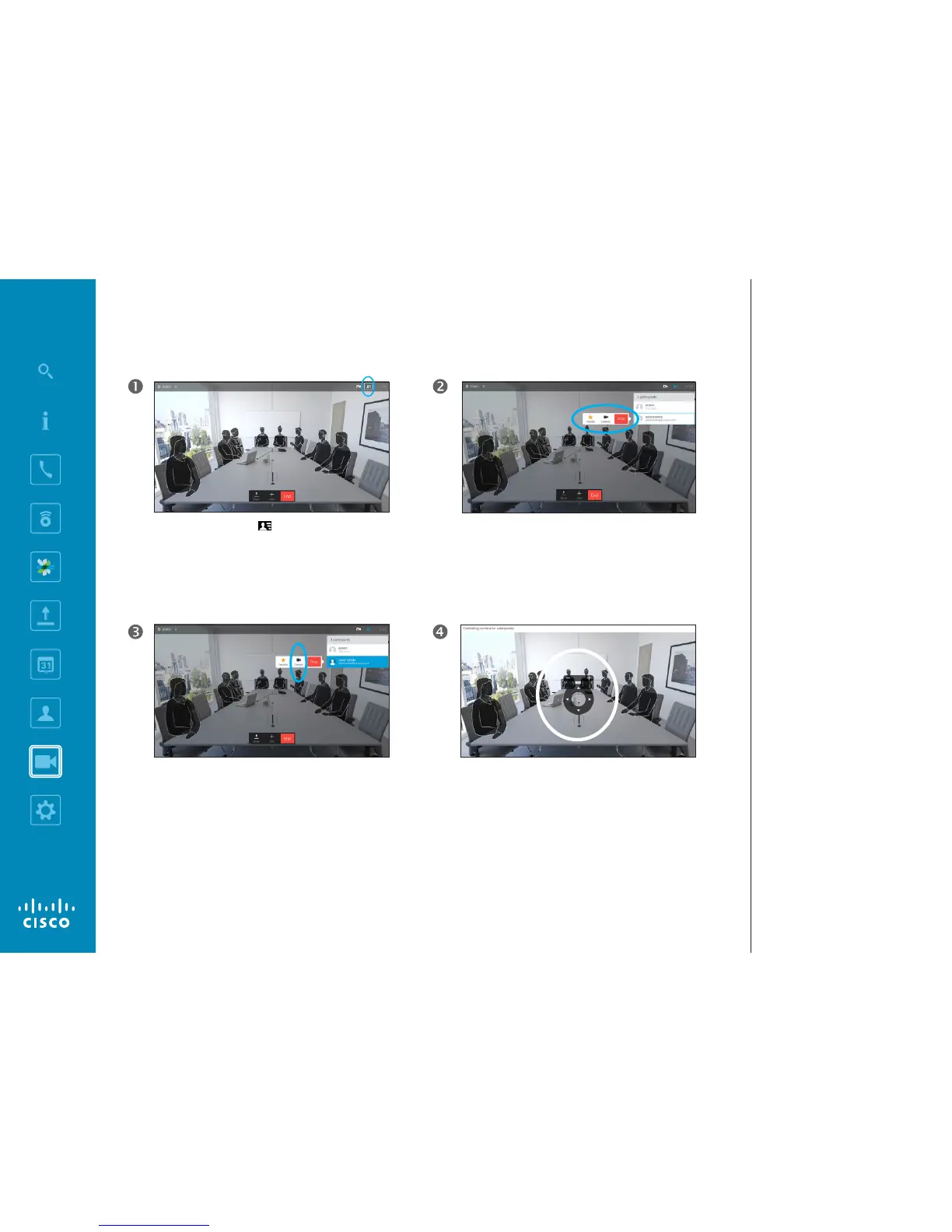
Navigate to Participants in the upper right corner
and press OK on the remote control. A list of the
participants will then appear.
A menu showing a list of the participants in the call will
now appear. Navigate to the participant, whose camera
you want to control and press OK on the remote control.
A submenu will now appear.
If you select Drop and press OK, you will disconnect that
participant.
To control the far end camera navigate to Camera
(number two from the right) and click OK on the remote
control.
Adjust Pan, Tilt and Zoom as per your liking. Use OK or
Back on the remote control to exit.














 To Next Page