4.5 ESmode
●Setsthethresholdandhysteresis.
RegularoperationishaltedwhenenteringESmode.
Note)Outputsretaintheirstatusasofwhenthemodewasentered.
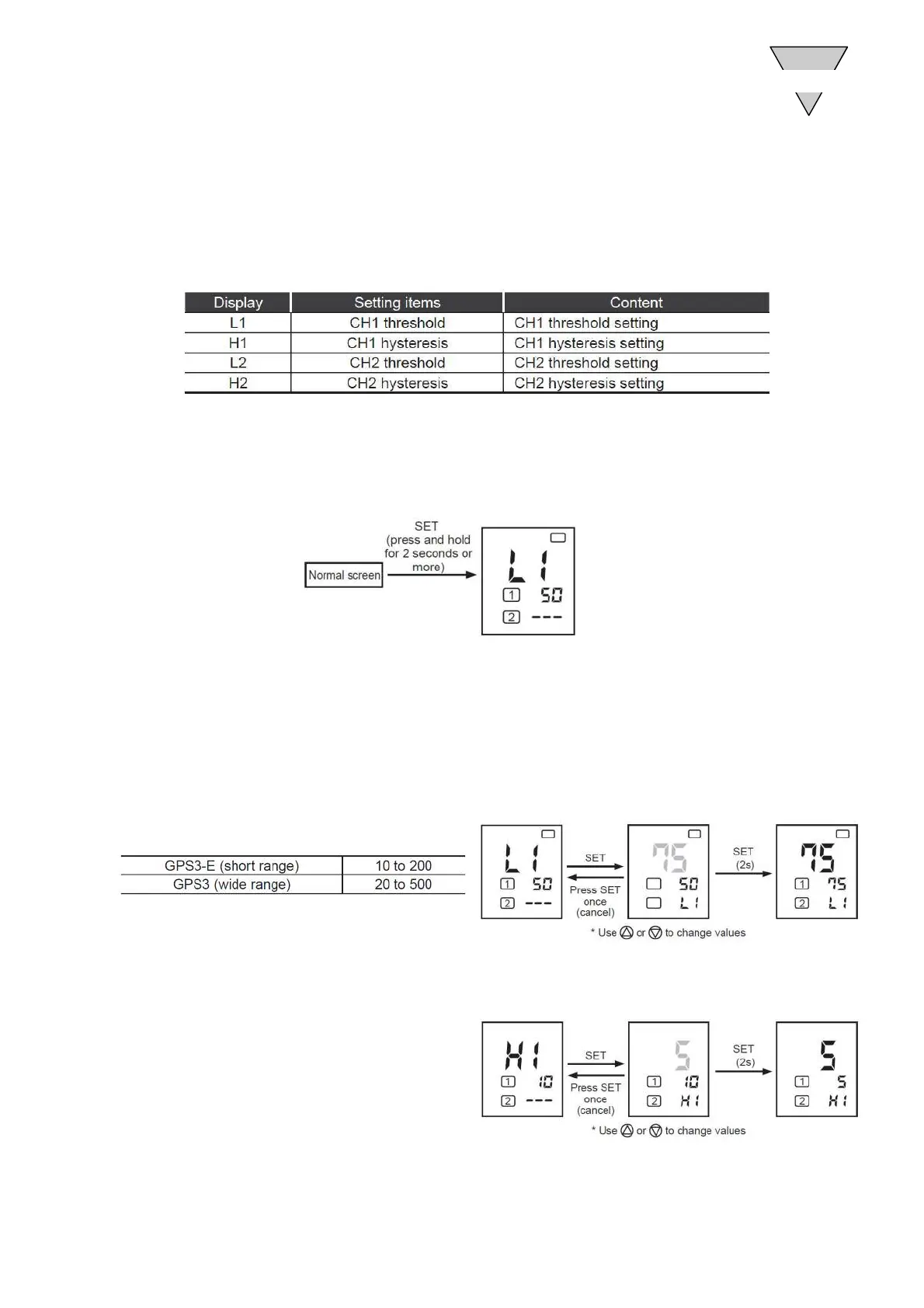
(1)ESmodelist
(2)MovingtoESmode
PressandholdSET(2secondsormore)tomovefromthenormalscreentoESmode.
AftermovingtoESmode,use△or▽toswitchamongsettingitems.
(3)Returningtothenormalscreen
PressandholdSET(2secondsormore)tomovetoRUNmode.
4.5.1 CH1thresholdsetting (Factorydefault:50)
CH1thresholdshouldbesettonodisplayortoavalueinthetablebelow.
4.5.2 SettingCH1hysteresis (Factorydefault:10)
CH1hysteresiscanbesetfrom1to20.
OPERATION
4
−17− [SM-P00143-A]



 To Next Page