EasyManua.ls Logo

Clarion CZ301E - User Manual

Clarion CZ301E
30 pages
Print Icon
To Next Page IconTo Next Page
Loading...
Bluetooth
®
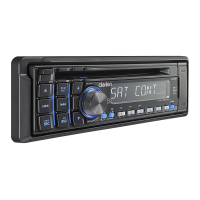
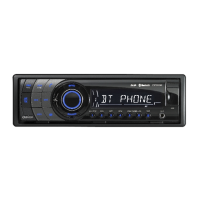
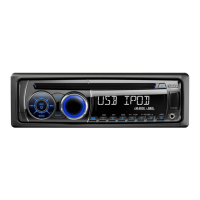
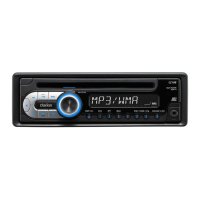
CD/USB/MP3/WMA RECEIVER
LECTEUR CD/USB/MP3/WMA Bluetooth
®
Bluetooth
®
-CD/USB/MP3/WMA-RECEIVER
SINTOLETTORE CD/USB/MP3/WMA Bluetooth
®
Bluetooth
®
CD/USB/MP3/WMA-ONTVANGER
RECEPTOR Bluetooth
®
CD/USB/MP3/WMA
Bluetooth
®
CD/USB/MP3/WMA-RECEIVER
ODTWARZACZ CD/USB/MP3/WMA
z interfejsem Bluetooth
®
Bluetooth
®
CD/USB/MP3/WMA ΔΕΚΤΗΣ
Downloaded from Caradio-Manual.com Manuals

Other manuals for Clarion CZ301E

Questions and Answers

  • J
    Jennifer MurphySep 12, 2025
    What to do if my Clarion Car Receiver says “No File”?
    • S
      samanthawyattSep 12, 2025
      If your Clarion Car Receiver displays “No File” and you hear no sound, it might be because no MP3/WMA file is stored in the USB device. Store these files properly in the USB device.
  • J
    Jill DelacruzSep 12, 2025
    What causes poor sound quality in a Clarion Car Receiver?
    • J
      Joseph SmithSep 12, 2025
      If your Clarion Car Receiver is producing poor sound quality or distortion, there might be several reasons: * Non-standard disc used: Use a standard disc. * Speaker power rating does not match unit: Replace the speakers. * Wrong connections: Check wiring and correct. * Speaker is shorted: Check wiring and correct.
  • S
    Scott OwensSep 9, 2025
    Why is there no sound coming from my Clarion CZ301E?
    • K
      Kayla PattersonSep 10, 2025
      If you are experiencing no or low audio output from your Clarion Car Receiver, consider these potential causes: * Improper audio output connection: Check the wiring and correct it. * Volume set too low: Increase the volume level. * Damaged speakers: Replace the speakers. * Heavily biased volume balance: Adjust the channel balance to the center position. * Speaker wiring in contact with metal part of car: Insulate all speaker wiring connections.
  • S
    Samantha SmithSep 8, 2025
    How to fix a Clarion CZ301E that won't turn on?
    • A
      alyssa28Sep 8, 2025
      If your Clarion Car Receiver unit isn't powering on, a likely cause is a blown fuse. Check both the unit's fuse and the car battery fuse, replacing either with a new fuse of the correct rating.
  • M
    Mark Walters DDSSep 7, 2025
    Why is the Tel-Mute malfunctioning on my Clarion Receiver?
    • M
      Melissa CummingsSep 7, 2025
      If the Tel-Mute function is malfunctioning on your Clarion Receiver, the MUTE wire might be grounded. Check the MUTE wiring and correct it.
  • D
    Dylan OrtizAug 23, 2025
    Why does my Clarion CZ301E keep resetting itself?
    • K
      kimberlyjonesAug 23, 2025
      If your Clarion Car Receiver unit resets itself when the engine is off, the cause may be an incorrect connection between the ACC and the Battery. Check the wiring and correct it.
  • J
    John JohnsonSep 5, 2025
    What does 'No File' mean on my Clarion Receiver?
    • G
      George HarperSep 5, 2025
      If you see “No File” on your Clarion Receiver display and hear no sound, it means that no MP3/WMA file is stored in the USB device. To resolve this, store these files properly in the USB device.
  • T
    Tyler BellSep 4, 2025
    Why does my Clarion Receiver keep resetting?
    • S
      Stephen WardSep 4, 2025
      If your Clarion Receiver resets itself when the engine is off, it could be due to an incorrect connection between ACC and Battery. Check the wiring and correct it.
  • K
    kelleydawnSep 3, 2025
    Why is the Bluetooth audio quality poor on my Clarion Receiver?
    • A
      Anthony BentleySep 3, 2025
      If the audio quality is poor after connecting a Bluetooth-enabled device to your Clarion Receiver, the microphone may not be correctly positioned (adjust the position of the microphone, for example, stick the microphone onto the dashboard where close to the driver) or the Bluetooth reception is poor (move the device closer to the car audio system or remove any obstacle between the device and the system).
  • M
    marvinjacksonSep 2, 2025
    Why can't I insert my USB device into my Clarion Receiver?
    • J
      Jenny FullerSep 2, 2025
      If you cannot insert a USB device into your Clarion Receiver, it might be because the USB device has been inserted in the wrong direction (reversing the connection direction of the USB device, try it again) or the USB connector is broken (replace with a new USB device).

Summary

Features

Expanding Systems

Details on expanding the car audio system with additional components and devices.

Precautions

General User Information and Panel Precautions

General advice for users and precautions for the front panel and general use.

USB Port Usage and Safety

Guidelines and warnings for connecting and using USB devices with the unit.

Detachable Control Panel (DCP) Handling

Instructions for removing, attaching, and storing the detachable control panel.

Controls

Operational Panel Overview

Diagram and identification of the unit's operational panel layout and controls.

Button Functions and Operations

Detailed explanation of the functions for each button on the unit.

Disc Handling Precautions

Disc Handling and Cleaning

Proper methods for handling, cleaning, and avoiding damage to discs.

Disc Storage Guidelines

Recommendations for storing discs to prevent damage and maintain quality.

Operations

Basic Operations and System Setup

Fundamental unit operations like power, volume, source selection, and system configuration.

Audio Setup and Radio Functions

Adjusting audio settings and performing radio operations like tuning and presets.

Radio Data System and Traffic Announcements

Using RDS features, AF, REG, and Traffic Announcement (TA) functions.

CD, MP3, and WMA Playback

Loading, playing, and managing CD, MP3, and WMA files, including disc handling.

USB and AUX Input Operations

Connecting and operating USB devices and AUX inputs for audio playback.

Bluetooth Handsfree and Audio Streaming

Using Bluetooth for handsfree calls, phonebook access, and audio streaming.

Troubleshooting Guide

General Troubleshooting

Common issues and solutions for general unit operation and power problems.

Disc Player Troubleshooting

Solutions for problems related to disc loading, playback, and sound quality.

USB Device Troubleshooting

Addressing issues with USB device recognition, file playback, and sound.

Bluetooth Connectivity Troubleshooting

Resolving problems with Bluetooth pairing, audio quality, and microphone issues.

Error Displays and Solutions

Error Code Explanations

Explanation of specific error codes (e.g., ERROR 3, ERROR 5) and their remedies.

Technical Specifications

Tuner and Audio Specifications

Detailed specifications for FM, MW, LW tuners, CD player, and audio amplifier.

Media Format and Connectivity Specs

Specifications for MP3/WMA, USB, and Bluetooth compatibility and formats.

Unit Dimensions and General Data

Physical dimensions, weight, power supply, and other general unit specifications.

Installation and Wiring Guide

Installation Preparation and Cautions

Steps before starting installation, package contents, and general cautions.

Mounting and Installation Procedures

Cautions for installation, procedures for mounting the unit in the dashboard.

Removing and Wiring the Unit

Instructions for removing the unit and connecting its wiring harness.

Connecting Accessories and Amplifiers

How to connect external accessories and amplifiers to the unit's outputs.

Clarion CZ301E Specifications

General IconGeneral
Audio systemMOS-FET
MP3 playbackYes
Audio formats supportedMP3, WMA
Supported radio bandsAM, FM
Product colorBlack
Audio output channels4.0 channels
Maximum power per channel45 W
Illumination colorBlue
I/O ports1x Aux 1x USB

Related product manuals