EasyManua.ls Logo

Clarion Series - User Manual

Clarion Series
129 pages
Print Icon
To Next Page IconTo Next Page
Loading...
NX302E
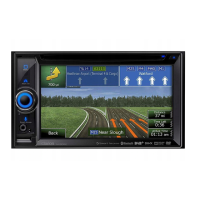
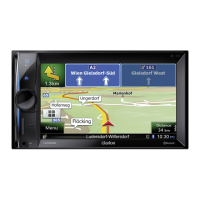
MULTIMEDIA STATION WITH BUILT-IN NAVIGATION & 6.2” TOUCH
PANEL CONTROL
Owner´s manual

Table of Contents

Questions and Answers

  • B
    Bailey PayneAug 19, 2025
    Why does my Clarion Car Video System unit resets itself when engine is off?
    • V
      valeriematthewsAug 19, 2025
      If your Clarion Car Video System unit resets itself when the engine is off, there may be an incorrect connection between the ACC and the Battery. Check the wiring and correct it as necessary.
  • M
    marcus84Aug 21, 2025
    What to do if there is no or low audio output from my Clarion Car Video System?
    • C
      Carlos RogersAug 21, 2025
      If your Clarion Car Video System isn't producing audio or the audio is very quiet, there are several potential causes. First, ensure the audio output is correctly wired. Also, the volume might be set too low, so try increasing it. Check if the speakers are damaged and need replacement. An uneven volume balance can also cause this, so adjust the channel balance to the center. Finally, ensure that the speaker wiring isn't touching any metal parts of the car; if it is, insulate the connections.
  • J
    Jessica LangAug 23, 2025
    Why my Clarion Car Video System unit can not power on?
    • C
      Catherine RodriguezAug 23, 2025
      If your Clarion Car Video System unit isn't powering on, the issue might be with the fuses. Check if the unit fuse has blown and replace it with a new fuse of the correct rating. Similarly, inspect the car battery fuse and replace it if necessary.
  • S
    Sarah Frederick DDSAug 26, 2025
    How to fix a dark display on my Clarion Car Video System?
    • P
      Peggy NelsonAug 26, 2025
      If your Clarion Car Video System displays a dark screen, the brightness control might be set too low. Adjust the brightness to a comfortable level. Also, the display may dim automatically when the vehicle's headlights are on to prevent glare, especially at night. If the operating temperature is not good, set to an appropriate temperature (25°C or so) and check it again.
  • L
    Lisa Duffy MDAug 28, 2025
    Why does the sound skip or is noisy on my Clarion Car Video System?
    • W
      whitemichaelAug 28, 2025
      If the sound from your Clarion Car Video System skips or is noisy, the MP3/WMA files might not be encoded correctly. Ensure that you are using MP3/WMA files that have been properly encoded.
  • A
    Angela WhiteAug 30, 2025
    What to do if Clarion Car Video System remote control does not work?
    • D
      Daniel SmithAug 30, 2025
      If your Clarion Car Video System remote control isn't working, the battery may be depleted. Try changing the battery. Also, make sure the battery is installed correctly.
  • P
    phillipserikSep 2, 2025
    Why is the sound quality poor on my Clarion Car Video System?
    • R
      Rachel RyanSep 2, 2025
      If you're experiencing poor sound quality or distortion with your Clarion Car Video System, it could be due to several factors. Ensure that the speaker power rating matches the unit's requirements, and replace the speakers if necessary. Double-check all wiring connections to make sure they are correct. Also, inspect the speaker for shorts and correct the wiring if needed.
  • D
    David BarnesSep 4, 2025
    What to do if my Clarion Car Video System won't power on and the display is not accurate?
    • J
      Jessica JonesSep 4, 2025
      If your Clarion Car Video System isn't powering on and nothing happens when you press the buttons and the display is not accurate, the microprocessor might have malfunctioned. To resolve this, turn off the power and press the [RESET] button with a thin rod. Keep in mind that pressing the [RESET] button will clear any stored radio frequencies and titles.
  • J
    Joseph LittleSep 6, 2025
    Why USB device cannot be inserted into my Clarion Car Video System?
    • M
      Mark MooreSep 6, 2025
      If your USB device cannot be inserted into the Clarion Car Video System, it might be due to incorrect insertion. Try reversing the connection direction of the USB device and try again. If that doesn't work, the USB connector may be broken, and you should replace it with a new USB device.
  • S
    Stephanie AdamsSep 8, 2025
    What does 'NO FILE' mean on my Clarion Car Video System?
    • H
      hstevensSep 8, 2025
      If your Clarion Car Video System displays “NO FILE” and you hear no sound, it means that there are no MP3/WMA files stored on your USB device. Store these files properly on the USB device.

Summary

CAUTIONS ON HANDLING

CONTROLS

Button Functions

Explains the function of each button on the operational panel.

SYSTEM SETUP

USB OPERATION

Accessing and Managing USB Devices

How to connect, disconnect, and access USB devices.

USB Video Operation

BLUETOOTH OPERATION

Bluetooth Telephone Functions

Pairing, searching, and managing phone calls via Bluetooth.

Bluetooth Audio Streaming

Playing audio from a Bluetooth device, including streaming and playback controls.

RADIO OPERATION

iPod & iPhone Operation

iPod;iPhone Connection and Access

Connecting the device and accessing its modes.

NAVIGATION OPERATION

Navigation Control Buttons

Explains the function of various control buttons on the navigation screen.

TROUBLE SHOOTING

General Troubleshooting

Common problems like power issues, display inaccuracies, and remote control failures.

USB Device Issues

Troubleshooting for USB device connection, recognition, and audio playback.

Bluetooth Connectivity Problems

Solutions for pairing issues and poor audio quality with Bluetooth devices.

Warnings and Safety information

Getting started

Clarion Series Specifications

General IconGeneral
BrandClarion
ModelSeries
CategoryCar Video System
LanguageEnglish

Related product manuals