Classeq Under Counter Range - User Manual
4
2. Know Your
Warewasher
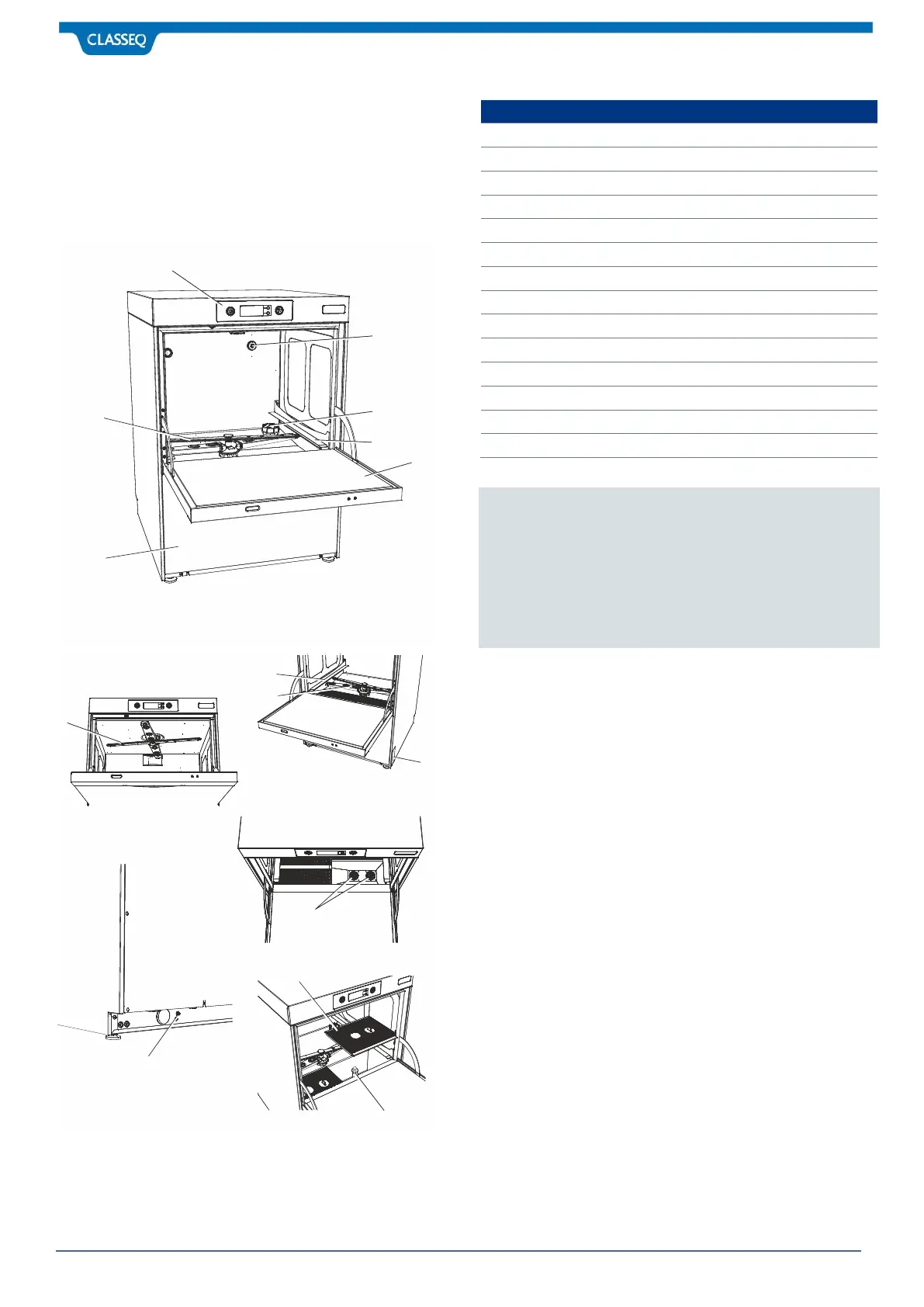
Before installing your warewasher you should familiarise yourself
with the various components shown below.
2.1 Warewasher Layout
Bottom Wash and Rinse Arms
Anti-syphon device (Note 2)
Salt Reservoir Cap (Note 3)
Removable Lower Front Panel
Notes:
1. The Door of the warewasher should never be used as a
step or seat.
2. Fitted to pumped drain warewashers only.
3. Fitted to warewashers with a Water Softener only.
4. Fitted to gravity drain warewashers only.


 To Next Page