Cancelling the Wizard
The setup wizard can be cancelled at any point before the final Activate screen and run again by
choosing the Setup Wizard option from the Web Interface toolbar. Once any configuration
changes have been made and activated, either through the wizard, Web Interface or CLI, then
the wizard cannot be run since the wizard requires that cOS Core has the factory defaults.
The Wizard Assumes Internet Access will be Configured
The wizard assumes that Internet access will be configured. If this is not the case, for example if
the Clavister Security Gateway is being used in Transparent Mode between two internal networks,
then the configuration setup is best done with manual Web Interface steps or through the CLI
instead of through the wizard and these are explained in the two sections that follow.
Advantages of the Wizard
The wizard makes setup easier because it automates what would otherwise be a more complex
set of individual setup steps. It also reminds you to perform important tasks such as setting the
date and time and configuring a log server.
The steps that the wizard goes through after the welcome screen are listed next.
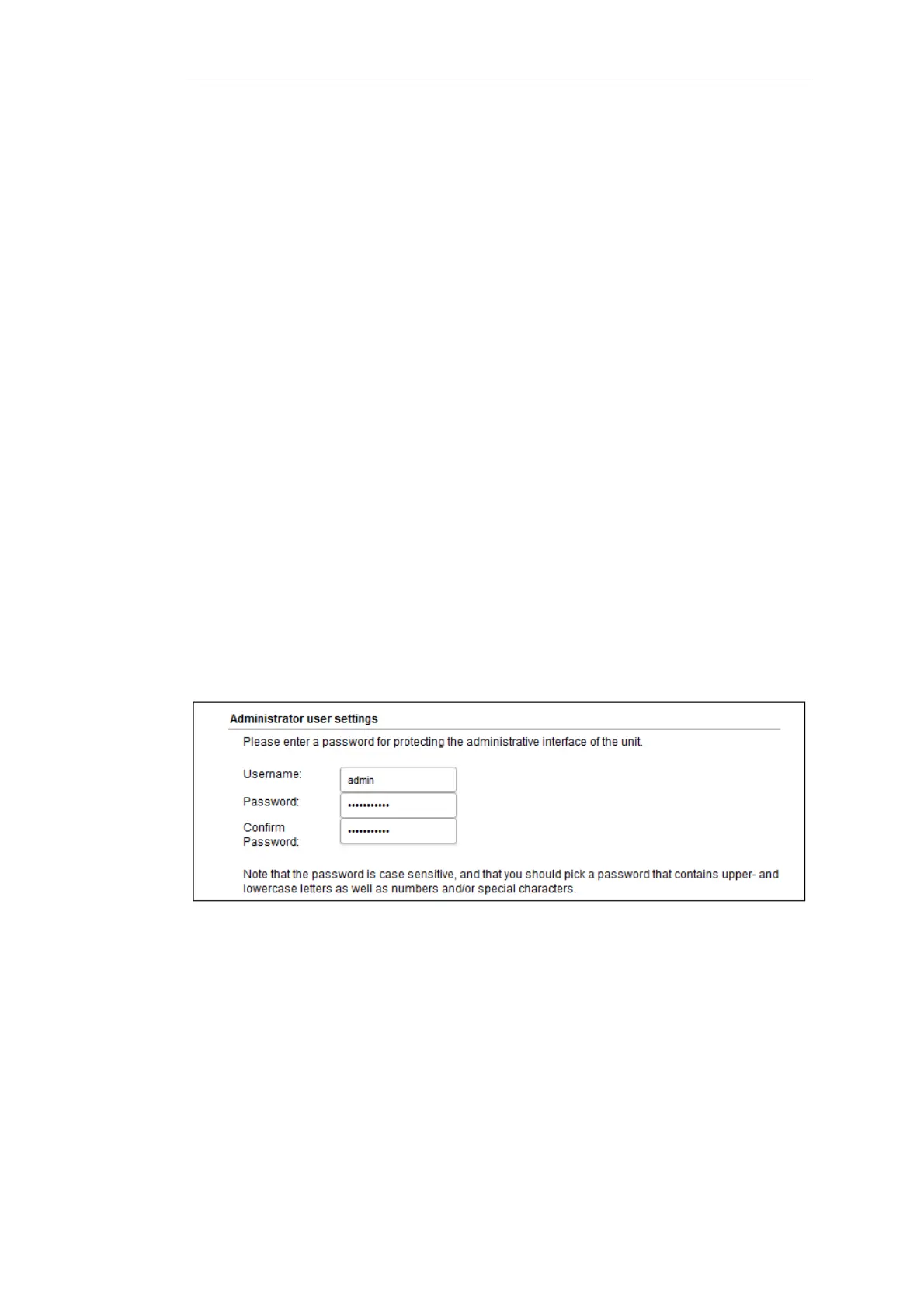
Wizard step 1: Enter a new username and password
You will be prompted to enter a new administration username and password as shown below. It
is recommended that this is always done and the new username/password is remembered (if
these are forgotten, restoring to factory defaults will restore the original admin/admin
combination). The password should be composed in a way which makes it difficult to guess.
Wizard step 2: Set the date and time
Many cOS Core functions rely on an accurate date and time, so it is important that this is set
correctly in the fields shown below.
Chapter 4: cOS Core Configuration
31


 To Next Page