1.2. Interfaces and Ports
This section is an overview of the E20 product's external design.
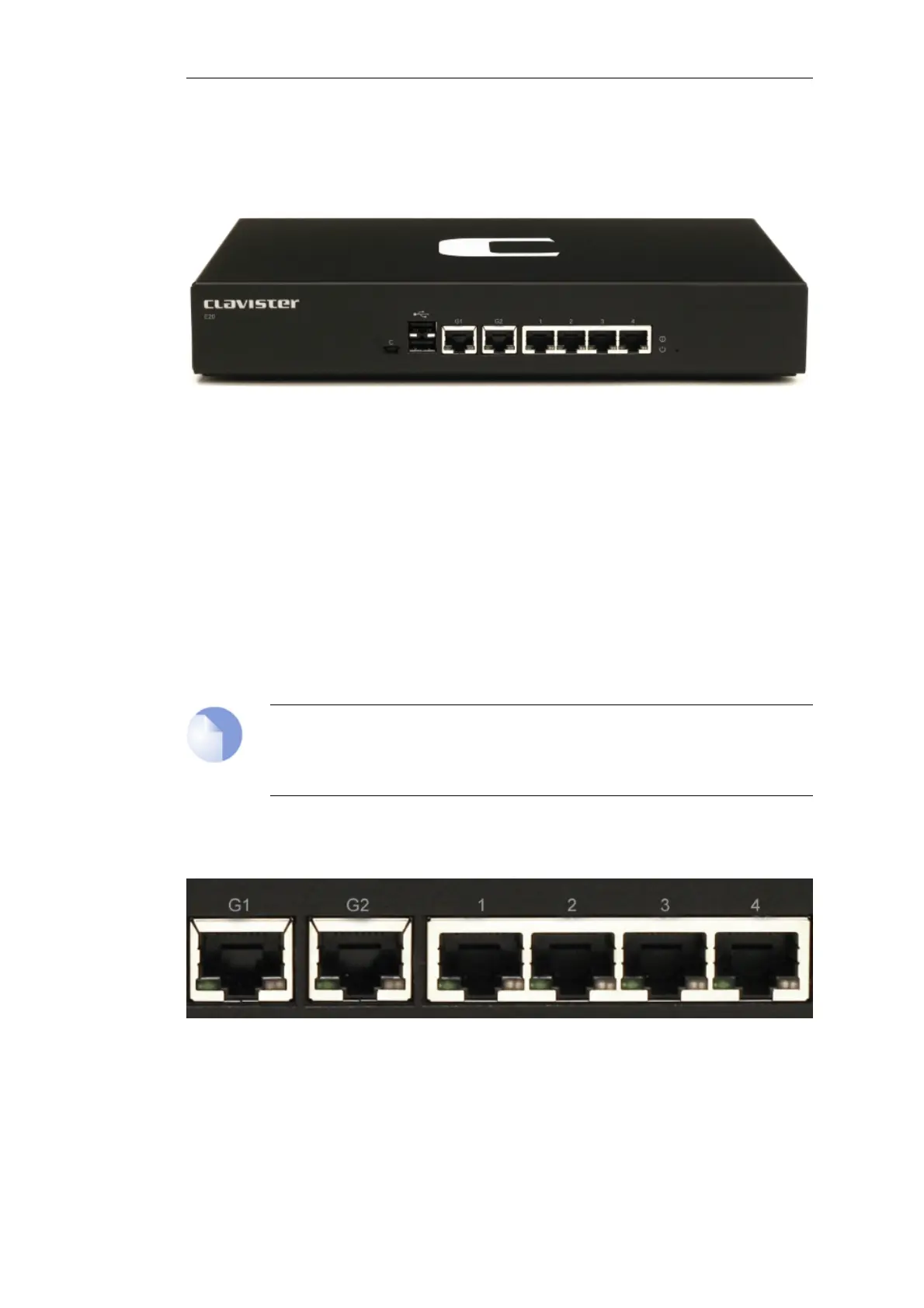
Figure 1.2. Clavister E20 Connection Ports
The E20 features the following connection ports on the front panel:
• A mini-USB (type mini-B) port for console connection marked with the letter C. This port is
used for direct access to the cOS Core Boot Menu and the cOS Core Command Line Interface
(CLI).
• 2 x RJ45 Gigabit Ethernet interfaces with the logical cOS Core names G1 and G2.
• 4 x RJ45 Gigabit Ethernet interfaces which are numbered 1 to 4. All 4 interfaces are
connected together by a common switch fabric and share the single logical cOS Core
interface name GS. This means that any security policy in the cOS Core rule sets that refers to
the interface GS will apply to traffic on any of the 4 physical interfaces.
Note: The two USB Type A ports are not currently used
The two USB Type A ports on the E20 front panel are for future functionality and are not
currently used by cOS Core.
All physical interfaces are capable of link speed auto-negotiation and can operate using
10Base-T, 100Base-Tx, or 1000Base-T.
Figure 1.3. The E20 Ethernet Interface Ports
The full connection capabilities of all E20 Ethernet interfaces are listed in Appendix A, E20
Specifications.
Chapter 1: E20 Product Overview
9


 To Next Page