7. Operations
7.1. Power On/Off
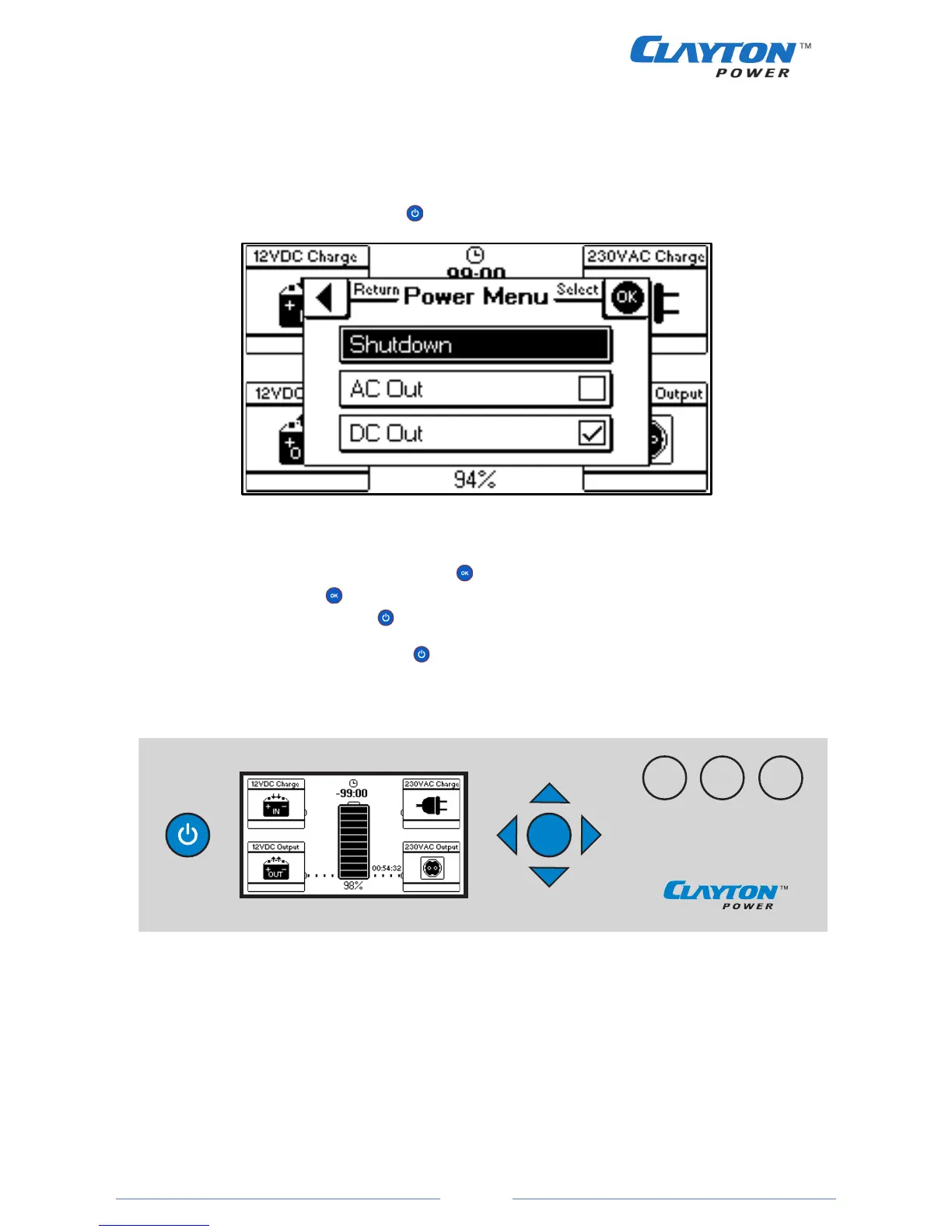
To turn the unit on press the power button . The following menu will show.
Figure 15
´To turn on both 230VAC and 12VDC output press . If only 230VAC or 12VDC is needed select either “AC
Out” or “DC Out” and press . The power menu for choosing 230VAC and/or 12VDC can always be
accesed by pressing the power button .
To turn off the unit press the power button and select either “Shutdown” or the indicators in both “AC
Out” and “DC Out”.
Figure 16
Charging
When 230VAC or 12VDC input is connected, the unit will turn on and start charging. The inputs are
automatically inactive when no charging source is detected.


 To Next Page