CleanSpace Respirators USER INSTRUCTIONS
12
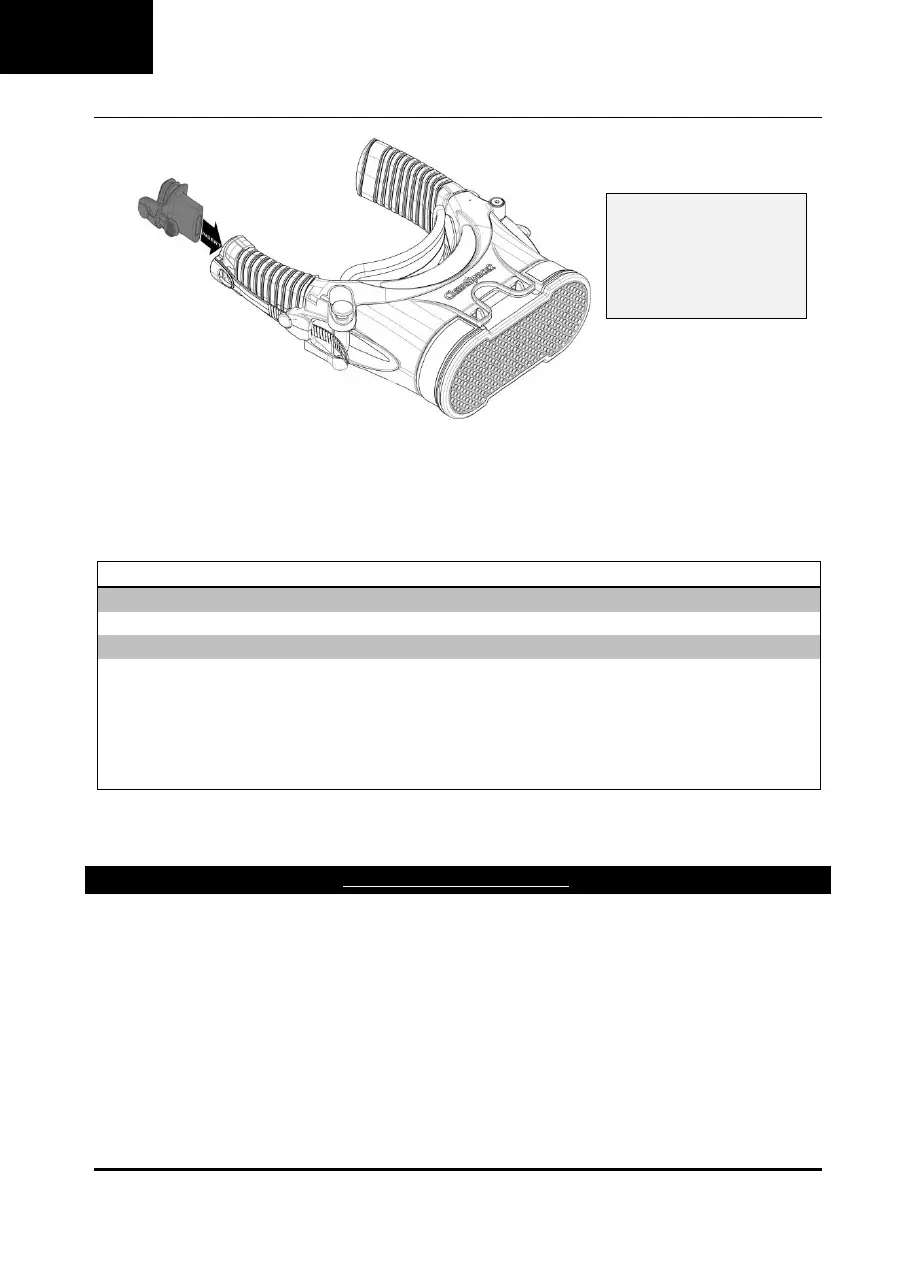
2. Ensure the Flow Test Cap and the filter inlet are unobstructed. Place the CleanSpace Respirator on a flat surface with the
keypad facing up.
3. Place the Power Unit in Standby Mode. Press and release the Flow Test button.
4. The CleanSpace Respirator runs the Flow Test automatically. The Power Unit will operate and air will be discharged from
the Flow Test Cap.
5. After completion of the Flow Rate Test, the Battery Indicator Lights illuminate to display the result.
Refer to the table below.
PASS - Excellent (Flow >180 l/min)
FAIL - (Flow <120 l/min)
Do not use the CleanSpace Respirator until a new filter has been fitted and / or battery charged and
the Flow Test has been repeated with a PASS result.
Reset the CleanSpace respirator by pressing the Power Button. Fully charge the battery and / or replace
the filter. Repeat the flow test. If the CleanSpace respirator continues to FAIL the Flow Test, with a new
filter fitted and battery, do not use until it has been evaluated. Contact CleanSpace Technology.
6. Remove the yellow Flow Test Cap and store for later use.
STEP 4 - DON THE CLEANSPACE RESPIRATOR WITH HALF MASK
NOTE: Please this step in its entirety prior to donning the CleanSpace Respirator.
Collect the Power Unit, mask, neck support and harness. Ensure the mask and neck support are the correct size.
Fit the neck support to the Power Unit.
FAILURE to fit the Flow Test
Cap to the LEFT bellow will
FAIL the Flow Test, even if
the filter is clean and the
battery is fully charged.


 To Next Page