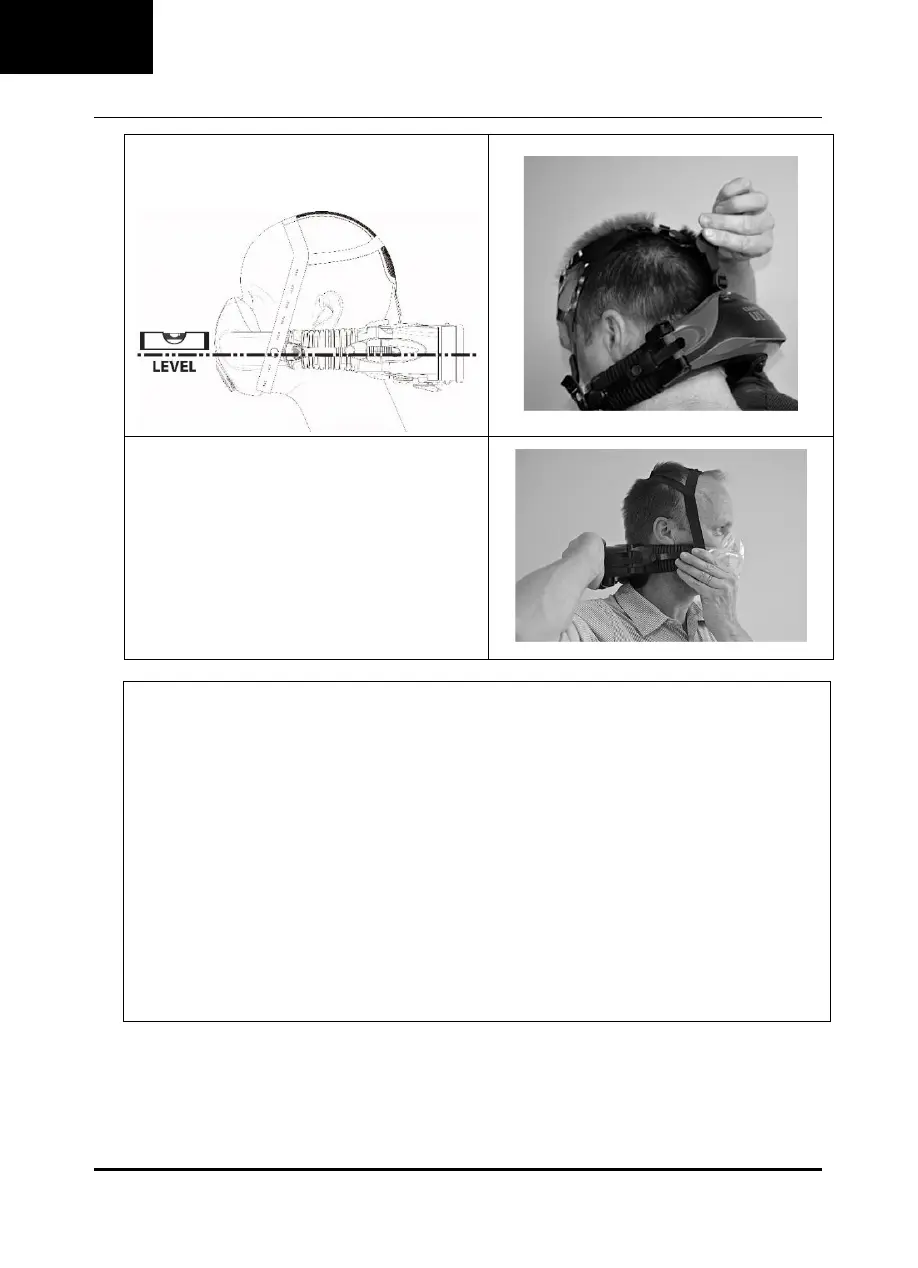
Adjust Power Unit Position.
Adjust the rear strap to set the height of the Power Unit.
For most users, wearing the Power Unit level is
comfortable.
Adjust the fit of the mask. Ensure no leaks mask and face.
To loosen the mask, press the adjust button and extend the
bellow. on the bellow.
To tighten the mask, place one hand against the back of the
Power Unit, and the other on the mask. Push the Power
Unit and the mask towards each other. You will hear a
series of clicks as the bellows tighten.
Ensure the bellows are adjusted symmetrically.
Mask Fit Requirements
No Gaps: There should be no visible gaps between mask and face.
No Creases: If the mask is overtightened, or is too large for the face, creases may appear near the mouth, or in the
centre of the bottom of the cushion. Loosen the mask, or try a smaller mask.
No gaps while looking down: Ensure no gaps exist between the bridge of the nose and the mask. Also check that the
mask has not come loose around the chin. If gaps appear, try to fit the chin further into the mask, accurately positioning
in the chin well. If that does not work, try a smaller mask.
No air blowing into the eyes: Ensure there is no air blowing into the eyes. If there is, try tightening the mask, or
loosening the harness slightly. If this does not work, try a different size mask.
Not uncomfortably tight: A good fit should be achieved without the mask being uncomfortably tight. Beyond a certain
point, tightening makes the fit worse, not better. If the bellows are visibly curving outward, they should be loosened.


 To Next Page