ICS-2003 INTERCOM STATION
2-3
DIGITAL MATRIX FRAME TO STATION WIRING
The ICS-2003T differs from the ICS-2003 because it contains an internal digital
audio/data communications module (COM-20) that works in conjunction with
the DIG-2 digital interface module to connect digital stations to the matrix.
The DIG-2 digital interface module offers two options for wiring the frame to
intercom stations. One option is a single pair of double shielded (braid and foil)
24 AWG conductor CAT-6 Enhanced STP cable with RJ-45 connectors.
The second option, available because only one pair is required, is 75-ohm
(RG59) braid shielded coax cable. For this option, a BNC-16 adaptor is required.
In addition, each station may require other connector wiring, depending on what
options and accessories are installed.
Note: For more information on the DIG-2 digital interface and the DIF-102 frame
which houses it, refer to the DIF-102/DIG-2 manual in the Eclipse set of manuals.
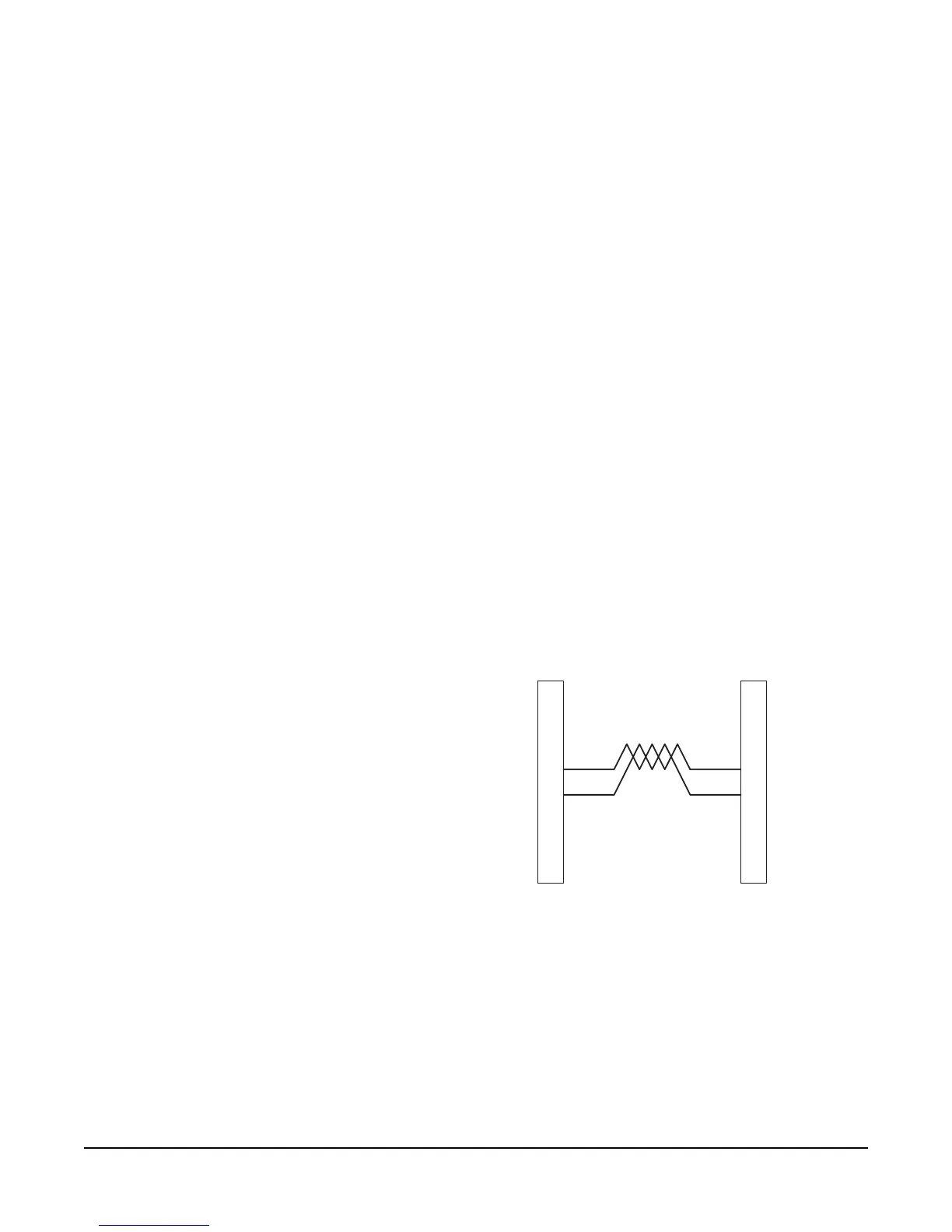
Single-Pair Digital
Single-pair digital wiring requires double-shielded 24 AWG conductor CAT-6E
enhanced STP cable with RJ-45 connectors. Pair 1 transmits and receives
multiplexed audio or data between the matrix port and the station.
Note: Ensure that the Select switch on the station’s rear panel is in the correct position
for the intended use.
Figure 5: Matrix Frame to Digital Station Wiring Using RJ-45
Coax Digital
Coax digital wiring requires double-shielded 24 AWG conductor CAT-6
Enhanced STP cable connected to a 75-ohm (RG59) braid- shielded coax cable
with a BNC-16 adaptor.
Pair 1 transmits and receives multiplexed digital and analog between the matrix
port and the station.
Pair 1
1
2
3
4
5
6
7
8
1
2
3
4
5
6
7
8
Matrix Frame End
ATT-T568B (Modular Jumpers Wired One to One)
Station End
No Connection (NC)
No Connection (NC)
No Connection (NC)
Multiplexed Data/Audio
Multiplexed Data/Audio
No Connection (NC)
No Connection (NC)
No Connection (NC)




 To Next Page