EasyManua.ls Logo

Clear-Com WBS-670 - User Manual

Clear-Com WBS-670
62 pages
Print Icon
To Next Page IconTo Next Page
Loading...
Operating Instructions
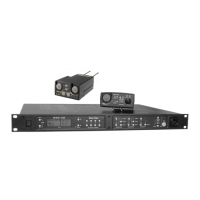
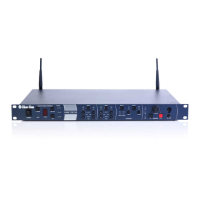
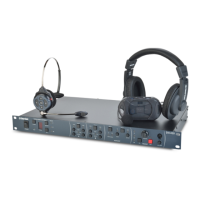
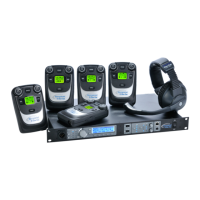
WBS-670, WTR-670
Professional
Wireless
Intercom System
R
Intercom Systems

Table of Contents

Questions and Answers

  • L
    lauren16Jul 29, 2025
    How to fix no audio from Clear-Com WBS-670?
    • N
      Nathaniel CainJul 30, 2025
      If you are not getting any audio from your Clear-Com Intercom System headsets, check the Transmitter switch on both the base and beltpack. Also, check the talk LED to ensure it is on, and verify that the beltpack batteries are in good condition.
  • M
    Margaret HarrisAug 3, 2025
    How to fix distortion on Clear-Com WBS-670?
    • M
      Miss Debbie RoblesAug 3, 2025
      If your Clear-Com Intercom System's audio quality seems distorted at medium to high input levels, reduce the microphone gain by adjusting the microphone gain control.
  • D
    Deborah ShepardAug 7, 2025
    Why does my Clear-Com WBS-670 Intercom System pick up interference?
    • T
      Tiffany GonzalesAug 7, 2025
      If your Clear-Com Intercom System picks up signals other than wireless intercoms, ensure that all beltpacks are turned on. For any unused receivers at the base, turn the audio off by deselecting the appropriate “Beltpack Connect” button. If the issue continues with the beltpack on, changing the group might be necessary. Ensure the base and beltpack settings match after any Group/Channel change.
  • J
    John SalasAug 11, 2025
    What to do if my Clear-Com WBS-670 Intercom System has dropouts?
    • D
      Derek MorrisAug 11, 2025
      If you experience dropouts with your Clear-Com Intercom System while moving around, ensure that both antennas on the base and beltpack are connected and follow the location suggestions. Try changing the location of the base unit and antennas or avoid the problematic areas with the remote beltpacks.
  • C
    Chelsea ColeAug 16, 2025
    Why does my Clear-Com WBS-670 Intercom System produce feedback?
    • M
      Michael ClineAug 16, 2025
      If you are experiencing feedback, like a squeal or howl, from your Clear-Com Intercom System when moving around the area, it may be because the gain settings on both the beltpacks and the base are too high. Reduce the gain settings on both the beltpacks and the base.
  • S
    Stephanie GriffithAug 20, 2025
    What causes low output on Clear-Com WBS-670?
    • J
      Jennifer WalkerAug 20, 2025
      If your Clear-Com Intercom System produces a low output level, check the gain setting on both the beltpacks and the base, as they may be too low.
  • S
    Sherry ElliottAug 25, 2025
    Why does my Clear-Com WBS-670 hiss?
    • J
      Jared PaulAug 26, 2025
      If your Clear-Com Intercom System produces an undesirable hiss, check the gain setting on all beltpacks and the base. They may be too low or too high. Also, ensure that you are well within range of the base station.

Summary

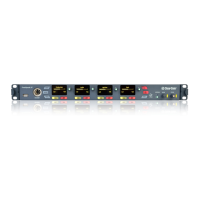
WBS-670 Base Station Overview

WBS-670 Specifications

Provides detailed technical specifications for the WBS-670 Base Station.

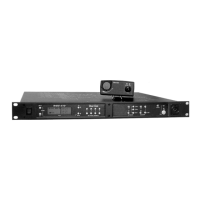
WTR-670 Beltpack Guide

WTR-670 Specifications

Provides detailed technical specifications for the WTR-670 Beltpack.

Initial Equipment Set-Up Guide

Antenna Connection and Placement

Guides on connecting, polarizing, spacing, and placing antennas for optimal performance.

Base Station Setup Procedures

Covers base station location, power connection, and transmit switch configuration.

Pre-Walk-Thru Checklist

Pre-Walk-Thru Checklist

A checklist to ensure all setup steps are completed before system operation testing.

System Operation

Beltpack Operation Overview

Covers beltpack operation, controls, and basic functions.

System Walk-Thru Guide

System Walk-Thru Guide

Guide for testing system performance in the intended operating areas.

Troubleshooting Common Issues

Troubleshooting Common Issues

Provides solutions for common problems encountered with the wireless intercom system.

Battery Information and Usage

Intercom System Interface Specifications

Certification and Safety Information

FCC Licensing and Safety Instructions

Covers FCC licensing requirements and mandatory safety instructions for equipment operation.

Clear-Com Limited Warranty Details

Clear-Com WBS-670 Specifications

General IconGeneral
RF Output Power100 mW
Operating Temperature-4° to +131°F (-20° to +55°C)
Power Requirements12 VDC
Battery LifeUp to 12 hours
ConnectorXLR

Related product manuals