11
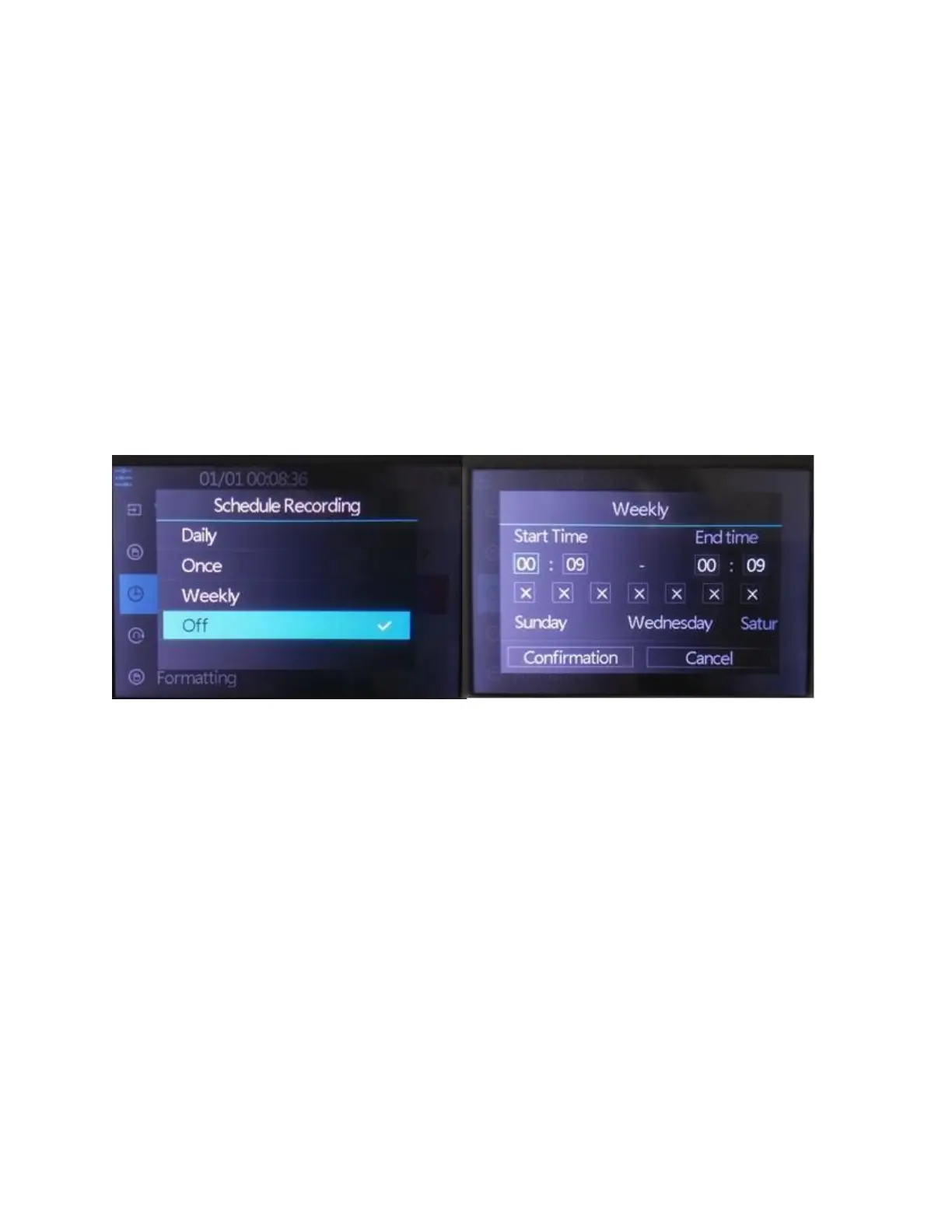
How To Schedule Recordings
You can schedule a recording by pressing the
“Menu” button the device and selecting the
“Schedule Recording” option.
NOTE: Make sure your device is set to the right time
and date before scheduling.
On the above menu, the device allows you to set up
a daily recording, a one time recording, or a weekly
recording.
Start Time/End Time: set the desired time of
start/stop recording.
Day of Week Checkmarks: set the desired week
days of schedule.



 To Next Page