Chapter 3 Configuring The CHAT 60
1133
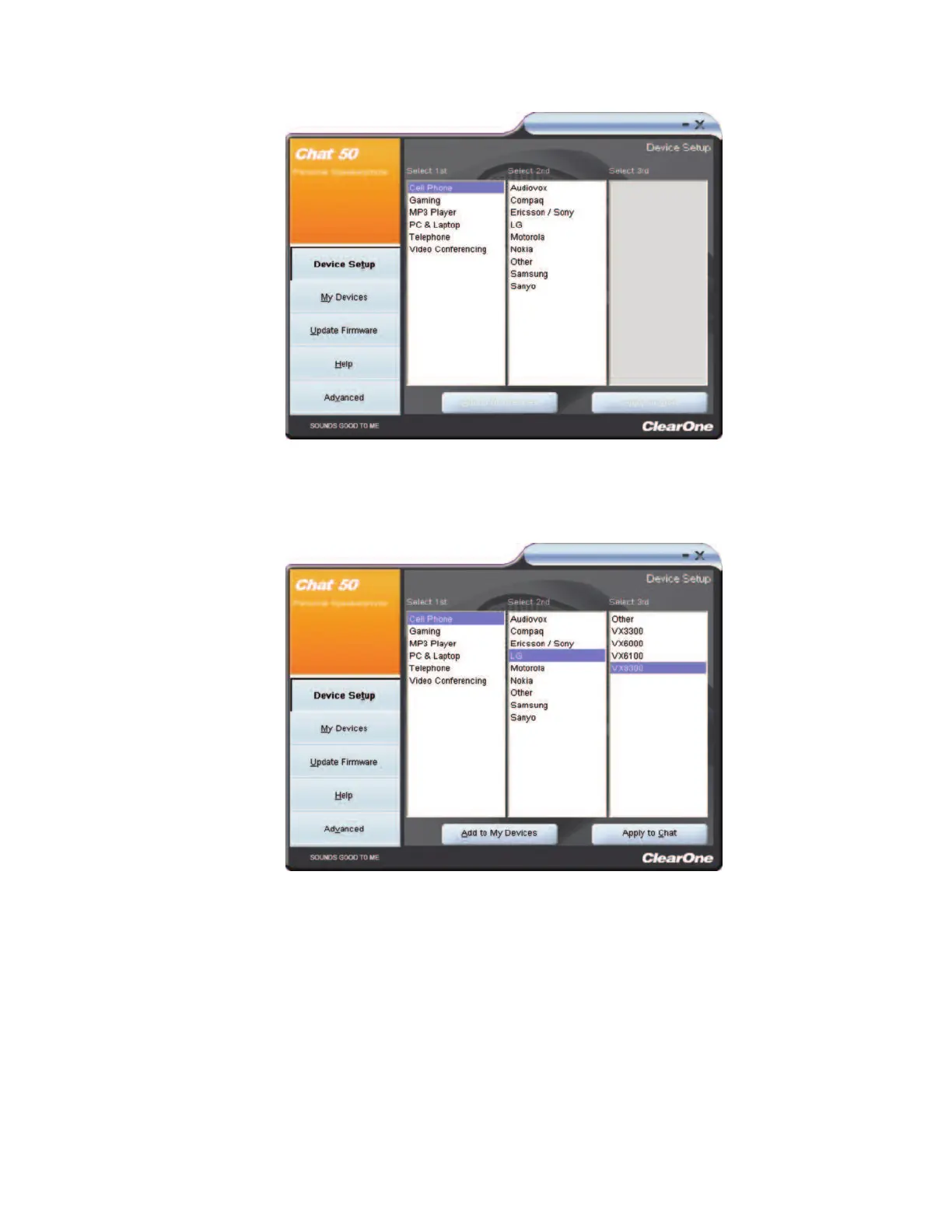
7. Select a manufacturer or device type in the
SSeelleecctt 22nndd
column. If your specific device is not listed, select
either the
OOtthheerr
or the
AAllll
option. The CHAT software populates the
SSeelleecctt 33rrdd
column based on your
selection.
8. Select a model in the
SSeelleecctt 33rrdd
column. If your specific device or application is not listed, select either the
OOtthheerr
or the
AAllll
option. After making your selection, the
AAdddd ttoo MMyy DDeevviicceess
and
AAppppllyy ttoo CCHHAATT
buttons
appear at the bottom of the Device Setup screen.
9. When you are satisfied with your selections in all three columns, click
AAdddd ttoo MMyy DDeevviicceess
. This saves the
audio settings for the device you just created to the device database, and allows you to instantly select
them and apply them to the device in the future.
10. Click
AAppppllyy ttoo CCHHAATT
to apply the audio settings to the CHAT 60.



 To Next Page