44
Technical Support: 800-283-5936
PPoowweerr LLEEDD IInnddiiccaattoorr
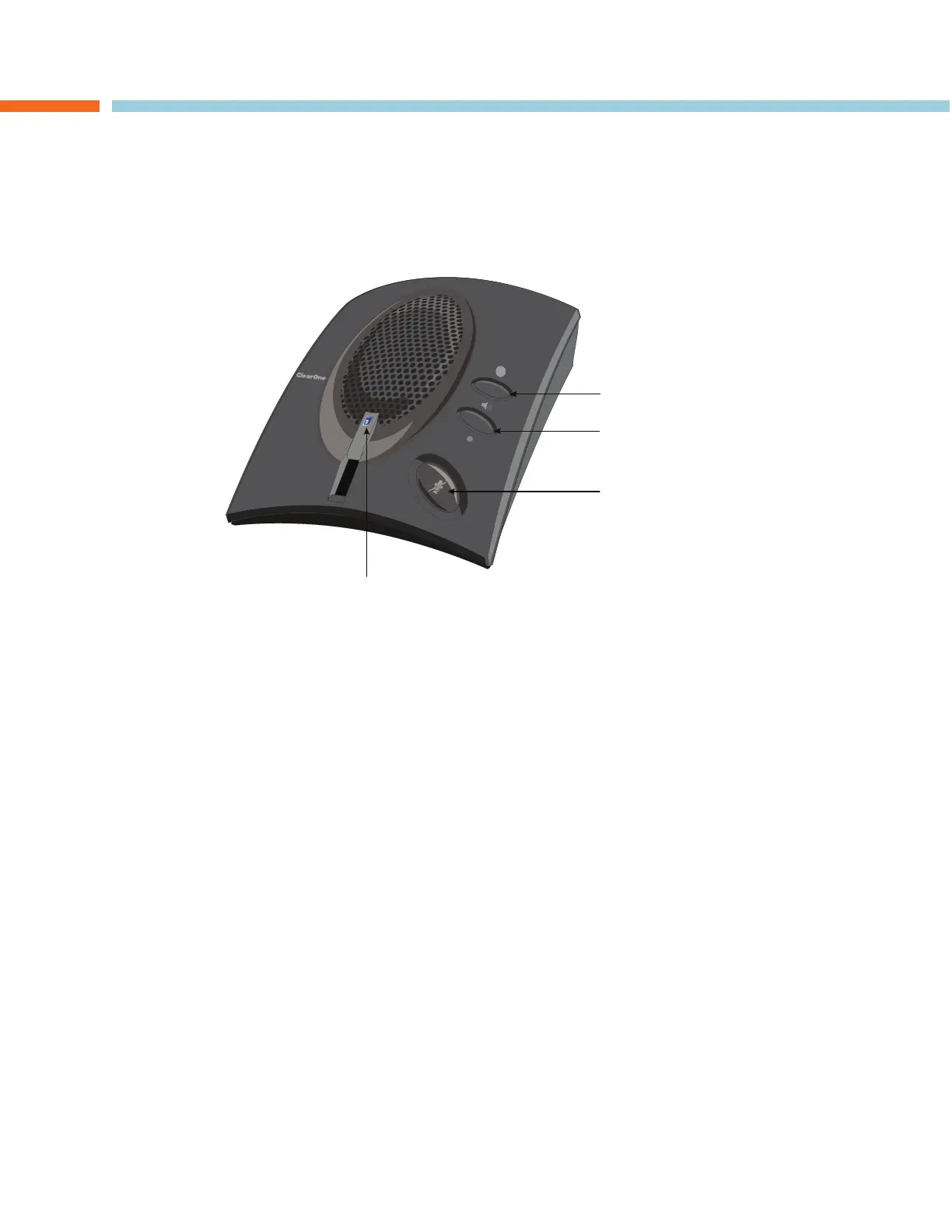
The LED status indicator lights blue when the CHAT 60 is connected to a PC via USB, or when the CHAT 60 is
plugged into AC power. The LED status indicator changes to red when mute is on.
VVoolluummee UUpp//DDoowwnn aanndd MMuuttee BBuuttttoonnss
Use the
VVoolluummee UUpp//DDoowwnn
buttons to adjust the volume level of the CHAT 60. Use the
MMuuttee
button to mute the
CHAT 60’s microphone until the button is pressed again.
If you are using the CHAT 60 with a PC, you can also use the CHAT application or the volume controls in
Windows to make these adjustments.
>
NNoottee::
If your CHAT 60 is connected to a PC, any changes you make to volume by pressing the CHAT
60 buttons also change the volume settings in Windows.
CHAPTER 2: GETTING STARTED
LED STATUS INDICATOR
VOLUME UP
VOLUME DOWN
MUTE
CHAT 60 CONTROLS



 To Next Page