Quick-Start Guide
9
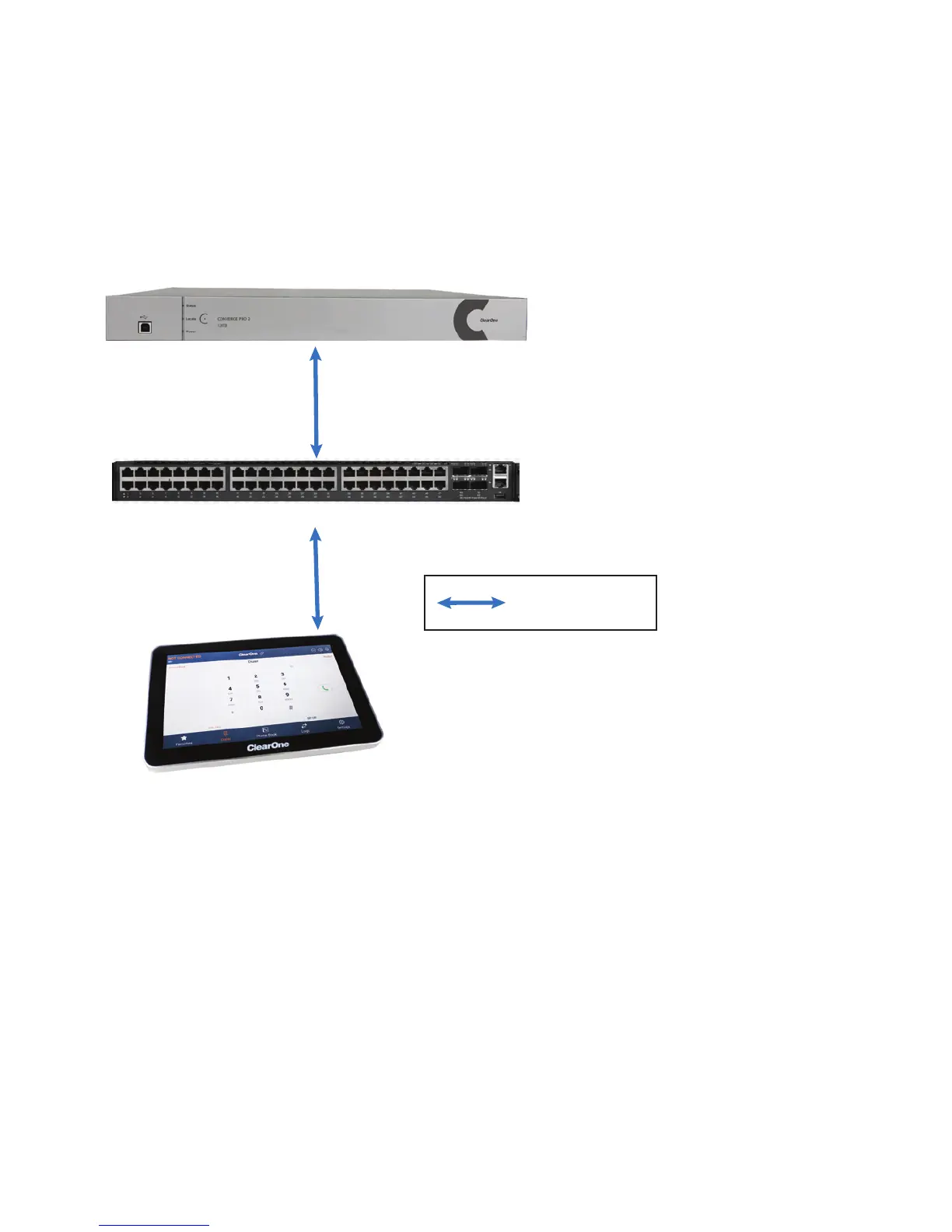
By Ethernet connection, by attaching a CAT5e or CAT6 cable to the RJ45
port at the bottom of the device:
CONVERGE Pro 2
PoE-capable Network Switch
Touch Panel Controller
Power Options (if not using a PoE-
capable Switch):
A. Power Adapter
B. PoE Injector
C. Power over P-link
CAT6 Ethernet cable
(50’, 100’, 150’, or 200’)
Legend







 To Next Page