Clickfree Portable Backup Drive User Guide Restoring my content
Copyright © 2009 Storage Appliance Corporation. 25
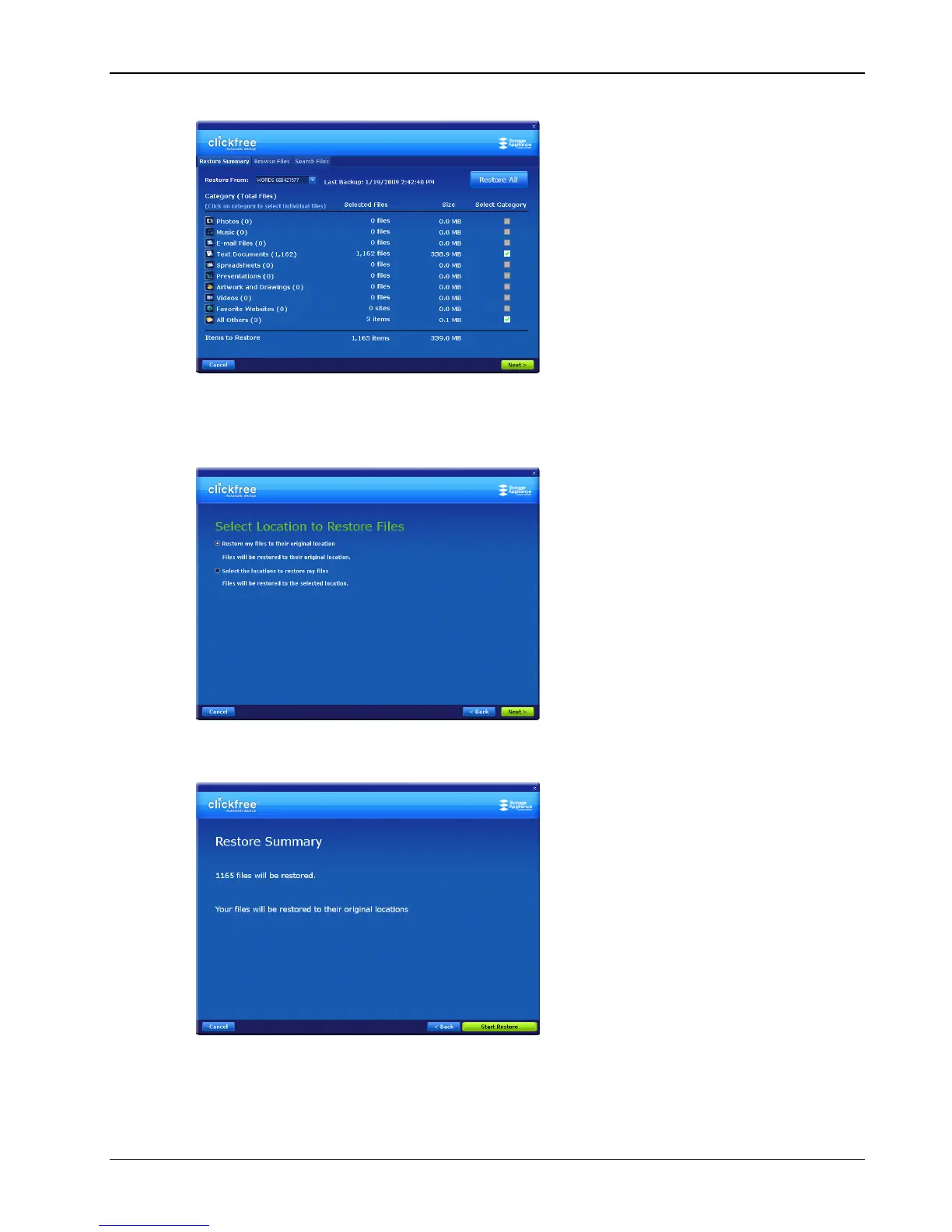
9. Since you are going to restore all of your content, simply click Restore All.
Note that all of the categories that have backed-up content are checked off in the Select
Category column.
10. Click Next >.
11. Since you are letting Clickfree restore files to their original locations, simply click
Next >.
Clickfree confirms how many files will be restored, and where they are going to be
restored to.



 To Next Page