Clickfree Portable Backup Drive User Guide Advanced topics
Copyright © 2009 Storage Appliance Corporation. 56
HOW DO I CHOOSE INDIVIDUAL FILE TYPES FOR BACKUP?
You already saw how to choose file categories for backup in “Choosing categories of
content to be backed up – required” on page 16.
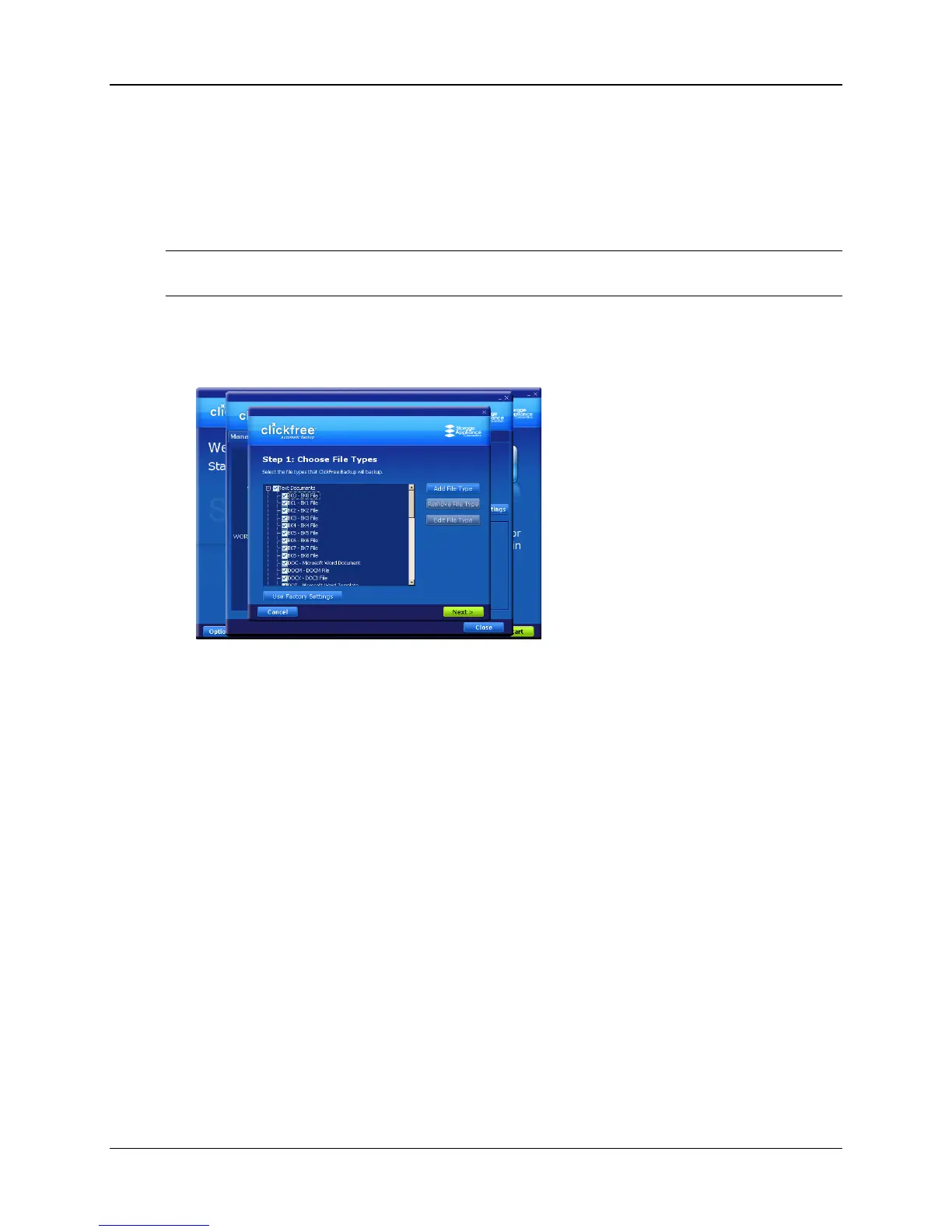
You can also expand each category and select or unselect individual file types that make
up that category.
Note: When a category is selected or unselected by checking or unchecking its checkbox, all
of the file types that make up that category are also selected or unselected.
♦ To select one or more file types in a category:
1. Click the + to the left of the checkbox. This expands the category list to show the file
types that make up that category, and changes the + to a -:
2. You can now choose the individual types of file you want to include in the backup
by adding and removing checkmarks in the checkboxes.
You collapse the category again by clicking the - .
3. If you need to back up file types that are not in any category, see “How do I
Add/Remove/Edit filetypes” on page 53 for details of how to add a new file type.
4. When you are finished selecting file categories and file types, click Next > and
continue with choosing locations to be searched.
CAN I EXCLUDE A FILE FROM BACKUP?
After you have completed a backup, you can review the backed-up files and not only
delete individual files from the backup, but ensure that these files are never backed up
again.
For details, see “To work with the file(s) you have selected” on page 42.



 To Next Page