Clickfree Portable Backup Drive User Guide Advanced topics
Copyright © 2009 Storage Appliance Corporation. 48
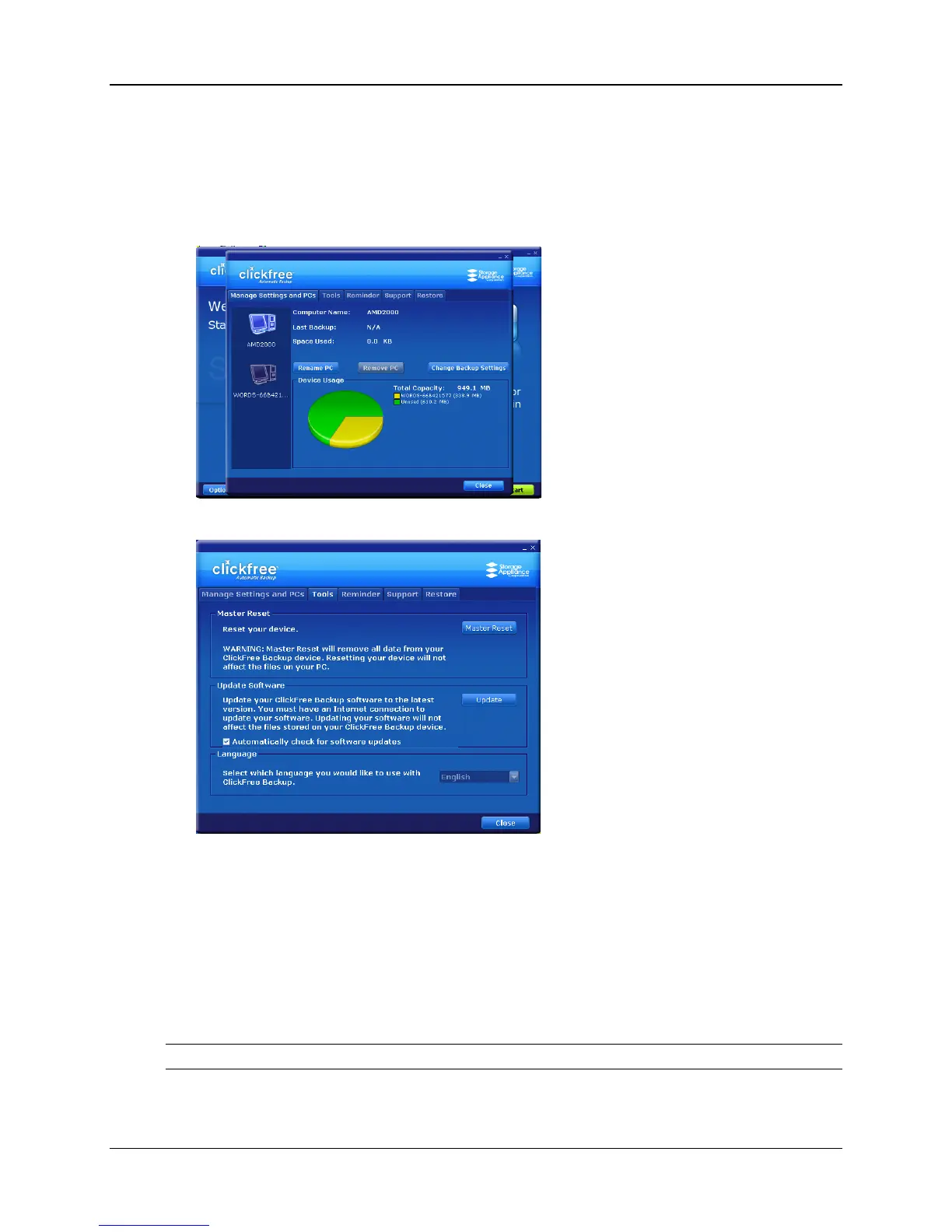
♦ To use these tools:
1. Connect Clickfree to your computer as described in “How do I start using my
Clickfree Portable Backup Drive?” on page 10.
2. When you see the countdown screen, click Options before the countdown reaches
zero:
3. Click the Tools tab to show the available tools.
MASTER RESET
♦ To apply Master Reset:
Master Reset is used to remove all backed-up content from all computers that have been
backed up on your Portable Backup Drive, and to apply factory settings – see “What are
‘factory settings’ and how do I use them?” on page 47.
After you perform a Master Reset you can no longer restore any previously backed-up
content. However, your Portable Backup Drive can still be used for new backups.
Note: Clickfree never erases anything other than the backups it has performed.



 To Next Page