Clickfree Portable Backup Drive User Guide Browsing, Searching & Viewing
Copyright © 2009 Storage Appliance Corporation. 41
♦ To search for files:
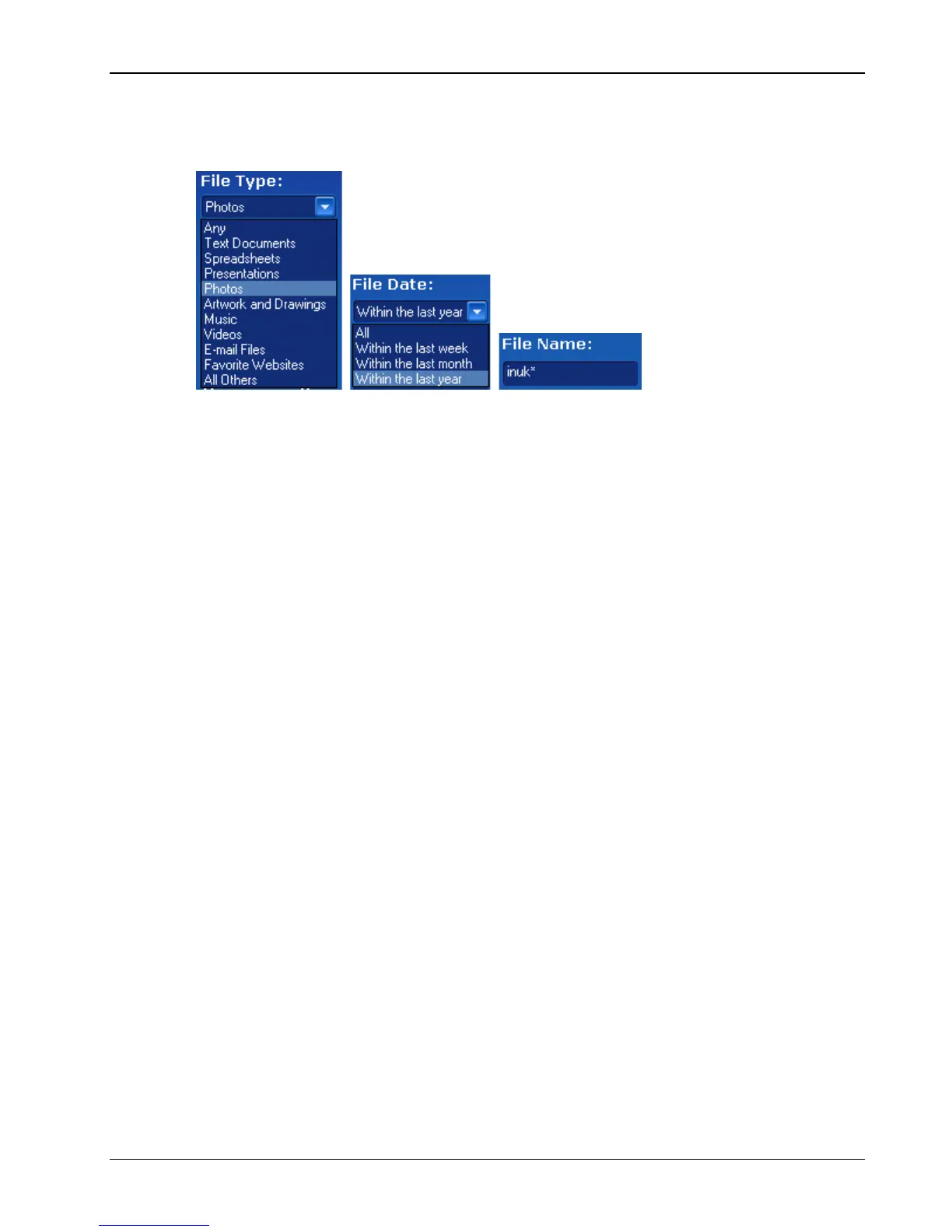
1. Use the combination of File Type, File Date, and File Name that you think should match
the file(s) you want to find:
These selections are combined so that only files that match all of them are found – in
this case only files in the category Photos, and created/last changed within the last year,
and with names starting with ‘inuk’.
• File Type – select a category, or ‘Any’ if you want all categories to be searched
• File Date – select the time period within which the files were created or changed, or
‘All’ if you want the date to be ignored
• File Name – type a “mask” to select files. A blank file name matches all files.
Type whatever you can remember of the file names you want to find, and substitute:
• ? for one character, meaning that character can be anything at all
• * for any number of characters, meaning these characters can be anything at
all
For example (assuming that the File Type and File Date selections you made would
include them):
• To find all files whose names begin with ‘08Dec’, type ‘08Dec*’ – this will
find 08Dec_LetterToMary.doc, but not 2008DecemberExpenses.xls
• To find all files with ‘Dec’ anywhere in the name, type ‘*Dec*’ – this will find
08Dec_LetterToMary.doc, 2008DecemberExpenses.xls, etc
• To find all files with ‘n’ as the second character of the name, type ‘?n*’ – this
will find IndiaSlides.ppt, inukshuk5.jpg, but not 5inukshuk.jpg
• To find all files of type ‘doc’ or ‘docx’, type ‘*.doc*’ – of course, this will also
find any files that have type ‘doczzz’ as well



 To Next Page