25
Climax Air Inc. www.climax-air.com
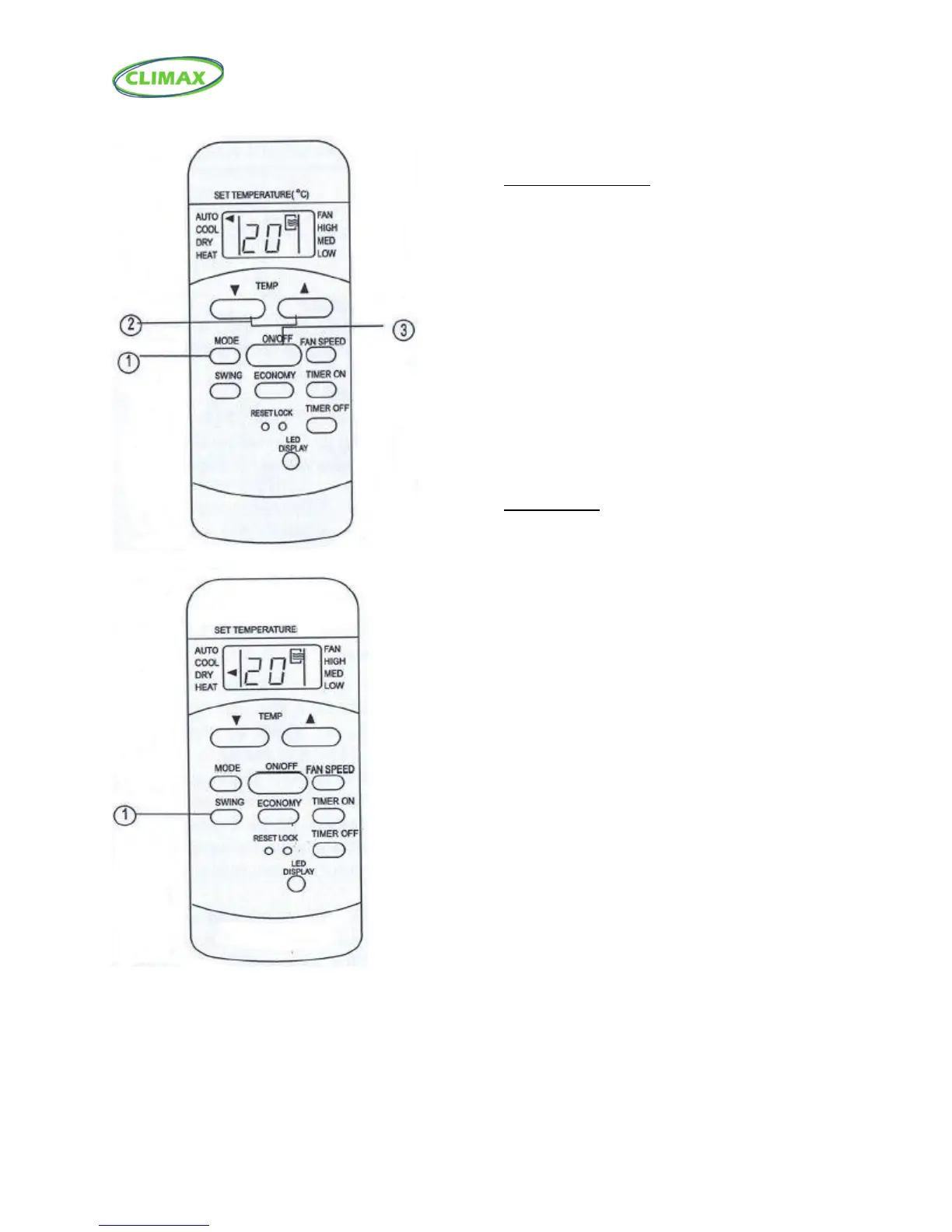
Dehumidifying operation
Ensure the unit is plugged in and power is
available. The OPERATION indicator on the
display panel of the indoor unit illuminates.
1. Press the MODE button to select DRY mode.
2. Press the TEMP button to set the desired
temperature. The temperature can be set
within a range of 17°C (62°F)~30°C in 1°C (2°F)
increments.
3. Press the ON/OFF button to start the air
conditioner.
NOTE
In the Dehumidifying mode, you cannot switch
the fan speed. It has already been automatically
set.
Swing operation
Use the SWING button to adjust the Up/Down
airflow direction.
1. When pressing the button once and quickly, the
air flow direction setting feature of the louver is
activated and the louver will swing up/down
automatically.
To set the louver to a desired position, press the button
once to move the louver to its position the press the
button again to stop it.



 To Next Page