24
Climax Air Inc. www.climax-air.com
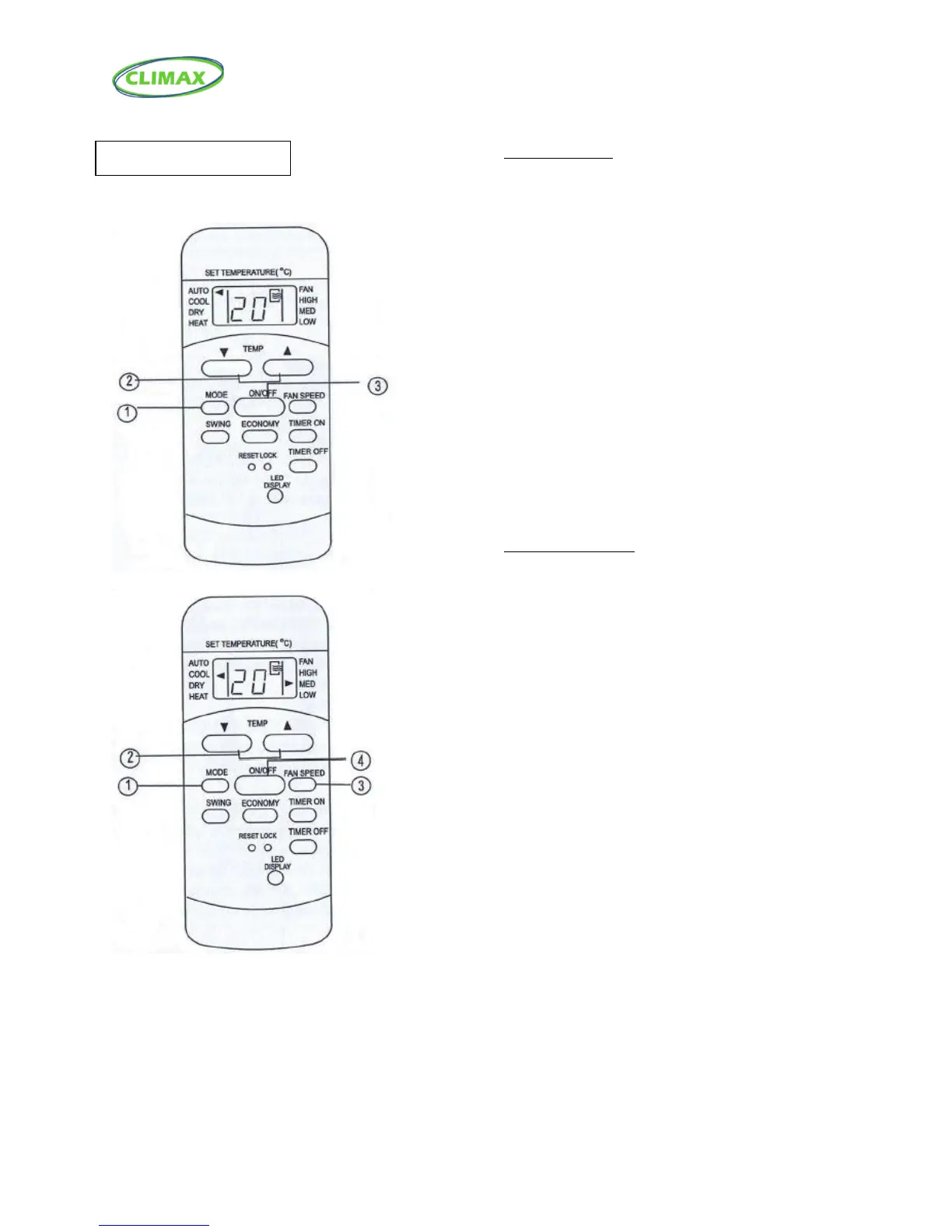
Auto operation
Ensure the unit is plugged in and power is
available. The OPERATION indicator on the
display panel of the indoor unit illuminates.
1. Press the MODE button to select Auto.
2. Press the TEMP button to set the desired
temperature. The temperature can be set
within a range of 17°C (62°F)~30°C in 1°C (2°F)
increments.
3. Press the ON/OFF button to start the air
conditioner.
NOTE
1. In the Auto mode, the air conditioner can logically
choose the mode of Cooling, Fan, and
Dehumidifying by sensing the difference between the
actual ambient room temperature and the set
temperature on the remote controller.
2. In the Auto mode, you cannot switch the fan speed.
It has already been automatically controlled.
3. If the Auto mode is not comfortable for you, the
desired mode can be selected manually.
Cooling/Fan operation
Ensure the unit is plugged in and power is
available.
1. Press the MODE button to select COOL,
or FAN mode.
2. Press the TEMP button to set the desired
temperature. The temperature can be set
within a range of 17°C (62°F)~30°C in 1°C (2°F)
increments.
3. Press the FAN SPEED button to select the
fan speed in four steps-Auto, Low, Med or High.
4. Press the ON/OFF button to start the air
conditioner.
NOTE
In the FAN mode, the setting temperature is not
displayed in the remote controller and the room
temperature is displayed on the indoor unit. You are not
able to control the room temperature either. In this case,
only step 1, 3 and 4 may be performed.



 To Next Page