CI-154 User’s Manual
Page 45
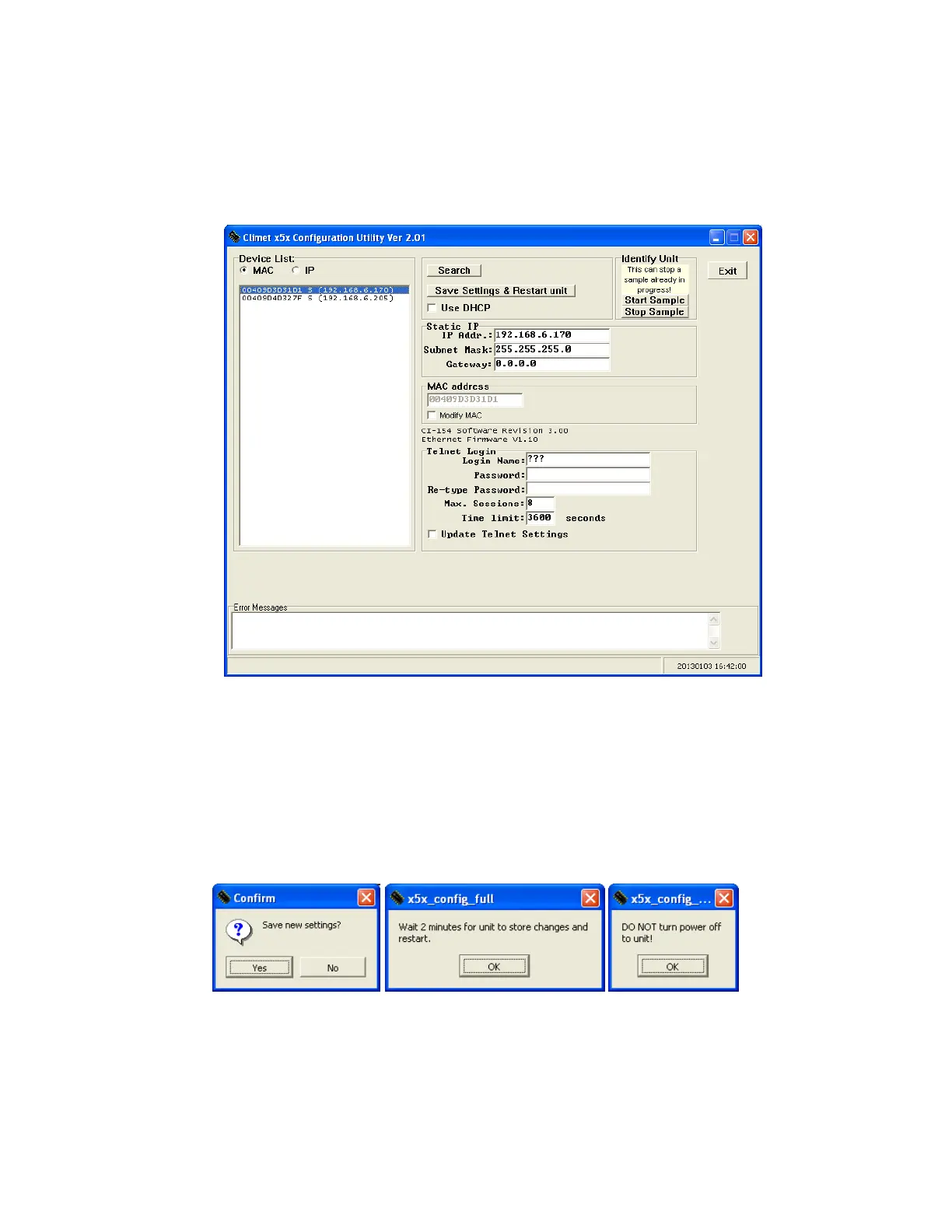
After opening the configuration utility, click the search button to locate the unit to
be configured. The list of units on the network will show on the left. Make a selection
of which unit to configure by clicking its MAC or IP address. An S or D next to the
address indicates if the unit has a static address or one assigned by DHCP.
The program will then display the network and telnet settings for the unit selected.
To change any of the settings, click each box and enter the updated information. To
change the TELNET login information enter a new login name and password then
place a check in the box next to “Change Login Name and Password”.
Once the settings have been entered, click on the [SAVE SETTINGS & RESTART UNIT]
button. The following three dialogs will pop up, click on each one to complete the
process of changing the settings on the unit.


 To Next Page