CI-154 User’s Manual
Page 46
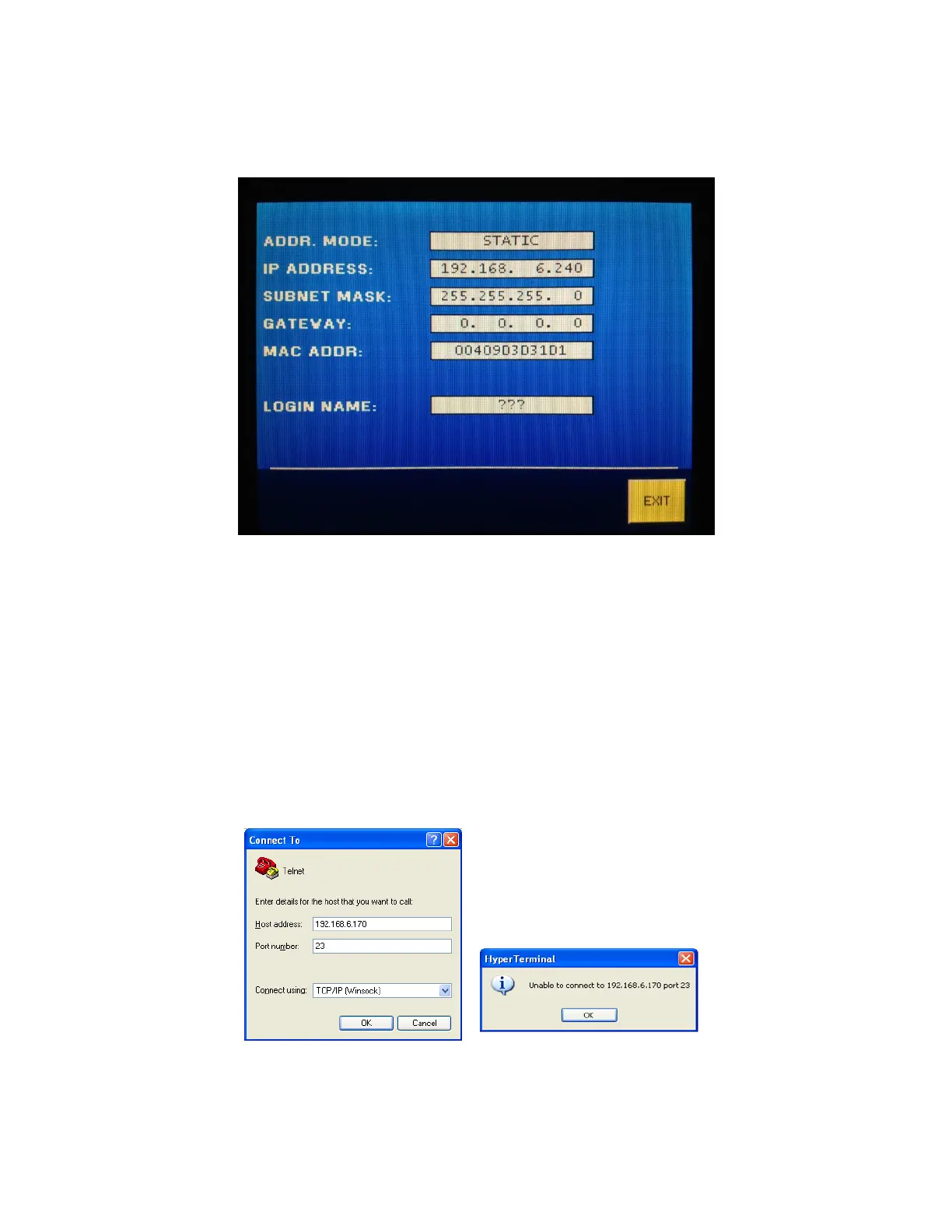
After the unit has restarted, check the CI-154 settings screen by pressing the
[SETUP]-[NETWORK] buttons. The following is an example screen. The unit requires 45
seconds after power up before the network information is displayed on this screen.
3.3.3 Connecting using Telnet.
The following steps will configure a HyperTerminal session for TELNET server access.
Locate and run HyperTerminal. Click [START]-[PROGRAMS]-[ACCESSORIES]-
[COMMUNICATIONS], and click on HyperTerminal to start the HyperTerminal Session.
Input a name (at least 1 character) and click Ok to go the next step.
Complete the “Connect To” dialog by selecting the “Connect Using” Box to TCP/IP
(Winsock). Add the IP address to the Host Address box, and check that the Port
Number Box is set to 23. Click Ok to advance to the next step. If there is not a unit
connected to the network with the IP address selected, the second window will
appear. Check the IP address and ensure the desired Unit shows network
connection.



 To Next Page