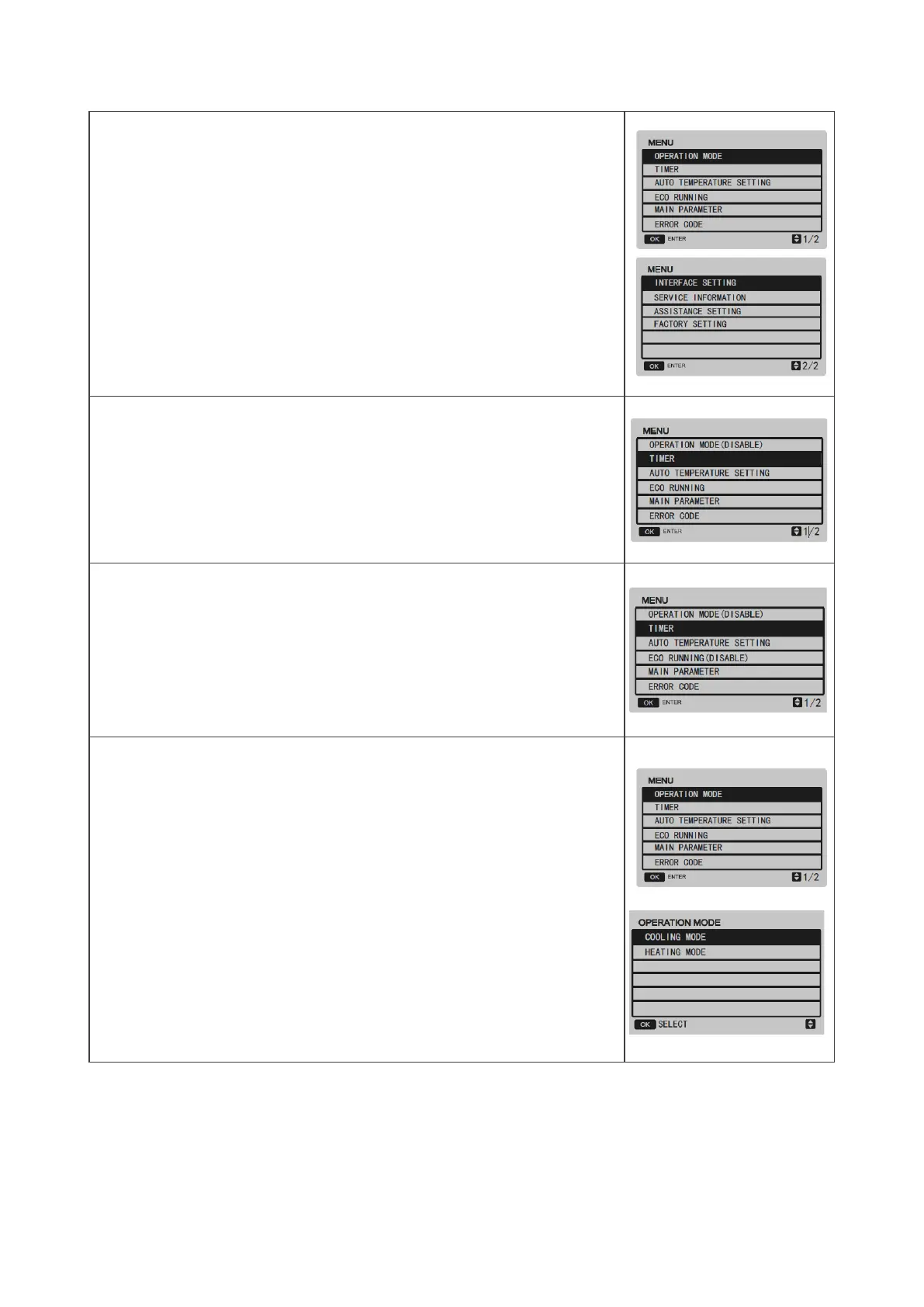
Settings menu
Press ▲▼ to select each menu option.
Press OK to access the corresponding sub-menu
Press BACK to return to the home page .
If ENMode=0 or =2 (in the ASSISTANCE menu), the mode operation is disabled
If ENMode=3 (in the ASSISTANCE menu), the mode and eco mode operations are
disabled
Operating mode
Choose the mode with
▲▼. Confirm with OK.
After 10 sec, without any operation, the mode is memorised automatically


 To Next Page
 Loading...