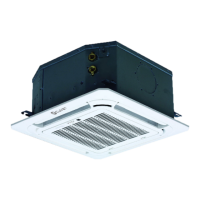
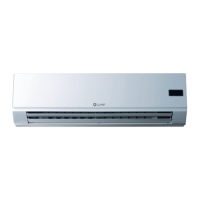
Product Features
Page 103
not lower than 16°C/60.8°F) every hour. After 2
hours, the temperature stops decreasing and the
indoor fan is fixed at low speed. Anti-cold wind
function takes priority.
• The operating time for sleep mode is 8 hours, after
which, the unit exits this mode.
• The timer setting is available in this mode.
1.12 Auto-Restart function
• The indoor unit has an auto-restart module that
allows the unit to restart automatically. The module
automatically stores the current settings and in the
case of a sudden power failure, will restore those
setting automatically within 3 minutes after power
returns.
1.13 8°C Heating
In heating mode, the temperature can be set to as low
as 8°C, preventing the indoor area from freezing if
unoccupied during severe cold weather.
1.14 Follow me
• If you press “Follow Me” on the remote, the indoor
unit will beep. This indicates the follow me function is
active.
• Once active, the remote control will send a signal
every 3 minutes, with no beeps. The unit automatically
sets the temperature according to the measurements
from the remote control.
• The unit will only change modes if the information
from the remote control makes it necessary, not from
the unit’s temperature setting.
• If the unit does not receive a signal for 7 minutes or
you press “Follow Me,” the function turns off. The
unit regulates temperature based on its own sensor
and settings.
1.15 Silence
• Press “Silence” on the remote control to enable the
SILENCE function. While this function is active, the
compressor frequency is maintained at a lower level
than F3. The indoor unit will run at faint breeze(1%),
which reduces noise to the lowest possible level.
• When match with multi outdoor unit, this function is
disabled.
1.16 ECO Function
• Used to enter the energy efficient mode.
• Under cooling mode, press ECO button, the remote
controller will adjust the temperature automatically
to 24°C/75°F, fan speed of Auto to save energy (but
only if the set temperature is less than 24°C/75°F).
If the set temperature is more than 24°C/75°F and
30°C/86°F, press the ECO button, the fan speed will
change to Auto, the set temperature will remain
unchanged.
• When pressing the ECO button, or modifying the
mode or adjusting the set temperature to less than
24°C/75°F, the AC will quit the ECO operation.
• Operation time in ECO mode is 8 hours. After 8 hours
the AC quits this mode.
1.17 Electrical energy consumption control
function
Press the “Gear” button on remote controller to enter the
energy efficient mode in a sequence of following:
Turn off the unit or activate ECO, sleep, Super cool,
8°C Heating, Silence or self clean function will quit this
function.
1.18 Active Clean function
• The Active Clean Technology washes away dust, mold,
and grease that may cause odors when it adheres to
the heat exchanger by automatically freezing and then
rapidly thawing the frost. The internal wind wheel
then keeps operating to blow-dry the evaporator, thus
preventing the growth of mold and keeping the inside
clean.
• When this function is turned on, the indoor unit
display window appears “CL”, after 20 to 45 minutes,
the unit will turn off automatically and cancel Active
Clean function.
1.19 Drain Pump Control
• Use the water-level switch to control drain pump.
• The system checks the water level every 5 seconds.
• When the A/C operates in cooling (including auto
cooling) or forced cooling mode, the pump begins
running immediately and continuously until cooling
stops.
• If the water level increases up to the control point,
the LED displays an alarm code and the drain pump
opens and continually monitors the water level. If
the water level falls and LED alarm code is no longer
displayed (drain pump close delay is 1 minute), the
unit goes back into its last mode. Otherwise, the
entire system (including the pump) stops and the
LED displays an alarm again after 3 minutes.


 To Next Page
 Loading...