11
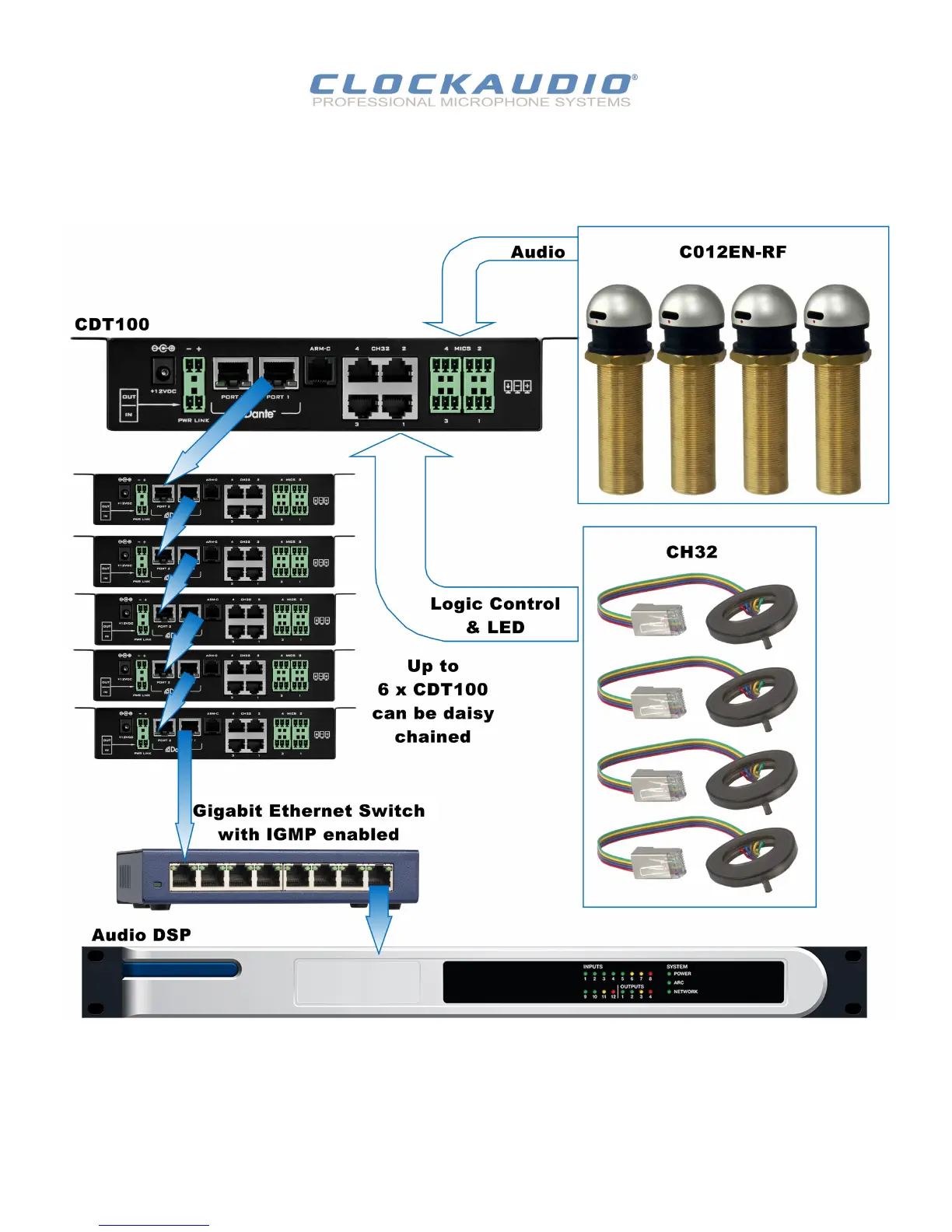
To daisy chain a device to another CDT100:
Connect an Ethernet cable from the data only port of the CDT 100 to one of the ports of the CDT100 to be chained to supply the network
informaon.
To chain the power, connect the “Link out” connector to the “Link in” connector on the CDT100 to be chained.
A third unit could be chained by connecng it in the same way to the second unit and so on.
CDT100 User Manual
© Clockaudio 2015
Figure 7 - Daisy Chain and Network Conguraon Example
5.1 – Dante Daisy Chaining - Example 1
Clockaudio Microphones - C012EN RF and Control Devices - CH32


 To Next Page