6
2 – Device Features
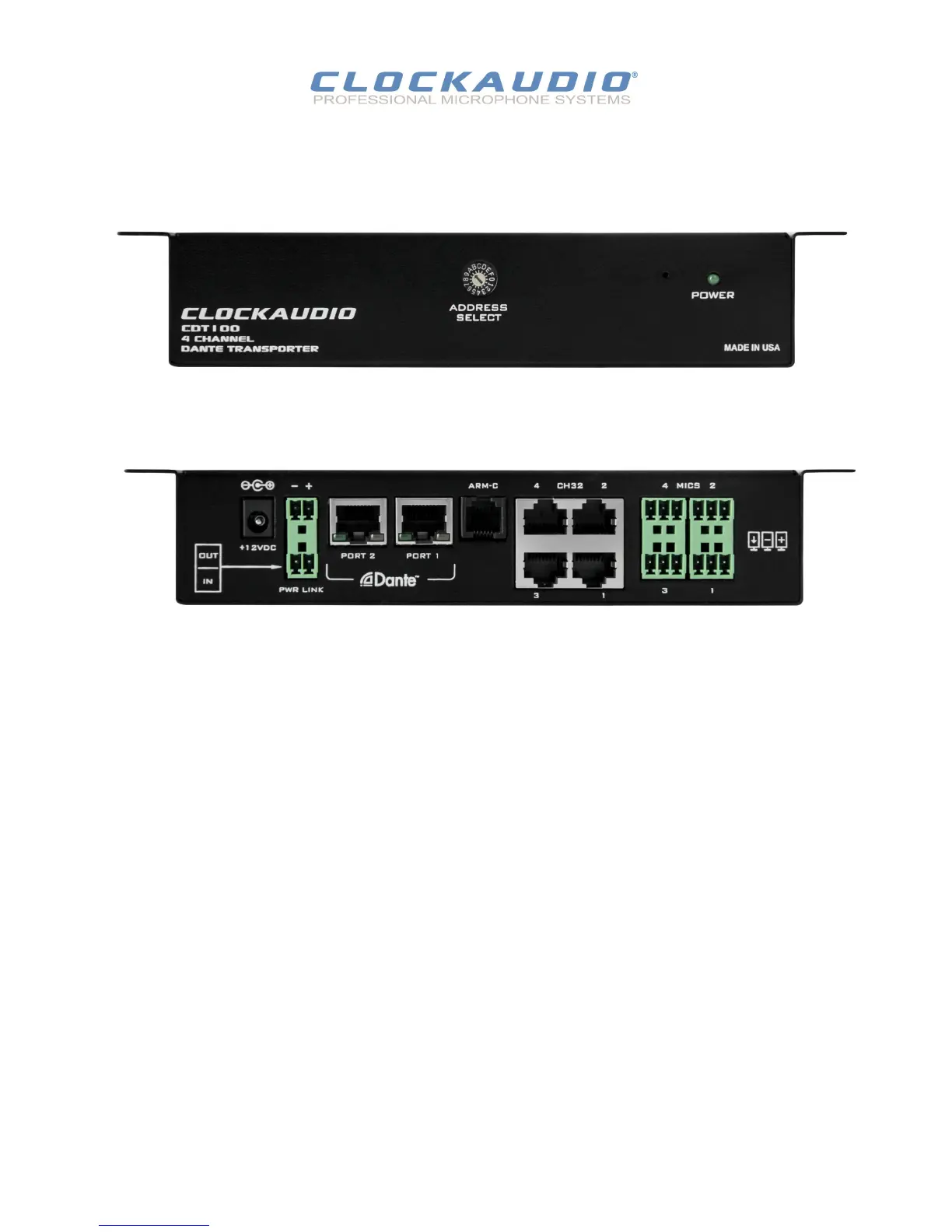
Figure 2 - CDT100 front panel
Power LED.
Reset Buon (recessed not visible).
Address Select.
4 Balanced audio inputs with phantom power, mulple units may be daisy
chained.
4 X CH32 control inputs. Connects directly to CH32 Litetouch and other
Clockaudio control devices.
ARM-C controller direct connecon.
2 X Dante Ethernet interface connector and indicators.
Daisy chain power input and output.
Power Socket - Use with oponal 12V DC supply only.
© Cockaudio 2015
CDT100 User Manual
Figure 3 - CDT100 back panel


 To Next Page