

EasyManua.ls Logo

CMi TORQ-HUB - User Manual

CMi TORQ-HUB
19 pages
Print Icon
To Next Page IconTo Next Page
Loading...
Revision Date: June 2, 2021
Operating Manual
Display Operating
M
anual
CONCEPT MEASUREMENT INC.
7” MULTI -
TOUCH DISPLAY
Phone: (403)340.3466 Email: Info@concept-cmi.com #100-310 Burnt Park Way Red Deer County T4S-2L4
Question and Answer IconNeed help?

Do you have a question about the CMi TORQ-HUB and is the answer not in the manual?

CMi TORQ-HUB Specifications

General IconGeneral
BrandCMi
ModelTORQ-HUB
CategoryMonitor
LanguageEnglish

Summary

Main Screen Overview

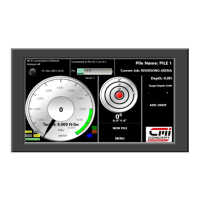
CMI 7 Color Display At A Glance

Overview of the CMI 7" color display interface and its key elements.

Connecting to the Hub

Job Management: Creation and Selection

Setting Torque Targets and Range

Inclinometer Calibration and Settings

Adding Pile Joints

System Settings and Preferences

Units of Measurement Configuration

Select preferred units for torque (ft.lbs/N.m) and length (ft/meters).

Date and Time Configuration

Adjust the system's date and time using on-screen arrow controls.

Language Configuration

Choose the display language from available options.

Exporting Piling Data

Deleting Piling Jobs

Smartphone Connectivity and Reporting

Mobile App Integration: Torque Viewer

Troubleshooting and Support

CMI Warranty Policy

Limited Warranty Details

Specifies the warranty period and general coverage for manufacturing defects.

Warranty Service Procedures

Outlines procedures and conditions for warranty claims and service.

Warranty Void Conditions

Lists conditions that will nullify the product warranty.
Returned Goods Policy and Procedures