AN279
5.2 Firmware Degrade
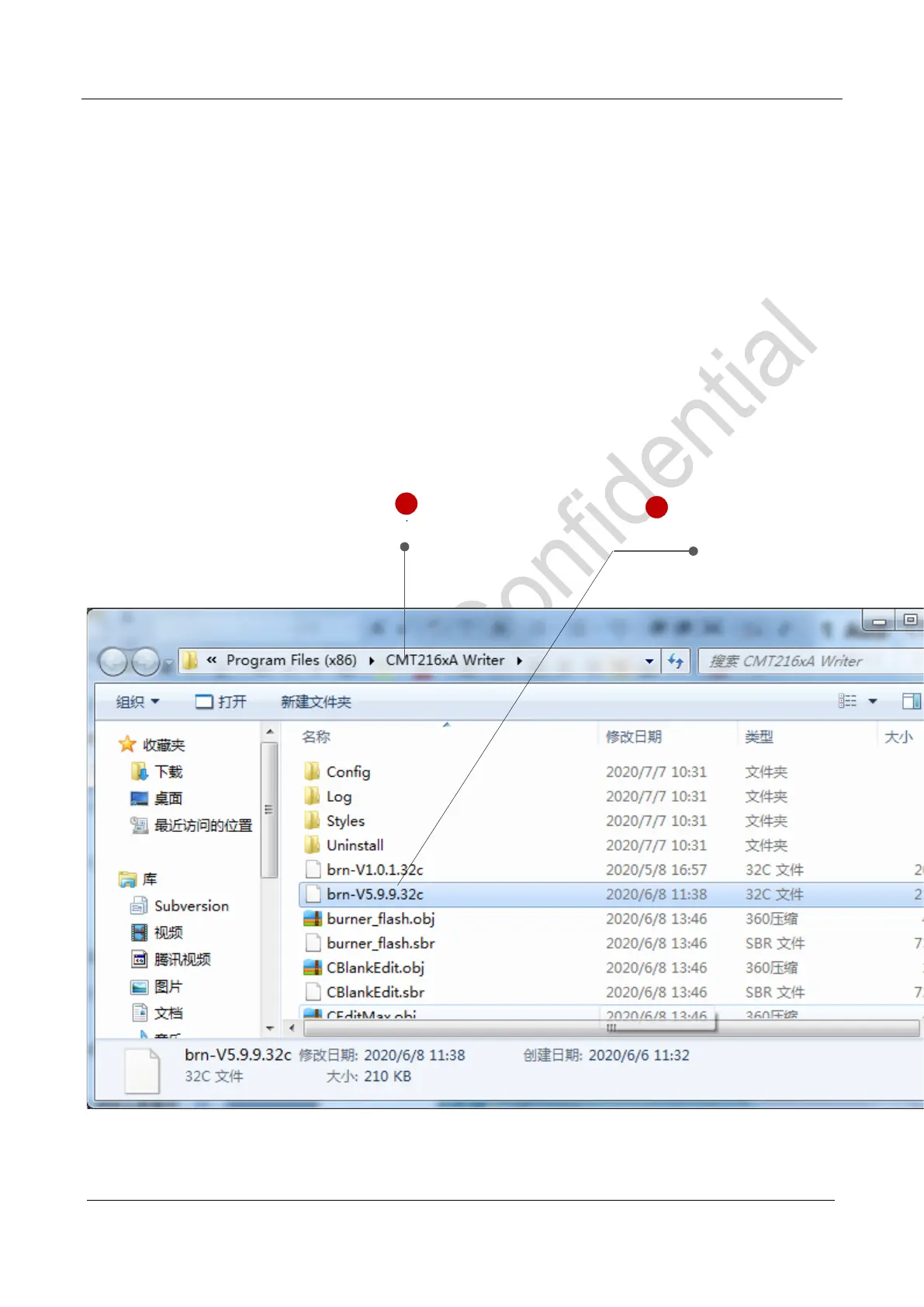
Degrade firmware requires to select brn-Vx.y.z.32c in the WriterConfig installation directory and change the
file name to brn-V5.9.9.32c and then restart the WriterConfig program. Noted information will be pop-uped
automatically as the upgrade process. Clicking OK will continue the degrade operation and click Cancel to call
off the operation. Details are shown in the following figure.
In file brn-vx.y.z. 32c, x.y.z represents firmware version. For example, brn-V1.5.1.32c represents firmware
version V1.5.1.
After the degrade complete, restore brn-V5.9.9.32c to the original file name to avoid repeat degradation next
time.
Install directory
Degrade file name
1
2
Figure 17. WriterConfig degrade offline burner firmware



 To Next Page