AN279
2 Hardware Introduction
2.1 Offline Writer Host Panel
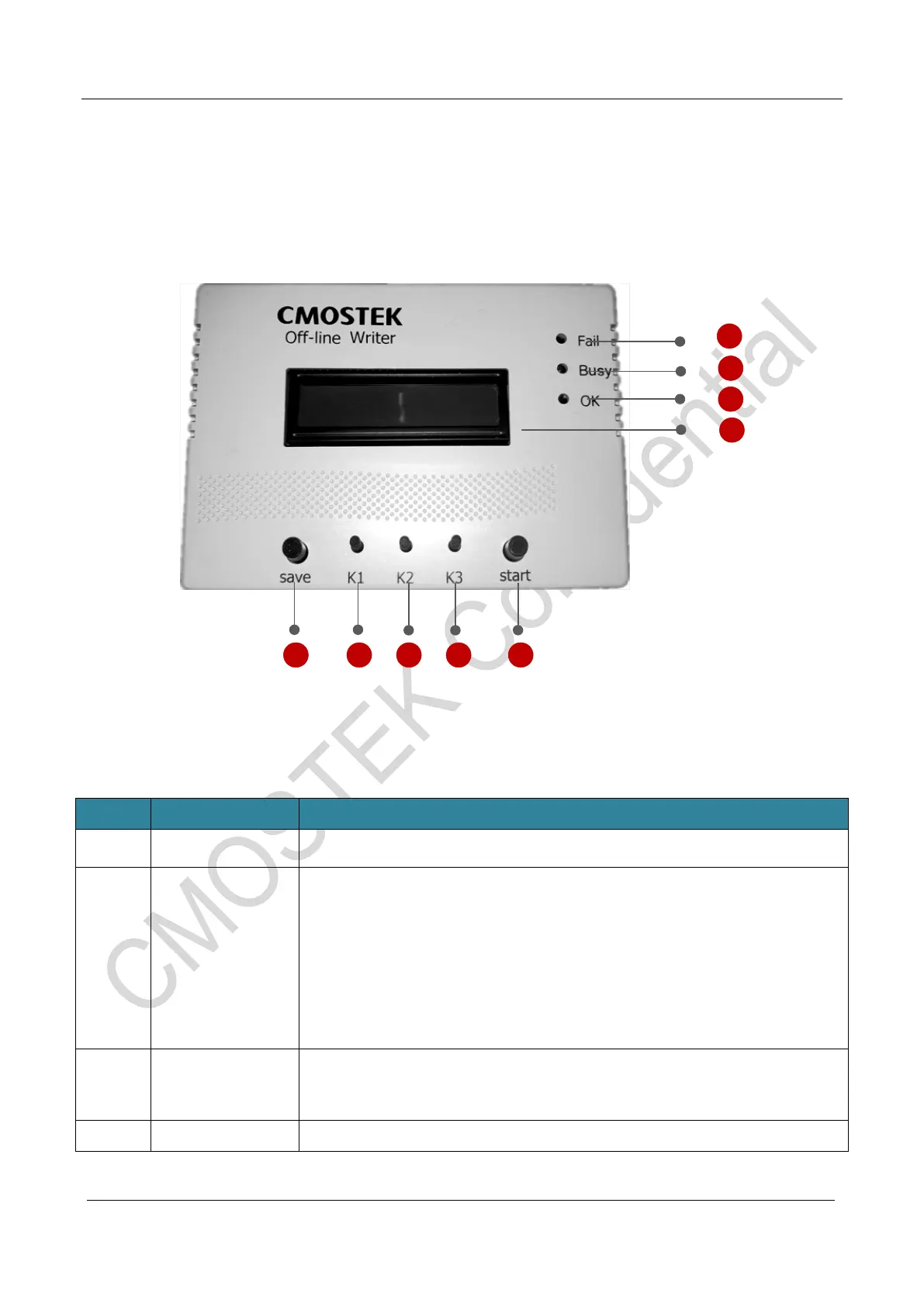
2.1.1 Description of the front view of each component on the offline writer panel
Figure 1. Front View of the Host Panel
Table 3. Description of Components on the Host Panel
Number Name Function
1 Fail(Red Light) Red light indicates programming failed.
2
Busy(Yellow
Light)
Yellow light indicates busy with the following two situations
:
1. In burning mode: indicates that the target chip model has been identified
and programming;
2. In USB mode: Information is exchanged between the USB and computer.
3
OK(Green
Light)
Green light indicates OK and it will keep light up even after removing the
chip.
4 LCD Display Display information of configuration and programming.



 To Next Page