EVAC-500 Voice Alarm & Evacuation System Operation Manual
35 / 42
prohibition of <no operation or prohibited loop detection, default all enabled>;
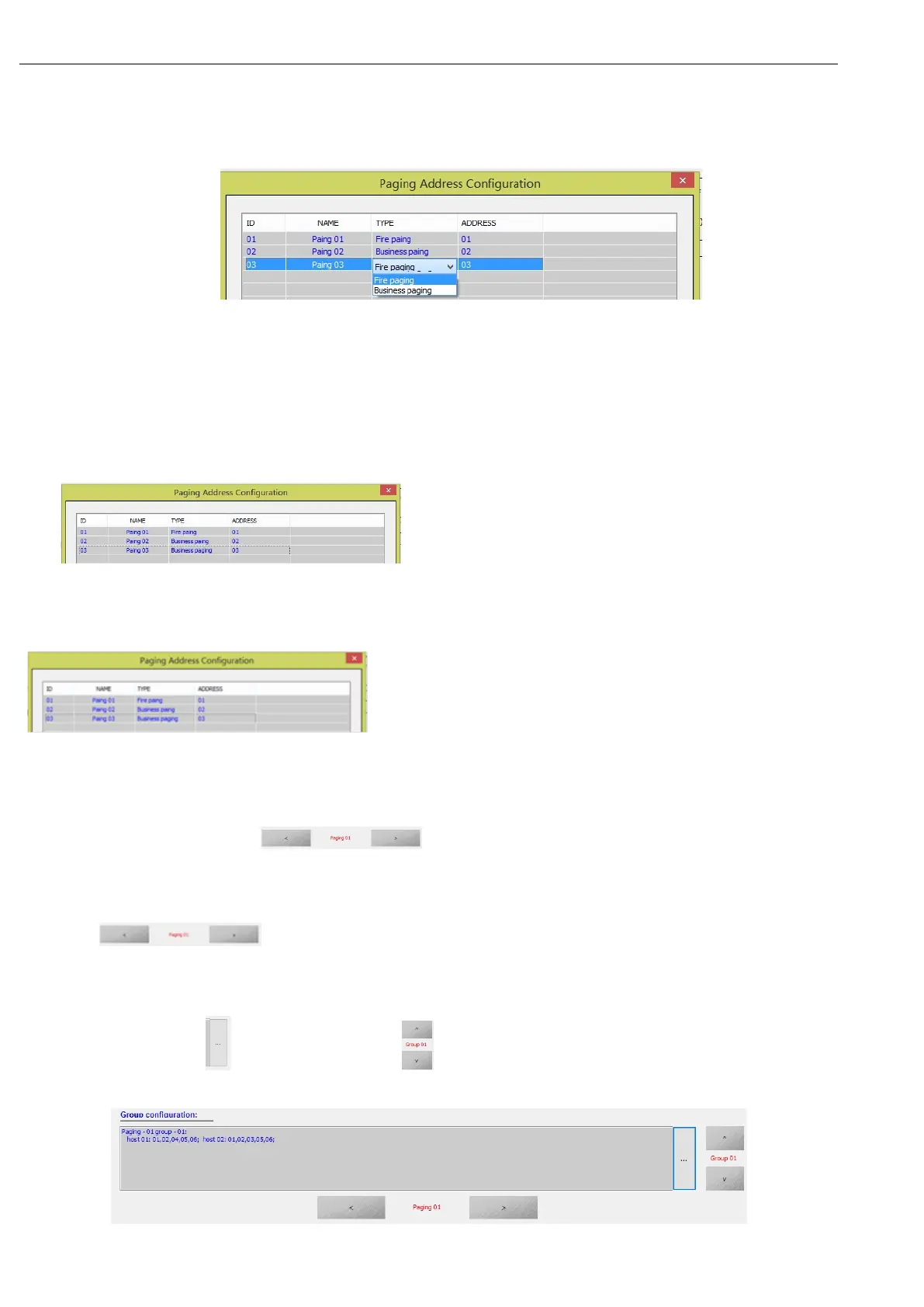
(1). “ID” Item lists the number of current host access microphones - please configure them with actual devices;
(2). “NAME” The virtual name that corresponds to the microphone is not practical and is automatically allocated by
the system;
(3). “TYPE” For the type of microphone, users can click on this to choose between "Fire paging" and "Business
paging"; (4). “ADDRESS” For the address of the corresponding microphone, please ensure that the current system
is connected by the "Link ID" of the first 1 ~ 5 digits, otherwise the microphone may not work properly;
Note: please double-click in the blank area after the modification is completed, and there is no list box
“ ” Click "OK" when the drop-down list box appears in the figure,
otherwise the change is invalid.
Note: After the modification is complete, double-click in the blank area, make sure that no drop-down list box in the
" " box appears in the list box, click "OK", otherwise the change is
invalid.
① Similarly the user can through the Paging prompt tone switch "setting for each of the microphone switch and
specify a different prompt (bell) method with the host on the panel of receiver, here is not in the description (multiple can
set by clicking on the microphone “ ” To switch;
② the same user can "Paging prompt tone switch" were set each microphone switch and specify a different tone
(bell) method and the host panel above the microphone, not described here (multiple microphones can be set through
the Click " " to switch);
③ Users can also set up different control partitions for the 12 groups of the first microphone based on actual
requirements, by clicking “ ” Add and delete, pass “ ” Switch different groups,The group list box displays the
following:


 To Next Page