Connecting services - Control panel
57
Owners handbook 2022
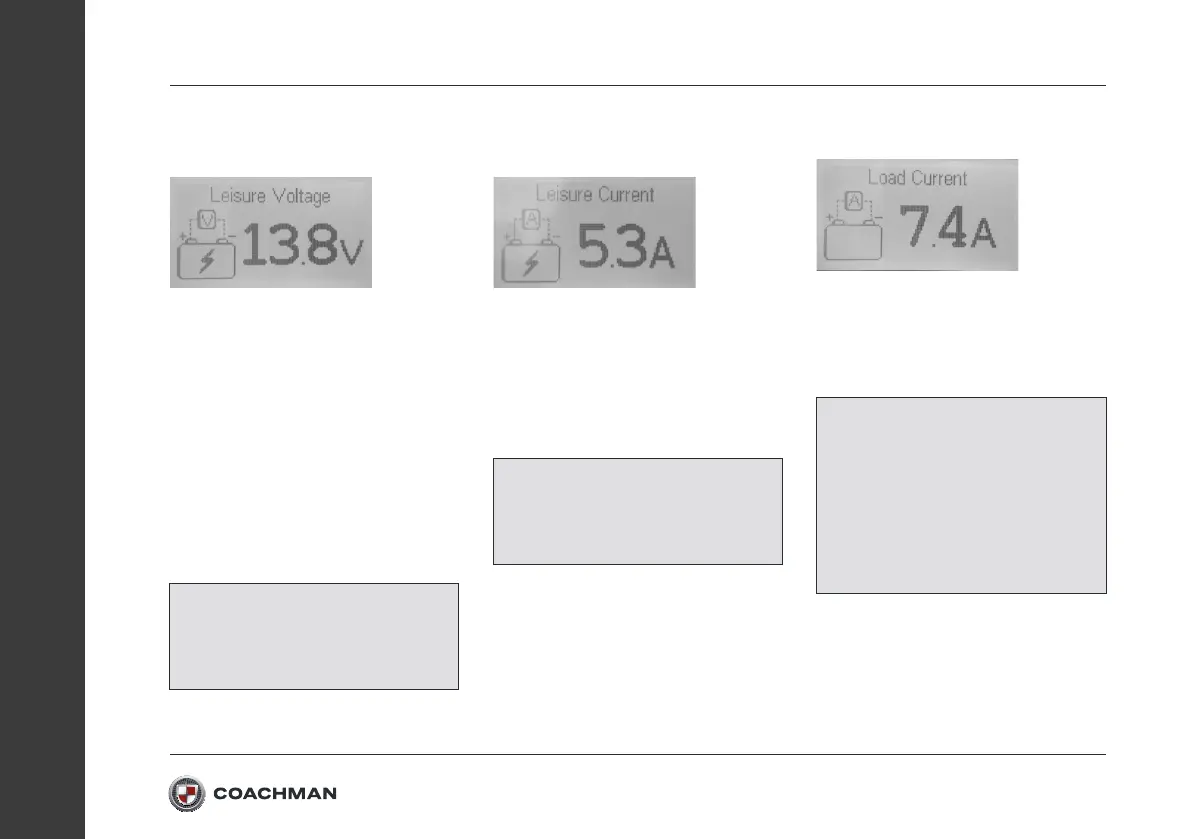
Leisure Battery Voltage
Display Page:
This page displays the leisure battery
voltage. If a 230V mains supply is
connected then the charging voltage of
the leisure battery will be displayed. If
the leisure battery is being charged then
a lightning icon will appear in the battery.
To increase the accuracy of the battery
voltage reading, switch the “Master
Switch” o, this will reduce the load and
give a better indication of the batteries
voltage level.
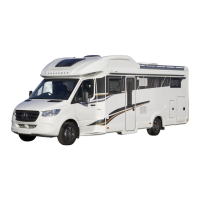
Leisure Battery Current
Display Page:
This page displays the amount of current
being drawn from the Leisure Battery,
when the Leisure Battery is being
charged a lightning icon is displayed
inside the battery symbol. A higher
current draw will drain the battery faster.
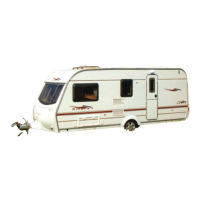
Load Current Display Page:
This page displays the amount of current
that is being used by the leisure vehicle
to power its internal systems, such as
lights, pumps and sockets for example.
NOTE: See the “Notifications” section in
the User Settings to enable/disable the
high and low voltage notifications for
the Leisure Battery
NOTE:
See the “Notifications” section
in the User Settings to enable/
disable the high Leisure Battery load
notifications
NOTE:
The Load current and
Battery current values may be
dierent if the battery is also being
charged by a 230V connection or a
solar panel. See the “Notifications”
section in the User Settings to
enable/disable the High Load
notification.


 To Next Page