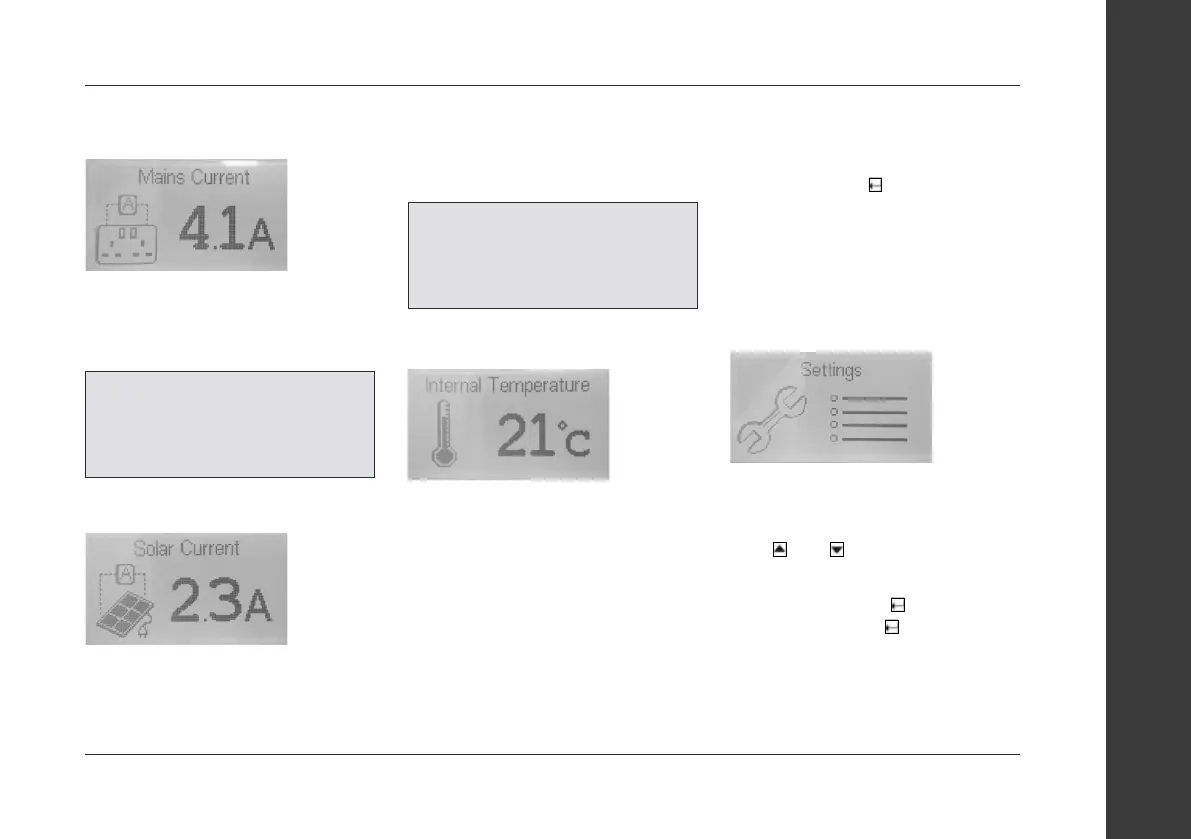
Mains Current Display Page:
This page displays the amount of
current that is being drawn from the
230V mains connection.
Solar Current Display Page:
This page displays the amount of current
that is being generated by the solar
panel. A solar regulator is required to
drop down the solar panel voltage to
battery safe levels.
Internal Temperature Display Page:
This page displays the internal
temperature, it is measured by a sensor
inside the control panel and displayed on
the screen in degrees Celsius by default.
User Settings:
This page is the user settings menu
page, pressing the button will enter
the user settings and allow some
settings to be altered, such as display
settings, sound settings and which
notifications are enabled etc. There is a
description for the dierent settings,
options and how to navigate the menus
below.
Navigation:
• Scroll through the settings with
the
and buttons.
• The user settings menu has drop-down
menus, pressing the
button on a
setting that has the icon
(Highlighted in the image below) will
open the drop-down menu and allow
settings to be changed.
Connecting services - Control panel
58www.coachman.co.uk
Owners handbook 2022
Coachman Caravan Company Limited, Amsterdam Road, Sutton Fields Industrial Estate, Hull, HU7 0XF
NOTE:
See the “Notifications”
section in the User Settings to
enable/disable the High Mains load
notification.
NOTE:
See the “Notifications”
section in the User Settings to
enable/disable the High Mains load
notification.


 To Next Page