10
To connect a wired IP handset for making calls
NOTE: Make sure your IP handset complies with PoE class 2 (7 W).
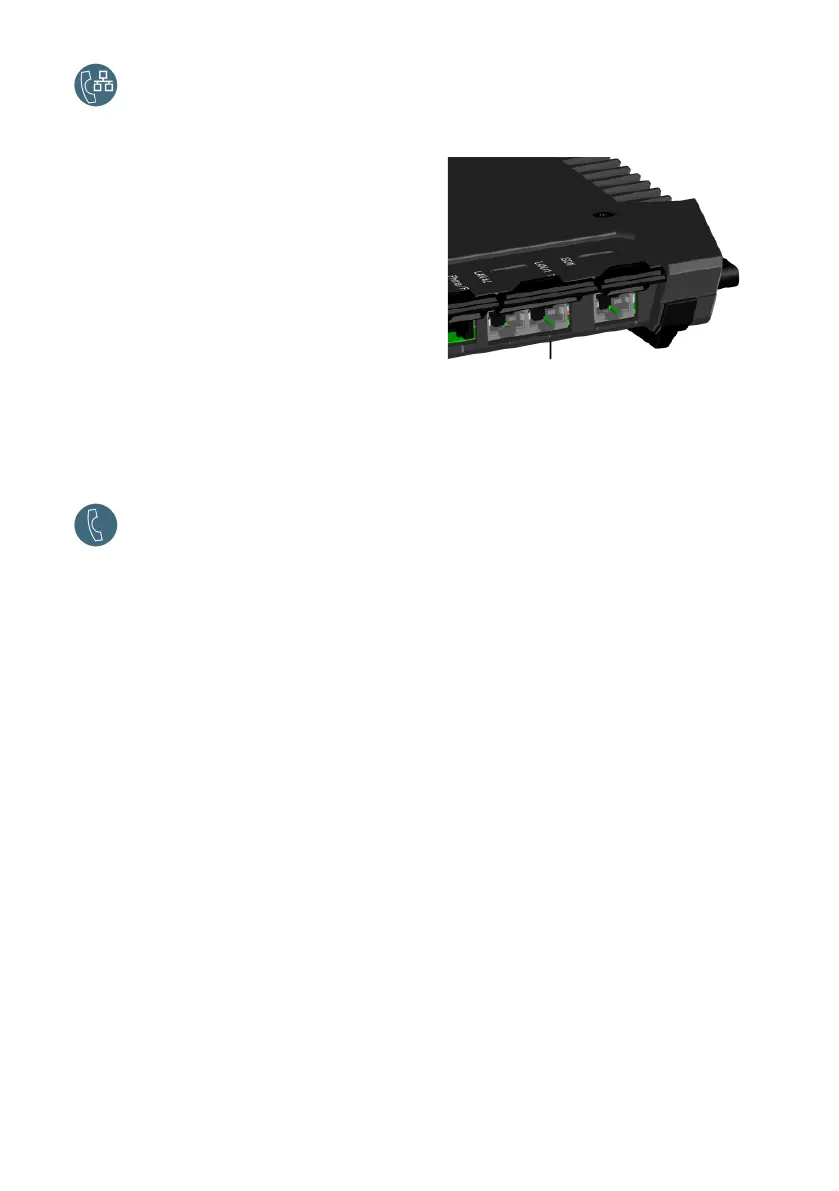
To connect a wired IP handset, do as follows:
1. Start up the EXPLORER 710 terminal.
NOTE: Make sure PoE is enabled in the
terminal. You enable PoE in the web
interface.
2. Connect the LAN cable between the IP
handset and LAN#1 on the terminal.
3. For use of the handset, refer to the
documentation for your handset.
See also First time setup on page 9.
You should now be ready to make and receive calls over BGAN.
Make a voice call
Call from the terminal
To make a call from a phone connected to
the EXPLORER 710 terminal:
Example: To call Cobham SATCOM in
Denmark: (+45 39558800):
dial 00 <country code> <phone
number> followed by #.
dial 00 45 39558800 #
NOTE: There are two audio qualities: Standard Voice and 3.1 kHz Audio. By default, the
Standard Voice quality is used. To force the call to use Standard Voice, dial 1* before the
number. To force the call to use 3.1 kHz Audio, dial 2* before the number.
Call to the terminal
To make a call to an EXPLORER 710 terminal: dial +<mobile number>
(+ is the prefix to call out of the country you
are located in).
NOTE: There are two voice numbers, one for 3.1 kHz Audio and one for Standard Voice.
You can find the voice numbers for your terminal in your airtime subscription. The numbers
are listed as MS-ISDN (Standard Voice and SMS) and AMS-ISDN (ISDN, fax and 3.1 kHz
Audio).
LAN1 (PoE)



 To Next Page