6
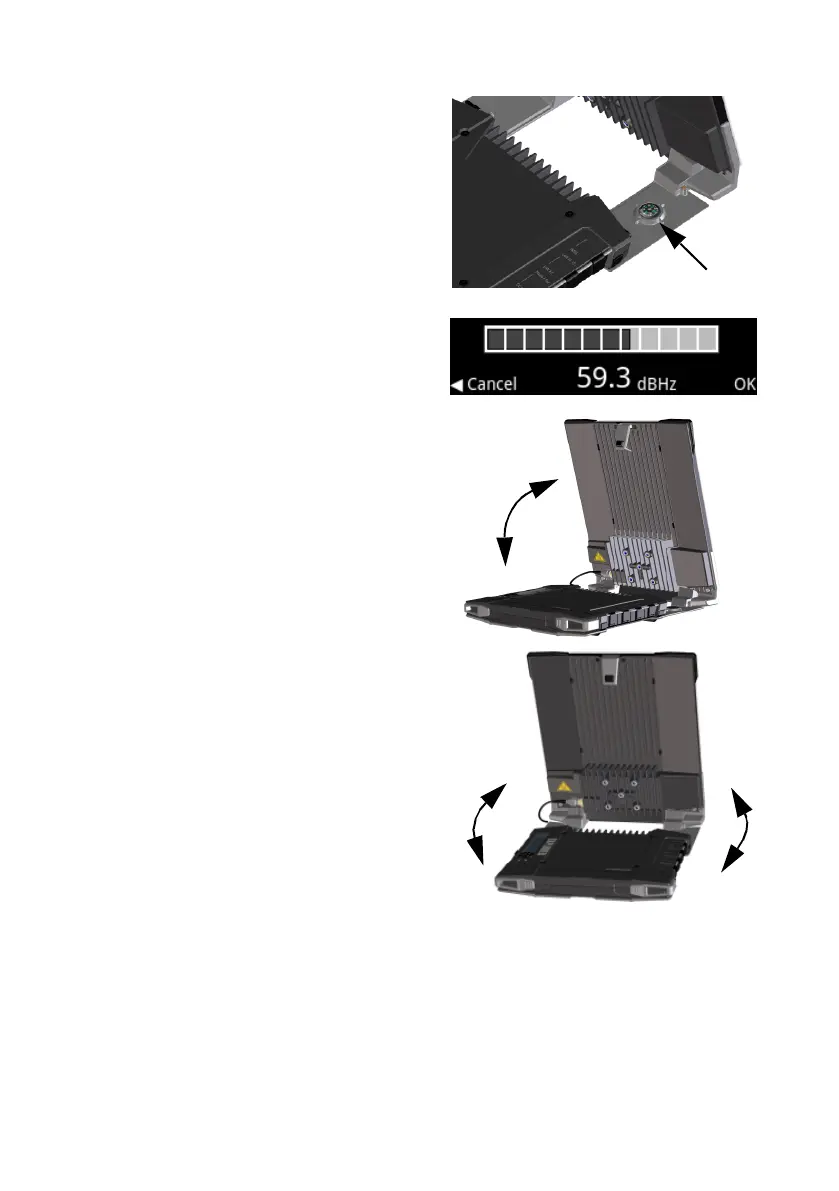
To point the antenna
To obtain optimum bandwidth and
operating time, adjust the position of the
antenna with great precision.
Do as follows:
a. Use the compass to locate the
approximate direction from the
antenna front face to the satellite.
b. Use the display and the pointing sound
to find the highest possible signal
strength, while slowly rotating and
tilting the EXPLORER 710 antenna.
c. Press OK on the display keypad when
you have obtained the highest possible
signal strength.
The EXPLORER 710 now starts to establish a
connection to the BGAN network.
NOTE: By default, the EXPLORER 710
automatically connects to the Internet when
you connect equipment to the LAN or WLAN
interface (Standard data connection).
If you are not going to use the LAN/WLAN
connection, remove the cable or disable
the interface to avoid being charged
for any transmission through this interface.
To start a new pointing process:
a. Select
in the display.
b. Select Point now.
c. Go through the pointing process as
described above.
Compass



 To Next Page