11111
7
Access the EXPLORER 710 web interface
The web interface is used for configuration and daily use of the EXPLORER 710. To access
the web interface, do as follows:
1. Connect a PC, tablet or smartphone to
the EXPLORER 710.
2. Start your Internet browser.
3. Enter “ut.bgan” in the address field.
1
The web interface now opens in your browser. For information on how to use the web
interface, click
to access the user manual.
Connect to WLAN
NOTE: The EXPLORER 710 supports connection of maximum 10 units on the WLAN
interface.
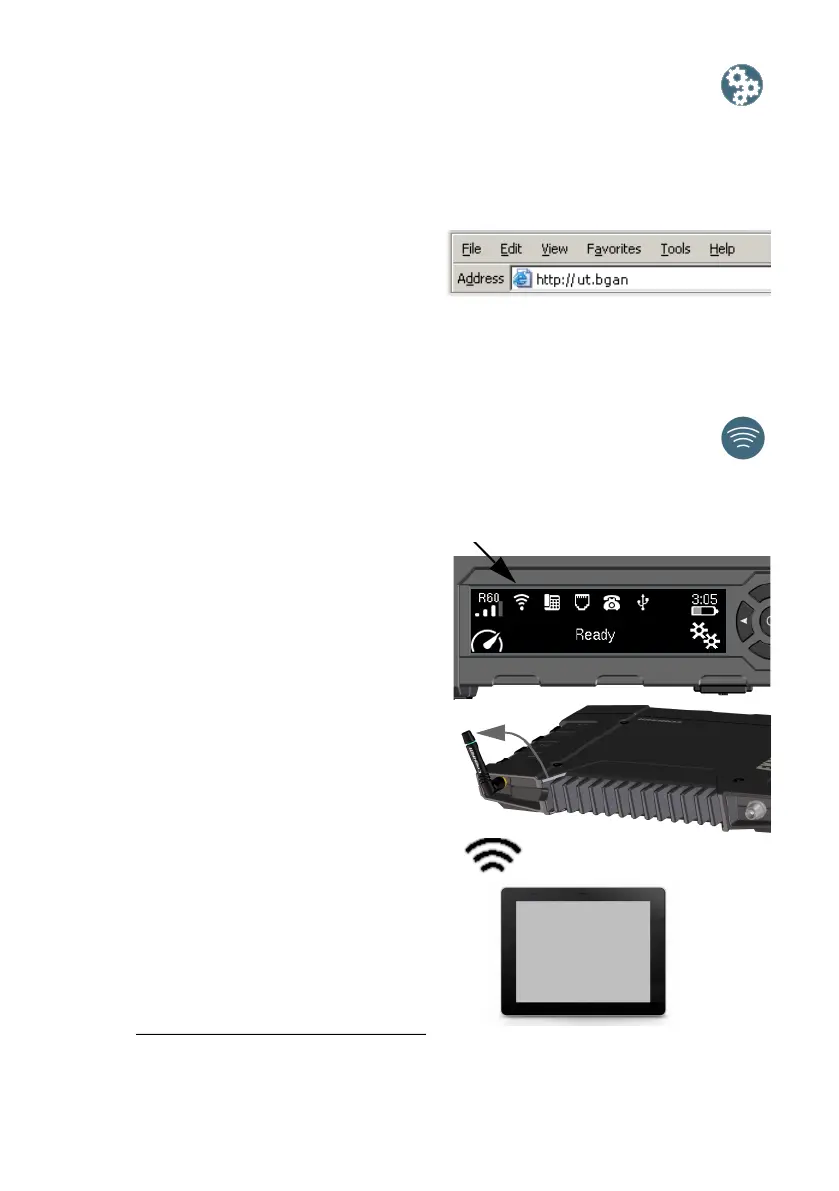
1. Check that WLAN is enabled in your
EXPLORER 710. The top line of the
display shows which interfaces are
enabled.
2. If your device is not close to the
terminal, turn the WLAN antenna of the
transceiver into an upright position.
3. Place your WLAN-enabled device
(computer, tablet or smartphone) close
to the EXPLORER 710, but not in front of
the BGAN antenna panel.
4. On your device, search for available
WLAN networks.
5. Select the EXPLORER 710 WLAN access
point when it appears in your list of
available wireless networks.
The default name is EXPLORER 710.
1. You can also enter the local IP address of the terminal (default 192.168.0.1). To see the
local IP address in the display, enter the menu and select Properties > IP Address.



 To Next Page