11111
1
Getting started 1
Before you start, check that the following items are present:
• EXPLORER 710 terminal TT-3720B
including transceiver, antenna and
antenna cable
• Battery pack TT-3686G*
• AC/DC adapter
• Getting started kit including:
• Ethernet/ISDN cable, 2 m screened
• Getting started (this guide)
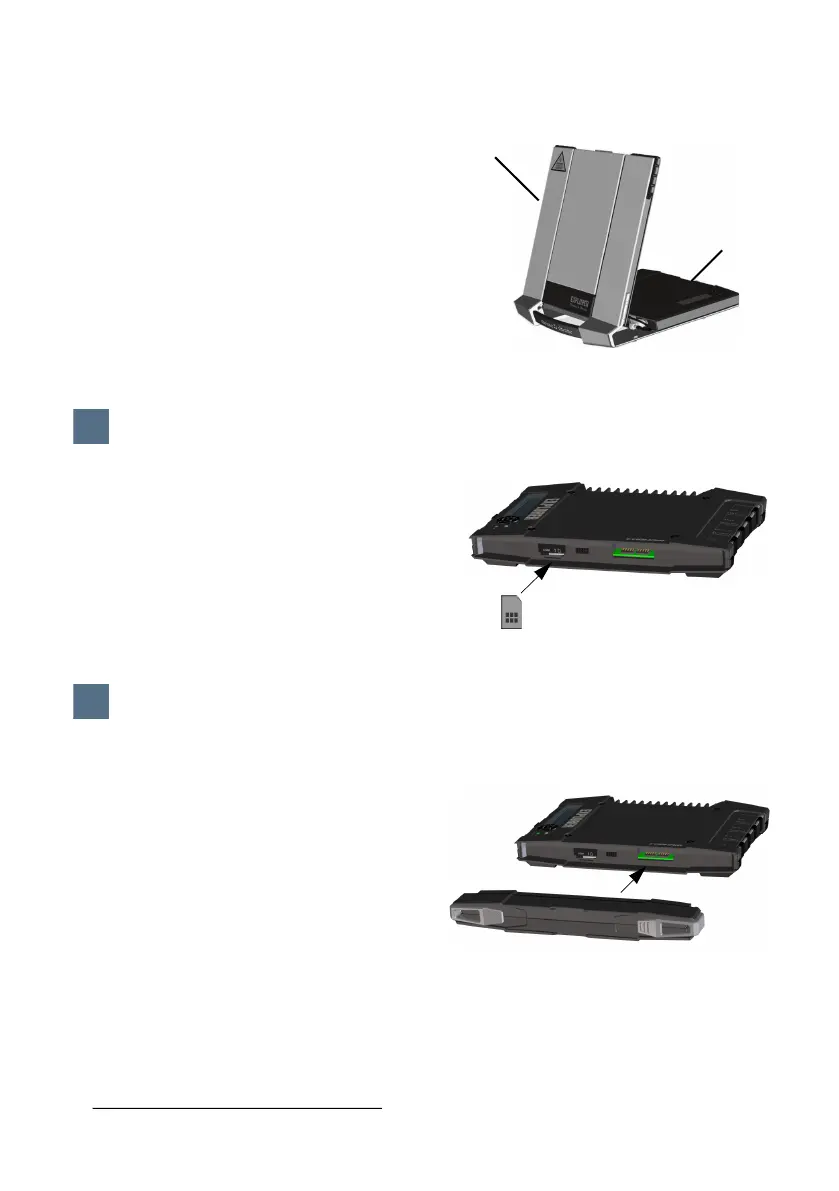
The location of the SIM slot is indicated in
the picture.
a. Insert the SIM card in the SIM slot with
the chip side facing up.
b. Press gently until it clicks.
c. Slide the lock in front of the SIM slot.
Battery
Insert the battery and press gently until it
locks. The battery is charged when external
power is connected.
Note: The charging temperature range in
Japan is 10 to 45
C due to legal
requirements. The charging temperature in
all other countries is 0 to 45
C.
Antenna
Transceiver
1
Insert the SIM card (provided by your Airtime Provider)
1
2
Provide power
2
*IEC Model/Type Ref.: 3INR19/65-2, 56636 706 099, TT-3686G



 To Next Page