11111
11
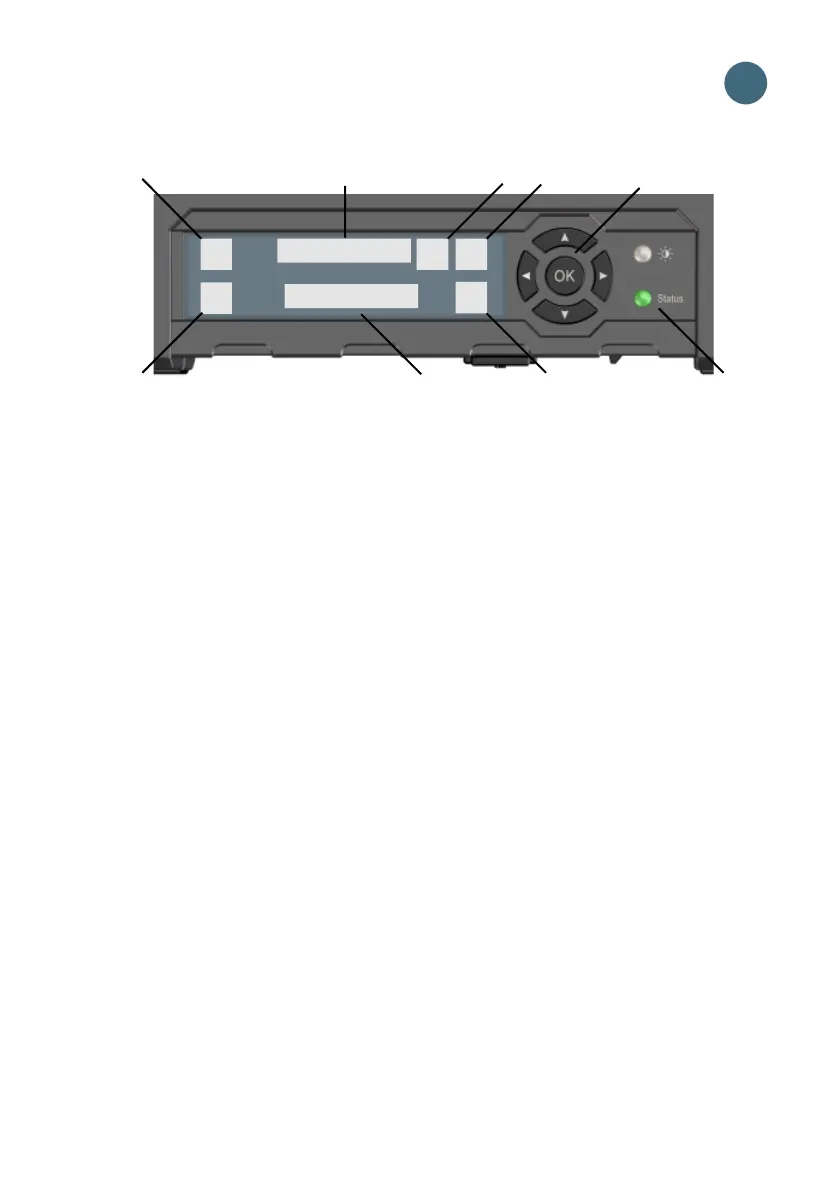
Display panel overview
1. Menu
2. Connect
3. Signal strength of satellite signal
4. Interfaces on/off
5. Warning
6. Battery status
7. Keypad for navigation
8. Status indicator
9. Status text
Opens the display menu. For a menu
overview, see next page.
Allows you to start a data connection.
Shows the signal strength of the satellite
connection and the beam type (G: Global
beam, R: Regional beam, N: Narrow beam).
Allows you to switch the interfaces on or off.
Shows if there are warning messages.
Shows the status of the internal battery and
the external battery (if connected).
Allows you to move between the available
options (arrow keys) and select them (OK).
Shows status. The table on the next page
explains the indicator patterns.
Shows the current status of the
EXPLORER 710 and the network connection.
2
3 4 6 7
1
5
8
9



 To Next Page