8
NOTE: You may have to enter a password. By default the password is the serial number of
your EXPLORER 710 and the encoding type is WPA2.
Your device is now connected to the EXPLORER 710. If the EXPLORER 710 is registered on
the BGAN network, the connection to the Internet is established automatically.
You are now ready to browse the Internet, check e-mails, send files etc.
Calls: If you want to use WLAN to make calls over the BGAN network, you must have a SIP
client installed on your smartphone. See Connect a phone to WLAN or LAN for making calls
on page 9.
Connect to the Internet
Standard data
By default, the EXPLORER 710 automatically connects to the Internet using a Standard data
connection when you connect equipment to the LAN or WLAN interface.
With a Standard data connection you can browse the Internet, send e-mail etc.
You can disable automatic connection to the Internet from the web interface.
Start Streaming
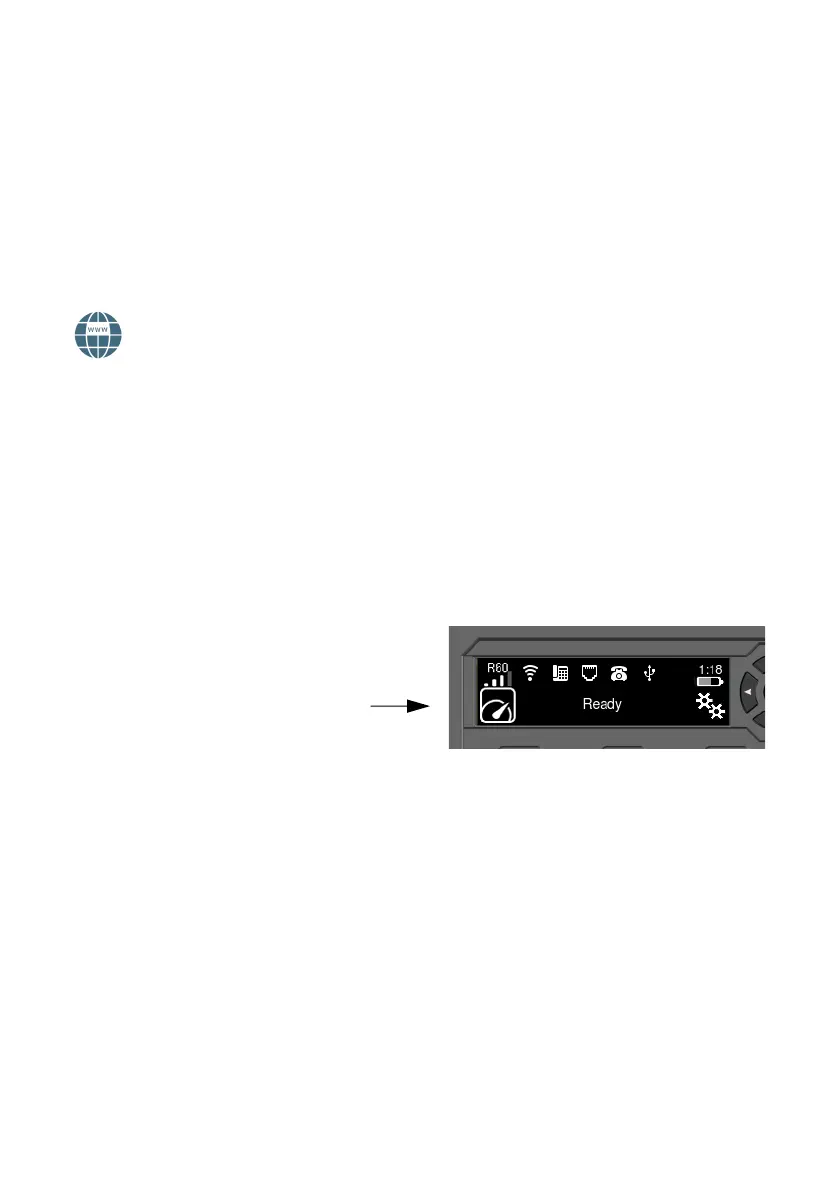
To start Streaming from the display, do as follows:
1. Select the data connection icon in the
bottom left corner of the display.
2. Use the arrow buttons to mark the
connection you want to start and press
OK to start it.
NOTE: Use the web interface to configure your selectable data connections.



 To Next Page