Chapter 2: Operation
22 Make a telex call
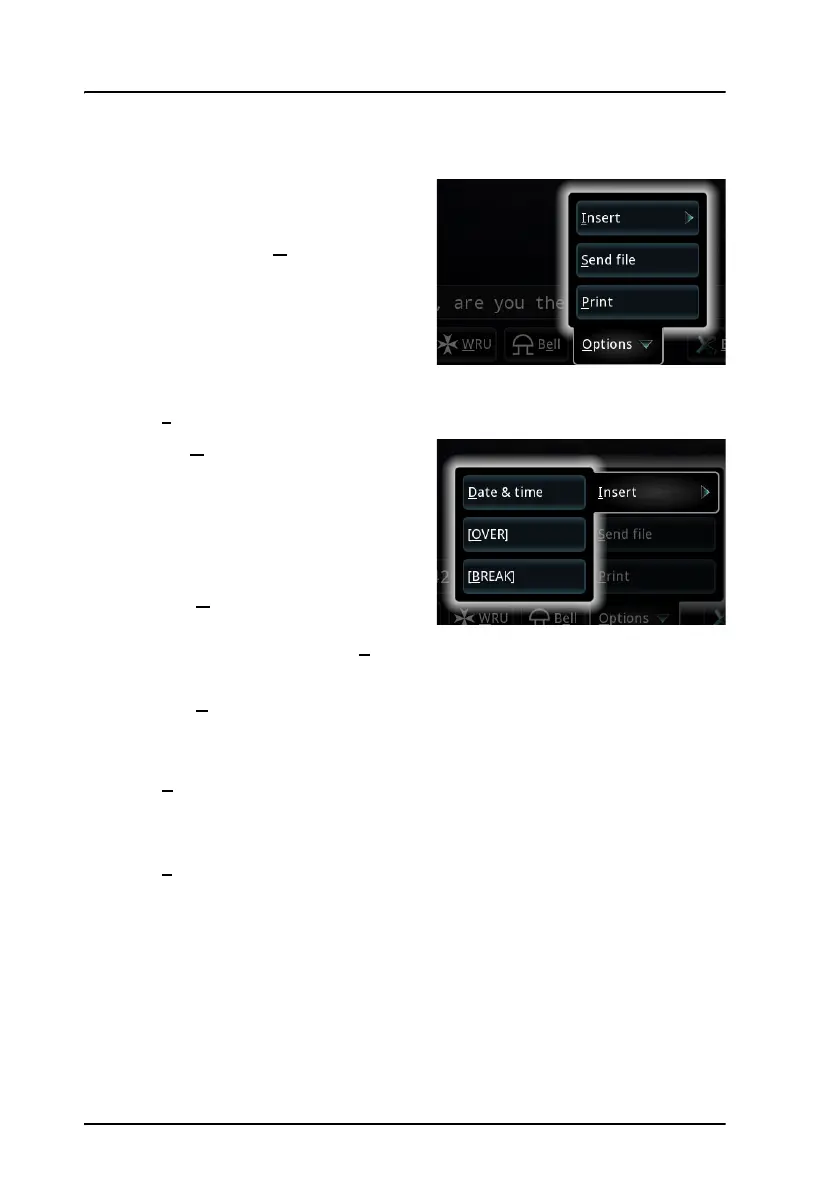
Options menu
To open the Options menu in the
telex page, select O
ptions at the
bottom of the page.
You now have the following options:
• I
nsert
• D
ate & Time: Inserts the
current date and time (UTC
format) in your message. The
syntax of the Date and time is
selected under Settings >
Date and Time format.
• [O
VER]: Inserts an OVER
command in your text, so
that when you select S
end or press Enter, your text is sent and the
direction is changed to the recipient immediately after.
• [B
REAK]: Inserts a BREAK command in your text, so that when you
select Send or press Enter, your text is sent and the
communication is stopped immediately after.
• S
end file
Allows you to select a text file to send. For information on how to write
and save the text file, see Write message files for telex on page 23.
• P
rint
Sends the text in the telex page to the printer.



 To Next Page