Chapter 2: Operation
24 DSC calls
•Push the soft key VIEW to display further data for this call.
•Push VIEW again to return to the working display.
If the same own Distress acknowledgment comes in more than once, the 2-
tone alarm sounds briefly and terminates automatically.
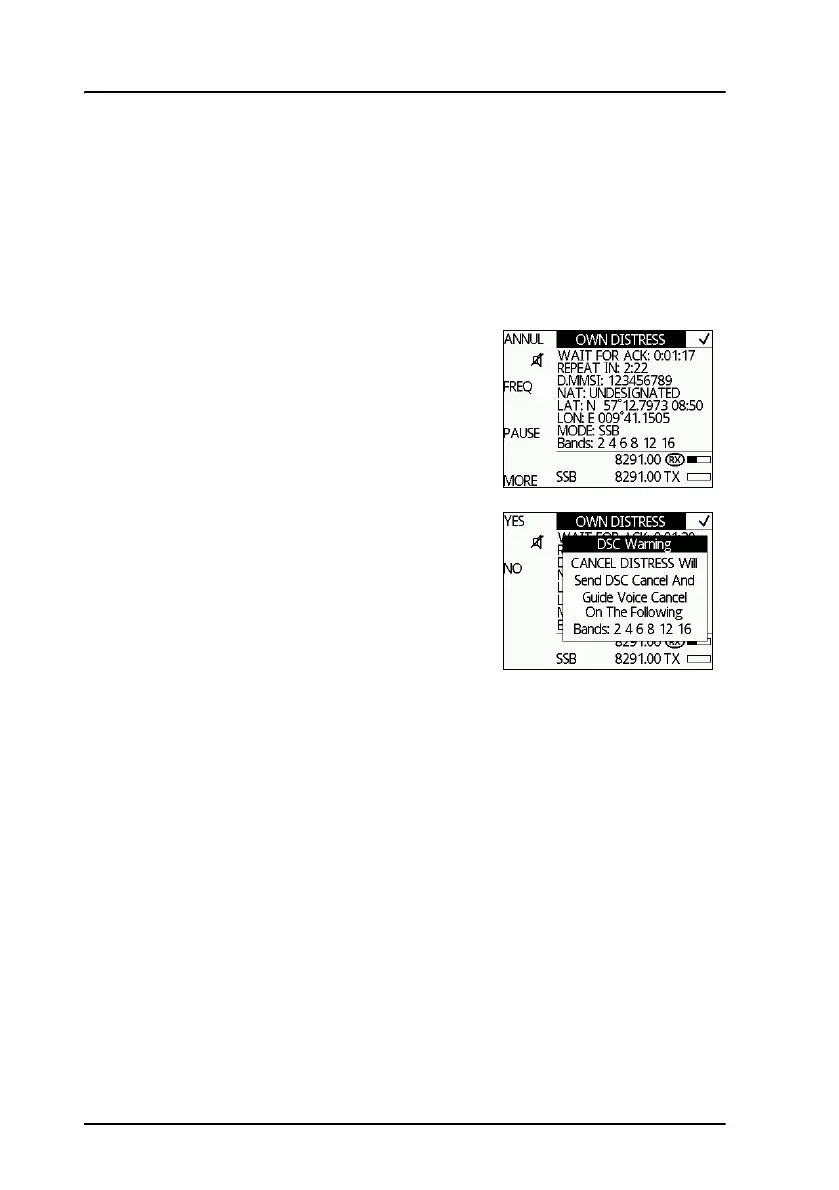
To cancel own Distress
If you inadvertently transmit a DSC Distress
alert and want to cancel it do as follows:
1. The display shows that a Distress
message has been sent. Push the soft
key ANNUL. A pop-up window is
displayed.
2. Push the soft key YES to go ahead with
the canceling process, or push the soft
key NO to return to Distress sending
procedure.
3. You must send a voice cancellation
message on all DSC watch channels. The
display shows the message that you
should say when canceling the Distress.
Use the selector knob to scroll through all information for the voice
cancel.
4. Push the soft key OK to go to the next Distress frequency and repeat
step 3.
Once you have made the voice cancel for all Distress frequencies, Own
Distress is canceled.
5. To finish the Distress session and get back to normal radio use push the
soft key QUIT.



 To Next Page