Chapter 2: Operation
DSC calls 23
2222
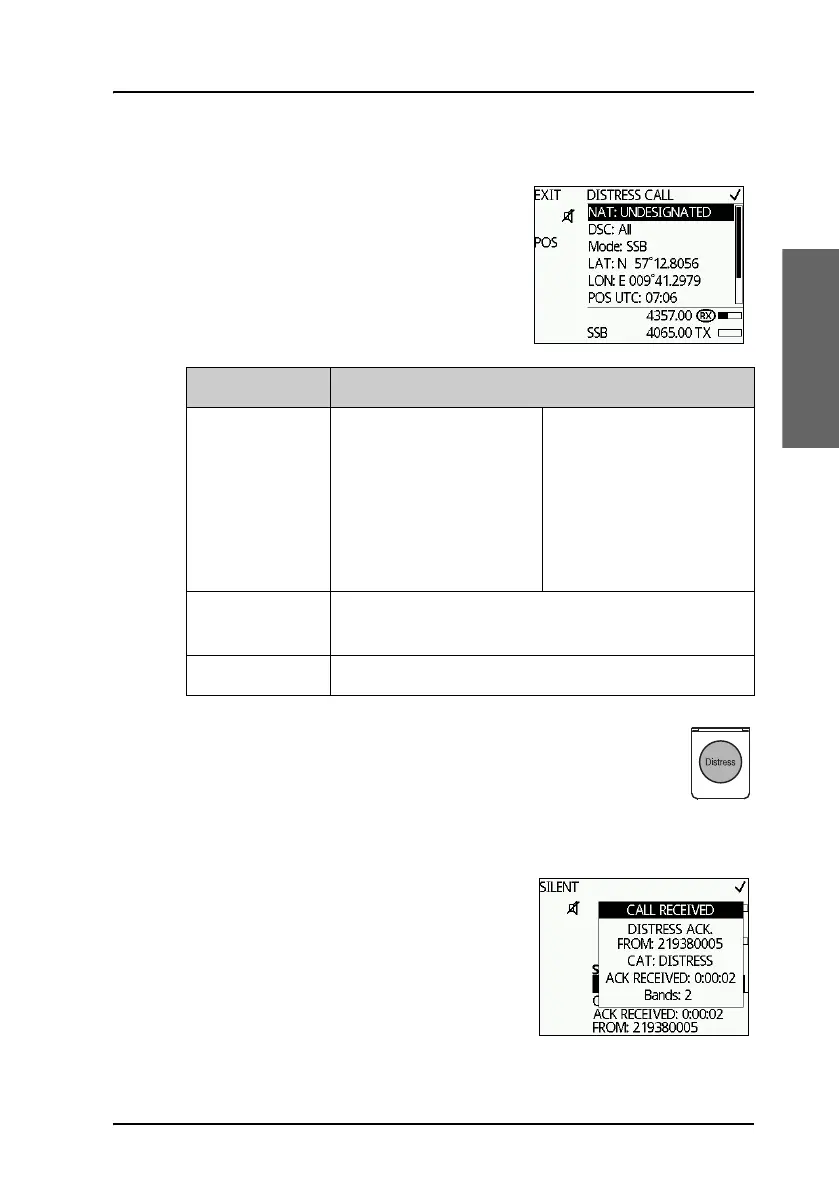
ALERT — To send a Distress alert with specified parameters
To send a Distress call with specified nature,
distress frequency and sub communication
mode do as follows:
1. Push the soft key ALERT.
2. Enter the necessary information using the
selector knob, see the following table.
3. Lift the cover of the red Distress button and push the
Distress button for 3 seconds.
To receive acknowledgment of own Distress
When the MF/HF radio receives an
acknowledgment of Distress from another
vessel or station, a 2-tone alarm sounds. The
display shows a pop-up window with the
MMSI number of the station who sent the
Distress acknowledgment call.
•Push SILENT or any other key to switch
off the 2-tone alarm.
Item Description
Distress nature FIRE, EXPLOSION
FLOODING
COLLISION
GROUNDING
LISTING (in danger of
capsizing)
SINKING
DISABLED (and adrift)
UNDESIGNATED
ABANDONING (ship)
PIRACY (armed robbery
attack)
MAN OVERBOARD
DSC All or single frequency, if you only want to send the
Distress alert on one of the 6 Distress frequencies.
Mode Radio sub communication mode: SSB or Telex FEC.



 To Next Page